
Leave your address - as soon as the price of the product goes down, you'll know about it right away
Watercool 4-pin to 4-pin PWM extension cable, 0.9 m, black (model 60316)
In cart {{totalProductsCount}} item(s)
Your cart is empty
Watercool 4-pin to 4-pin PWM extension cable, 0.9 m, black (model 60316)
Leave your address - as soon as the price of the product goes down, you'll know about it right away
Watercool 4-pin to 4-pin PWM extension cable, 0.9 m, black (model 60316)
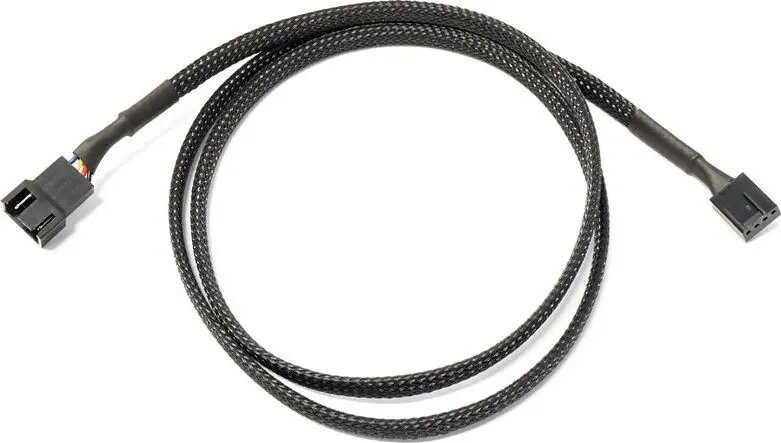
The Watercool 4-pin to 4-pin PWM extension cable (0.9 m, black) lengthens the connection between a motherboard or controller and a 4-pin PWM fan or device while maintaining the PWM control signal and power lines. This cable is intended for desktop PC builds where the existing fan or pump wiring is too short for optimal placement. The black sleeved design integrates unobtrusively into most system interiors and supports standard 4-pin PWM fan pinouts.
This extension preserves the PWM control line and the 12 V power and ground conductors, allowing the connected fan or PWM device to remain controllable from the system firmware or an external controller. The 0.9 m length provides greater routing flexibility behind radiators, across large cases, or to hard-to-reach fan locations. Its standard 4-pin connectors ensure compatibility with common motherboard headers and PWM-capable fan models without requiring adapters.
Plug the male end of the extension into the motherboard or fan controller 4-pin header, and connect the female end to the fan or PWM device’s connector. Ensure the connector orientation matches the header keying to avoid misalignment of pins. Route the cable along the case edges or behind panels to minimize obstruction to airflow and avoid contact with moving parts. Verify that the fan or device responds to PWM speed control after installation.
For reliable operation, avoid sharply bending the cable at the connector ends and keep it clear of sharp edges. When extending multiple fans, route cables to minimize crossovers and secure them with cable ties or clips to maintain tidy airflow pathways and reliable signal integrity.
{{highlightedFeature.featureTitle}}:
{{getProductFeatureValueById(product, highlightedFeature.featureId)}}