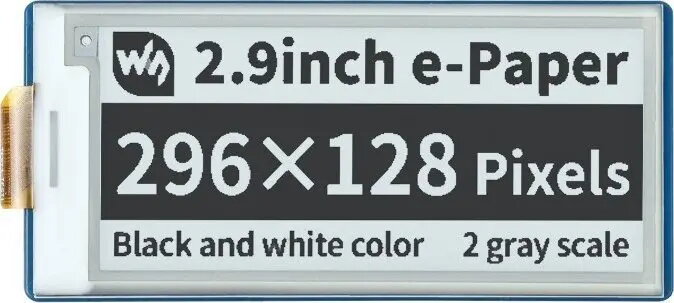
This 2.9-inch black-and-white E-paper (E-Ink) display offers a 296×128 pixel resolution and an SPI interface, designed for use with the Raspberry Pi Pico and other microcontroller projects. The display module provides bistable image retention—content remains visible without power—making it suitable for low-power and battery-operated applications. Its compact form factor and clear monochrome rendering are intended for static images, status panels, simple e-readers, and embedded prototypes where minimal energy consumption and readable contrast are required.
Advantages
The E-paper display consumes power only when updating the screen, enabling long standby times in battery-powered systems. Its bistable technology maintains the displayed image without a refresh cycle, reducing energy demands for static content. The SPI interface offers a straightforward connection to the Raspberry Pi Pico and many other MCUs, and the 296×128 pixel matrix delivers sufficiently detailed monochrome graphics for text, icons, and simple diagrams. The module's compact dimensions facilitate integration into enclosures and portable devices.
Suitable for
- Battery-powered information panels and status displays
- Static dashboards and sensor readouts
- Low-power e-reader pages and text displays
- Prototype user interfaces for Raspberry Pi Pico projects
- Portable devices requiring long standby times
Key specifications
- Display type: E-paper / E-Ink, monochrome (black and white)
- Visible diagonal: 2.9 inches
- Resolution: 296 × 128 pixels
- Interface: SPI (serial peripheral interface)
- Update behavior: bistable (retains image without power)
- Suitable host: microcontrollers such as Raspberry Pi Pico and similar boards
- Typical use: low-power, static image and text rendering
How to use
Connect the display to a Raspberry Pi Pico or another compatible microcontroller using the SPI pins, power, and any required control lines (such as reset and data/command). Install the appropriate driver or library for Waveshare E-paper modules on the host microcontroller; examples and sample code are commonly available from the manufacturer and community repositories. Initialize the display in your firmware, prepare monochrome image buffers matching the 296×128 resolution, and send frame data via SPI. Issue refresh/update commands when changing content; after an update the image will remain visible without continuous power.
Usage recommendations
For best contrast and longevity, avoid driving full-screen rapid updates; batch changes and minimize update frequency. Use appropriate voltage levels and level-shifting when interfacing with 3.3V or 5V hosts. Consult Waveshare documentation for recommended waveform timing and example code for Raspberry Pi Pico to ensure reliable operation.