
Powerful EcoFlow stations for energy anywhere!
In cart {{totalProductsCount}} item(s)
Your cart is empty
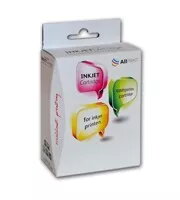
Xerox XRC Ink Cartridge PGI-1500XL Black for Canon MAXIFY MB2050 and MB2350
The Xerox XRC PGI-1500XL black ink cartridge is a high-capacity printing solution engineered specifically for compatibility with Canon MAXIFY MB2050 and MB2350 inkjet printers. This cartridge provides a reliable alternative for users seeking consistent performance and professional-grade document quality. With a generous ink volume of 34.7 ml, it is designed to support high-volume printing needs while maintaining sharp, clear text output for all your business documentation.
This Xerox XRC cartridge offers significant benefits for office environments that prioritize efficiency and cost-effectiveness. By utilizing a high-capacity design, it reduces the frequency of cartridge replacements, thereby streamlining workflow and minimizing downtime. The ink formulation is optimized to deliver crisp black text and precise lines, ensuring that every document meets professional standards. Furthermore, it provides a dependable printing experience that matches the requirements of demanding daily office tasks.
This cartridge is specifically designed for use with Canon MAXIFY MB2050 and MB2350 printers and will not function in other printer models. It is not intended for high-resolution photo printing or applications requiring specialized archival-grade inks.
To install the cartridge, open the printer cover and locate the ink cartridge compartment. Remove the empty cartridge by pressing the release tab and pulling it out. Take the new Xerox XRC cartridge out of its packaging, remove the protective seal or clip as indicated by the manufacturer instructions, and insert it firmly into the corresponding slot until it clicks into place. Close the printer cover and allow the printer to perform its automatic initialization process before starting your print job.
For optimal print quality and to maintain the longevity of your printer, it is recommended to use the printer regularly. If the printer remains idle for extended periods, perform a print head cleaning cycle to prevent ink drying and ensure consistent output.
{{highlightedFeature.featureTitle}}:
{{getProductFeatureValueById(product, highlightedFeature.featureId)}}
{{ productComparisonGenerationError }}