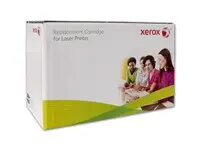
Compatible magenta toner cartridge Xerox XRC for HP LaserJet Pro 3202 and HP Pro MFP 3302 (W2193A/219A) provides colour printing for office and home laser printers. This replacement toner is formulated for use in the listed HP models and yields approximately 1,200 pages at the declared coverage. It is intended to produce sharp magenta tones for colour text, charts and graphics while maintaining printer compatibility and standard print yield.
Advantages
The Xerox XRC compatible magenta toner offers a cost-effective alternative to original cartridges while aiming to maintain consistent colour output and page yield. It is designed to be easy to install and to work with automatic printer settings for toner detection and print quality. The cartridge supports typical office print volumes and is suitable for mixed text-and-graphics jobs where magenta is required.
Suitable for
- Colour document printing in small offices and home offices
- Printing flyers, brochures and colour charts with prominent magenta elements
- Everyday mixed black-and-colour printing where occasional colour is needed
When it may not be suitable
This compatible toner is intended for the specified HP LaserJet Pro 3202 and HP Pro MFP 3302 models; it may not be compatible with other printer models or earlier/later HP series. Users who require manufacturer-certified cartridges for warranty reasons, colour-critical proofing or the maximum guaranteed longevity from the original manufacturer may prefer the OEM magenta toner instead.
Key specifications
- Colour: Magenta
- Technology: Laser toner cartridge for monochrome/colour laser printers
- Estimated yield: Approximately 1,200 pages at declared coverage
- Compatible printers: HP LaserJet Pro 3202 series and HP Pro MFP 3302 series
- Intended use: Replacement colour consumable for standard office and home printing
How to use
Power off the printer or follow the printer's guidance for safe cartridge replacement. Open the cartridge access door, remove the empty magenta cartridge according to the printer instructions, unpackage the replacement cartridge and remove protective seals before installation. Insert the Xerox XRC compatible magenta cartridge into the correct colour slot until it seats securely, close the access door and run a short test print or alignment if prompted by the printer to verify correct installation and colour output.
What to consider before purchase
- Verify printer model compatibility with HP LaserJet Pro 3202 and HP Pro MFP 3302 series
- Check required page yield and whether approximately 1,200 pages meets your usage needs
- Consider warranty or service terms if you require OEM-certified consumables for support
Usage recommendations
Store the cartridge in a cool, dry place away from direct sunlight and handle by the cartridge body to avoid contact with the drum or toner outlet. For consistent colour results, run occasional printer maintenance and perform colour calibration or alignment when prompted by the printer software.