
Leave your address - as soon as the price of the product goes down, you'll know about it right away
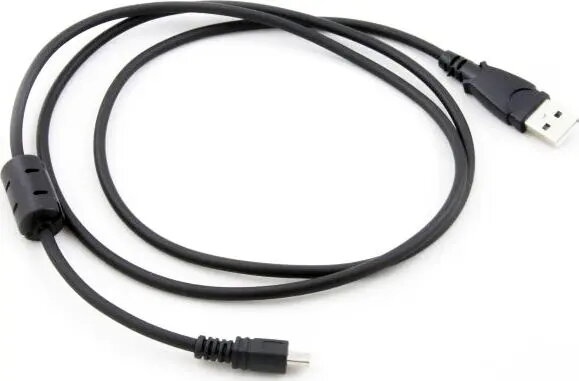
USB Cable Xrec SB2909 1.15 m USB-A to mini DisplayPort, black
In cart {{totalProductsCount}} item(s)
Your cart is empty
USB Cable Xrec SB2909 1.15 m USB-A to mini DisplayPort, black
Leave your address - as soon as the price of the product goes down, you'll know about it right away
USB Cable Xrec SB2909 1.15 m USB-A to mini DisplayPort, black
Xrec SB2909 is a 1.15 m cable with a USB-A connector on one end and a mini DisplayPort connector on the other, designed to connect devices that support video output through USB-to-miniDP adapters or interfaces. Its compact black design fits desktop and portable setups and is intended for use with laptops, tablets, adapters or capture devices that accept mini DisplayPort input.
The cable provides a straightforward physical connection between a USB-A port and a mini DisplayPort input where the host device and adapter support such a configuration. Its 1.15 m length offers a balance between reach and minimal clutter for typical desk or portable applications. The black finish is unobtrusive and suitable for mixed-device environments.
Connect the USB-A end of the Xrec SB2909 to the host device or adapter's USB-A port and insert the mini DisplayPort end into the display, capture device or adapter with a mini DisplayPort input. Ensure that the host device and any intermediary adapters support video output over the chosen USB-to-miniDP arrangement before attempting to transmit video signals. Route the cable to avoid sharp bends and secure any adapters or connectors to prevent accidental disconnection.
Verify compatibility of the host device and any adapters for USB-to-mini DisplayPort video transmission. For stable video performance, use the cable at its intended length and avoid excessive bending near connector ends. If using with adapters, follow the adapter manufacturer's instructions for power and driver requirements.
{{highlightedFeature.featureTitle}}:
{{getProductFeatureValueById(product, highlightedFeature.featureId)}}