




Filters you can trust. Pure water every day.
In cart {{totalProductsCount}} item(s)
Your cart is empty
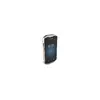
Handheld mobile computer Zebra TC52AX 5" 1920x1080 touchscreen Android Snapdragon 660 2.45 GHz 4 GB RAM 64 GB storage barcode reader 260 g Grey
The Zebra TC52AX is a rugged handheld mobile computer with a 5" (12.7 cm) Full HD 1920 x 1080 touchscreen, Android OS and a Qualcomm Snapdragon 660 processor at 2.45 GHz. Designed for enterprise mobility, the TC52AX includes an integrated barcode reader, Wi‑Fi (including Wi‑Fi 6 on the TC52ax model), Bluetooth 5.x, 4 GB RAM and 64 GB flash storage (expandable via microSD). Built for daily use in demanding environments, it provides durable construction, Gorilla Glass protection and a high-capacity PowerPrecision+ battery to support full-shift operation.
The device combines advanced scanning options (including SE4720 and optional SE55 with IntelliFocus) for fast, accurate barcode capture at short and long ranges, a bright Full HD touchscreen that works with gloves or when wet, and enterprise-grade voice and connectivity features such as Bluetooth 5.x, MU‑MIMO Wi‑Fi and optional cellular on TC57x models. Integrated tools from Zebra Mobility DNA—such as LifeGuard for Android, StageNow, DataWedge and Workstation Connect—simplify device management, security updates and workflow integration. Backwards compatibility with TC52/TC57 accessories and support for payment and hands‑free workflows add flexibility and lower upgrade cost.
Power on the TC52AX and configure network and security settings using the Mobility DNA tools such as StageNow or Enterprise Home Screen. Use the integrated scanner from the main camera/scan window to capture barcodes; select SE4720 for close-to-mid range or SE55 with IntelliFocus for extended-range scanning. Interact with applications on the Full HD touchscreen using touch, glove mode or a stylus. For extended tasks, insert a microSD card to expand storage, attach compatible enterprise accessories or connect wirelessly to printers and headsets via Bluetooth. Use Workstation Connect when a larger monitor, keyboard and mouse are needed to run TC52AX apps as a mobile-powered workstation.
Keep LifeGuard for Android enabled and apply Zebra security patches regularly. Use PowerPrecision+ replacement batteries for consistent full-shift performance and enable Warm Swap to change batteries without powering down. For optimal Wi‑Fi performance, use access points that support MU‑MIMO and beamforming; enable Bluetooth Low Energy for peripherals to extend battery life.
{{highlightedFeature.featureTitle}}:
{{getProductFeatureValueById(product, highlightedFeature.featureId)}}
{{ productComparisonGenerationError }}