
Hurry and order now – up to 50% off!
In cart {{totalProductsCount}} item(s)
Your cart is empty
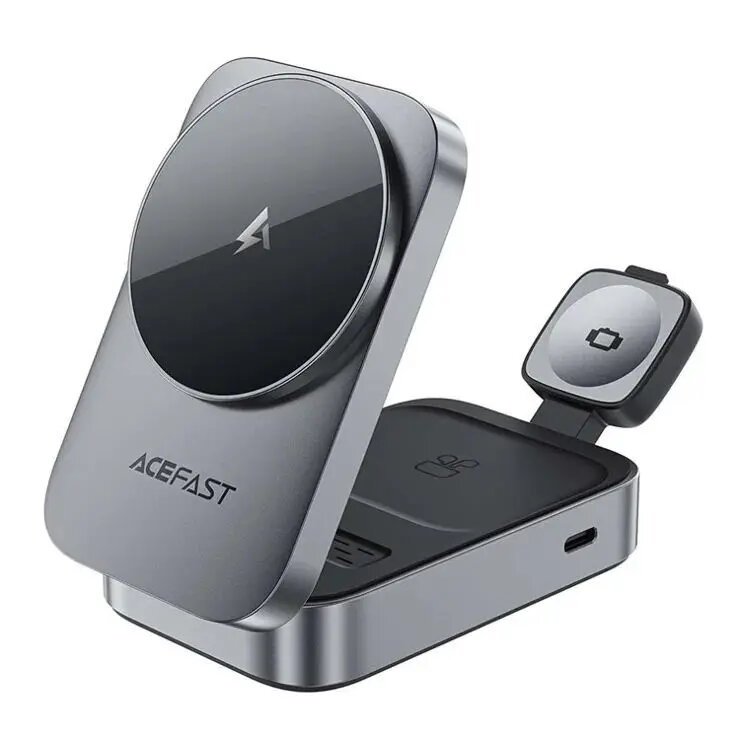
Wireless charging holder Acefast E22 Desktop 3-in-1 — metal grey, wireless charging stand for phone, earbuds, smartwatch
Acefast E22 Desktop is a 3-in-1 wireless charging holder in metal grey that integrates Qi wireless charging for smartphones and compatible earbuds with a dedicated charging area for smartwatches. The compact stand organizes three device charging positions on a single desktop footprint, reducing cable clutter and offering stable alignment for inductive charging in home or office environments. The product combines a low-profile metal-grey housing with non-slip pads to keep devices in place during charging and supports everyday charging routines for multiple devices simultaneously.
The Acefast E22 Desktop offers simultaneous charging for a phone, true wireless earbuds and a smartwatch, simplifying device management on a desk. Its compact metal grey stand organizes charging positions to minimize tangled cables and keeps devices aligned with built-in charging coils for reliable power transfer. The design provides a stable base and easy placement, while the integrated layout saves space compared with multiple separate chargers.
Place the Acefast E22 Desktop on a flat, stable surface and connect the power input to a suitable USB power adapter (adapter not included) that meets the device's power requirements. Position the smartphone on the main Qi charging pad, place compatible true wireless earbuds on their corresponding charging area, and set the smartwatch on the dedicated coil area. Ensure devices are centered on their respective charging positions to achieve proper alignment and charging initiation. Monitor device indicators to confirm charging status.
Use a power adapter that provides adequate output as specified by the manufacturer to ensure efficient charging. Remove metal cases or objects between devices and charging surfaces, and avoid placing wet or damaged devices on the charger. For optimal performance, keep the charging surfaces clean and place devices centrally on each charging area.
{{highlightedFeature.featureTitle}}:
{{getProductFeatureValueById(product, highlightedFeature.featureId)}}
{{ productComparisonGenerationError }}