This is due to long delivery times and limited product warranties.
Filters you can trust. Pure water every day.
In cart {{totalProductsCount}} item(s)
Your cart is empty
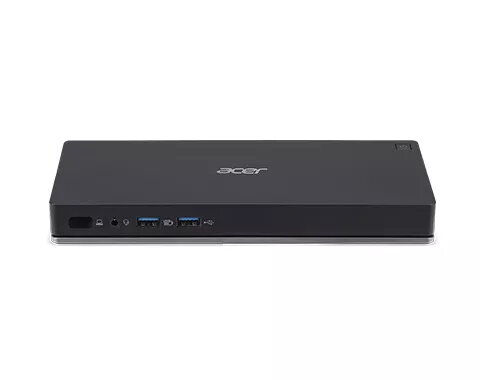
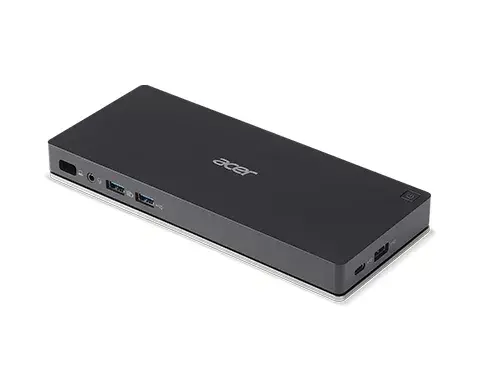
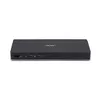
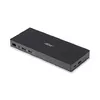
Docking Station Acer NP.DCK11.01N
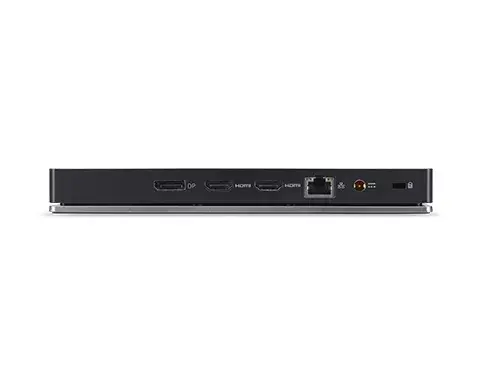
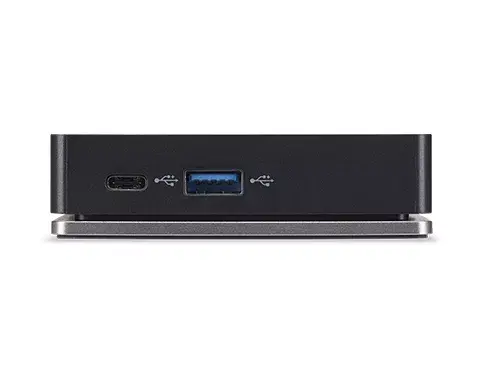
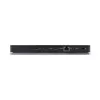
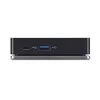
The Acer NP.DCK11.01N docking station provides a compact, black docking solution designed to expand connectivity for compatible laptops and workstations. It supports wired network connectivity via an Ethernet LAN (RJ-45) port with data rates up to 1000 Mbit/s, offers two HDMI outputs for connecting external displays, and includes a 3.5 mm headphone jack. The unit is secured with a Kensington cable lock slot and is powered from mains AC with an EU plug. Its compact footprint—204 mm wide, 87 mm deep and 23.9 mm high—is intended to fit easily on desks where additional ports and display outputs are required.
The docking station consolidates multiple interfaces into a single device, reducing cable clutter and enabling quick connection of displays and wired network access. Dual HDMI outputs allow use of one or two external monitors for expanded desktop space or mirrored presentation setups. The integrated Kensington lock slot adds a physical security option for semi-permanent installations, while AC power with EU plug compatibility ensures stable, mains-powered operation without relying on host power delivery.
Place the docking station on a stable surface and connect the supplied AC power lead to a suitable EU mains outlet. Use an Ethernet cable to connect the RJ-45 port to your network switch or router. Attach one or two external monitors to the HDMI outputs and connect headphones or external speakers to the 3.5 mm jack if required. Connect your laptop to the docking station using the appropriate host interface cable (not included) or as specified for your laptop model, then secure the unit with a Kensington cable lock if physical security is desired. After connections are made, power on the docking station and the host device; the system should recognize the displays and network connection automatically or prompt for standard driver installation if needed.
For stable multi-monitor performance, use high-quality HDMI cables and ensure the connected laptop supports multi-display output via the docking interface. Place the docking station in a ventilated area away from heat sources, and use the Kensington lock slot to prevent unauthorized removal in shared or public spaces.
{{highlightedFeature.featureTitle}}:
{{getProductFeatureValueById(product, highlightedFeature.featureId)}}
| Warehouse | Stock | Delivery to the store | Store Price | |
| WH94 | 8 | 03.07.2026 | 269.99 € | |
| BT5 | 7 | Friday Best delivery | 270.99 € | |
| WH353 | 7 | 07.07.2026 | 286.99 € |
| Warehouse | Stock | Delivery to the store | Store Price | |
| WH109 | 8 | 17.07.2026 | 264.49 € | |
| EU6 | 2 | 03.07.2026 | 304.99 € |
|
269.99 €
Stock:
8
Delivery Date:
03.07.2026
Warehouse: WH94
|
|
270.99 €
Stock:
7
Delivery Date:
Friday
Best delivery
Warehouse: BT5
|
|
286.99 €
Stock:
7
Delivery Date:
07.07.2026
Warehouse: WH353
|
|
264.49 €
Stock:
8
Delivery Date:
17.07.2026
Warehouse: WH109
|
|
304.99 €
Stock:
2
Delivery Date:
03.07.2026
Warehouse: EU6
|