
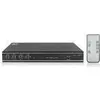
KVM switch ACT AC7914 USB HDMI 4K Ultra HD
204.49 €
{{selectedOffer && selectedOffer.price | formatAmount}}
Offer for legal entity, cashless payment.
Why is an item available only for a legal entity?
This is due to long delivery times and limited product warranties.
This is due to long delivery times and limited product warranties.
Short description
The ACT AC7914 KVM switch allows you to control multiple computers with a single keyboard, mouse, and monitor. It supports USB connections for keyboard and mouse, and HDMI for video output, delivering stunning 4K Ultra HD resolution at 3840 x 2160 pixels. With a maximum data transfer rate of 5 Gbit/s, it ensures smooth operation. The switch is powered by a 12V DC source and includes necessary cables for easy setup.
Available for order:
101 pcs.
Warranty:
2 Years
SKU:
11078687


Cheapest delivery:
Unisend LV
Pick-up points
Unisend LV
Cost
1.79 €
Deliver
{{selectedOffer.parcelStationDeliveryString}}
Customer service center
2b. Kengaraga str., Riga, Latvia, LV-1063
24.08.2026
{{selectedOffer.officeDeliveryString}}
free
Courier Delivery
Please note that in case of a large parcel additional delivery costs may apply!
From 4.99 € (Weight: 1.00 kg)
Parcel couriers
Unisend LV / Venipak Pickup LV / Venipak Locker LV / Latvijas Pasts pakomāts / DPD Paku skapis / Omniva LV / Latvijas Pasts nodaļa
27.08.2026
{{selectedOffer.parcelStationDeliveryString}}
From 1.79 €

Payment Methods:
Bank transfer


