
KVM extender Adder ALIF100T-VGA
{{selectedOffer && selectedOffer.price | formatAmount}}
{{selectedOffer && selectedOffer.price | formatAmount}}
Offer for legal entity, cashless payment.
Why is an item available only for a legal entity?
This is due to long delivery times and limited product warranties.
This is due to long delivery times and limited product warranties.
Short description
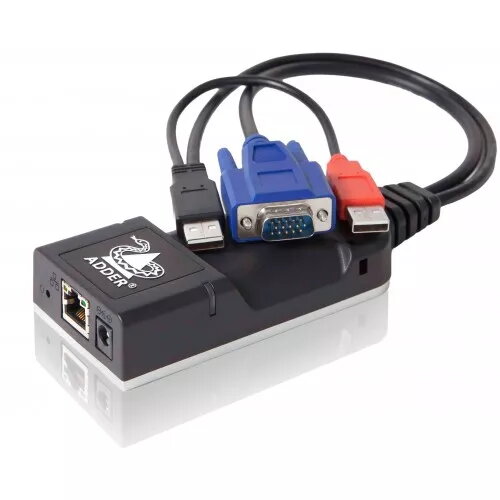
The Adder ALIF100T-VGA KVM extender allows you to extend VGA video and USB signals over long distances. It supports resolutions up to 1920x1200 at 60Hz and can transmit signals up to 100 meters using CAT5e/6 cables. This extender is ideal for remote access to computers in secure environments, providing high-quality video and reliable USB connectivity. Its compact design ensures easy installation and integration into existing setups.
Cheapest delivery:
Unisend LV
Pick-up points
Unisend LV
Cost
1.99 €
Deliver
{{selectedOffer.parcelStationDeliveryString}}
Customer service center
2b. Kengaraga str., Riga, Latvia, LV-1063
21.10.2026
{{selectedOffer.officeDeliveryString}}
free
Courier Delivery
Please note that in case of a large parcel additional delivery costs may apply!
From 4.99 € (Weight: 1.00 kg)
Parcel couriers
Unisend LV / Venipak Pickup LV / Venipak Locker LV / DPD Paku skapis / Omniva LV / Latvijas Pasts pakomāts / Latvijas Pasts nodaļa
26.10.2026
{{selectedOffer.parcelStationDeliveryString}}
From 1.99 €

Leasing for legal entities:
from 37.6 euros per month


