
Leave your address - as soon as the price of the product goes down, you'll know about it right away
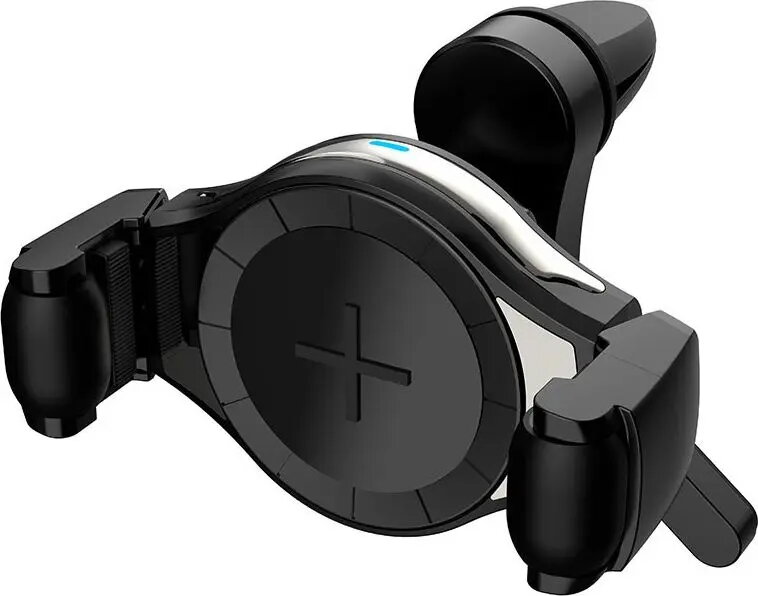
Car Clamp Mount Amio AMI-02249 — adjustable vehicle phone/tablet holder
In cart {{totalProductsCount}} item(s)
Your cart is empty
Car Clamp Mount Amio AMI-02249 — adjustable vehicle phone/tablet holder
Leave your address - as soon as the price of the product goes down, you'll know about it right away
Car Clamp Mount Amio AMI-02249 — adjustable vehicle phone/tablet holder
Amio AMI-02249 is a clamp-style car mount designed to secure smartphones and small tablets to interior surfaces. The holder provides an adjustable grip and swivel positioning so a device can be held firmly while maintaining visibility for navigation, calls, or media playback. Its compact design allows easy installation, removal and repositioning without permanent attachments.
The clamp mechanism offers a stable hold across a range of device widths while the adjustable joint enables multiple viewing angles. The mount’s low-profile construction minimizes obstruction of the windshield or dashboard area and reduces vibration transfer for clearer screen visibility. Materials are chosen to balance grip and surface protection to avoid scratching the device or interior surfaces.
Position the clamp on a suitable interior surface where it can secure firmly, such as a trim edge or vent blade, and tighten or adjust the clamp until the mount is stable. Insert the device between the clamp arms and adjust the grip to hold the device securely without excessive force. Use the swivel and tilt joint to set the desired viewing angle for navigation or media. Before driving, confirm the device is stable and does not obstruct your view of the road or vehicle controls.
For safe use, place the mount where it does not interfere with driving sight lines or airbags. Regularly check clamp tightness and device grip, and avoid mounting on unstable or flexible surfaces. Remove the device while driving if interaction is required; use voice controls or a passenger to operate navigation and media when possible.
{{highlightedFeature.featureTitle}}:
{{getProductFeatureValueById(product, highlightedFeature.featureId)}}