
Leave your address - as soon as the price of the product goes down, you'll know about it right away
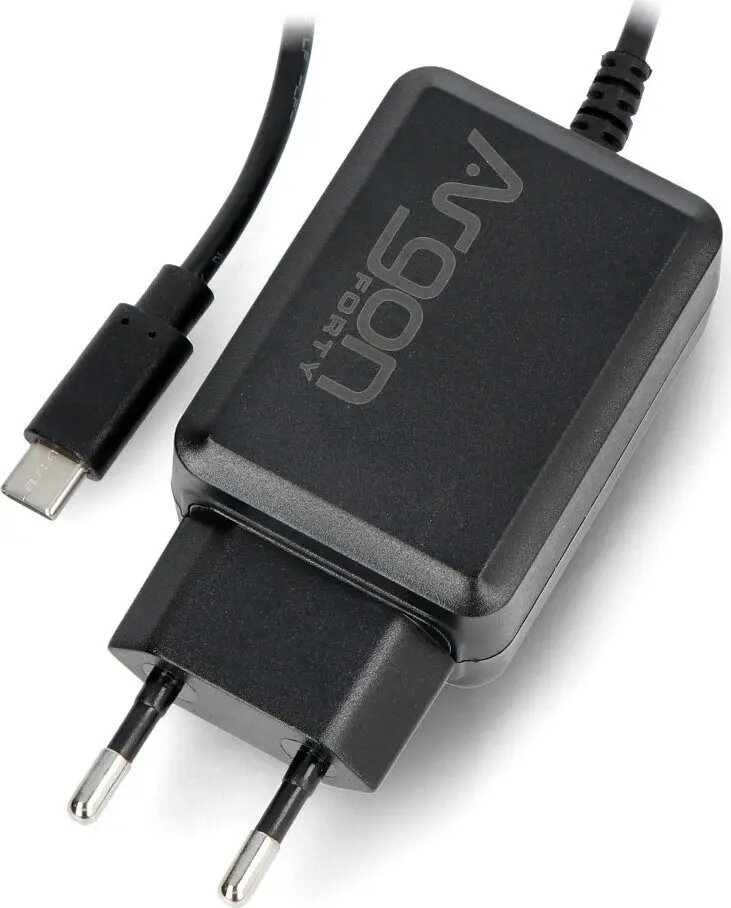
Power Supply Argon40 V2 USB-C 5.25V 3.5A for Raspberry Pi 4B — black
In cart {{totalProductsCount}} item(s)
Your cart is empty
Power Supply Argon40 V2 USB-C 5.25V 3.5A for Raspberry Pi 4B — black
Leave your address - as soon as the price of the product goes down, you'll know about it right away
Power Supply Argon40 V2 USB-C 5.25V 3.5A for Raspberry Pi 4B — black
The Argon40 V2 USB-C power supply delivers a dedicated 5.25V, 3.5A output tailored for Raspberry Pi 4B systems. Designed to provide stable voltage and adequate current, this compact black AC adapter supports the Raspberry Pi 4B and connected USB peripherals under typical and moderately demanding loads. The USB-C connector ensures a secure, reversible plug-in connection suitable for desktop setups, embedded projects, hobbyist kits and prototyping environments where a reliable single-supply source is required.
The power supply offers regulated 5.25V output with up to 3.5A current capability to reduce voltage drop and support peripherals that draw additional power. Its USB-C connector and compact form factor make it easy to integrate into small enclosures and desktop arrangements. The adapter’s design focuses on consistent delivery of power to minimize unexpected reboots or brownouts on the Raspberry Pi 4B during peak usage.
Connect the USB-C plug of the adapter to the power input of the Raspberry Pi 4B. Ensure mains input matches the adapter’s rating and use a properly grounded outlet. Power the adapter after all peripherals are connected when possible to avoid inrush-related issues. If the Raspberry Pi is enclosed, allow adequate ventilation around the adapter and board to maintain safe operating temperatures.
Use this power supply when the Raspberry Pi 4B is expected to run with attached USB devices or HATs that increase total current draw. Avoid using long or thin USB-C cables that can cause additional voltage drop; prefer short, well-shielded cables and confirm the connector is fully seated. If your setup requires higher sustained currents for multiple high-power peripherals, verify total system consumption and consider a supply with appropriate headroom.
{{highlightedFeature.featureTitle}}:
{{getProductFeatureValueById(product, highlightedFeature.featureId)}}