JBL speakers and headphones for pure and deep sound!
In cart {{totalProductsCount}} item(s)
Your cart is empty
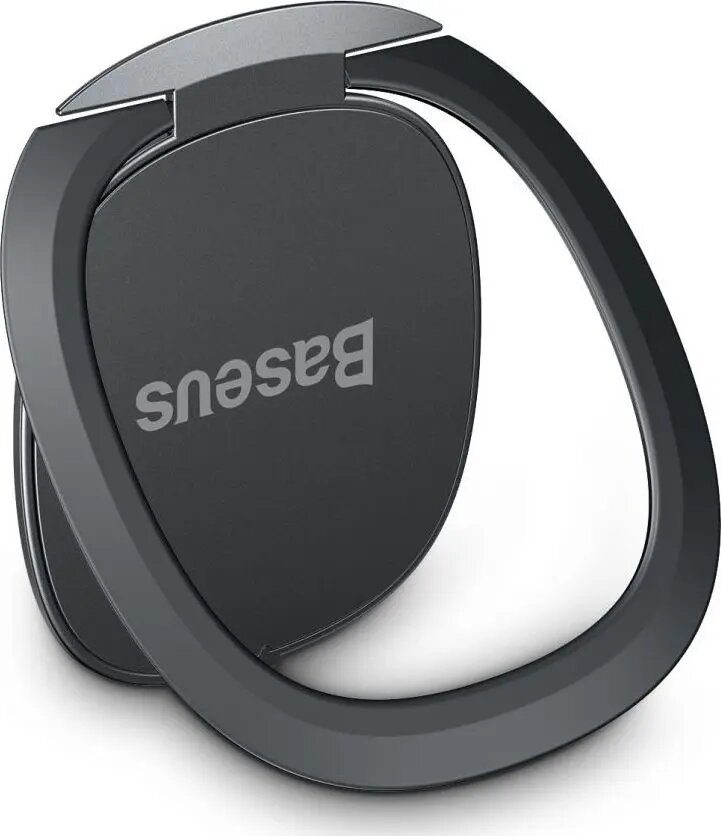
Phone ring holder Baseus SUYB-0A Invisible Magnetic – compact magnetic finger grip for secure one-handed use
Baseus SUYB-0A Invisible Magnetic is a compact magnetic phone ring holder designed to attach to the back of smartphones and compatible cases. The slim, low-profile construction provides a stable finger grip that helps secure one-handed use, improves handling when browsing or photographing, and reduces the risk of accidental drops. The magnetic element enables quick alignment with compatible accessories while maintaining a minimal visual footprint on the device.
The slim profile of the Baseus SUYB-0A Invisible Magnetic keeps the phone's original lines intact while offering a reliable grip. Its magnetic mounting simplifies attachment to compatible mounts and accessories and supports quick repositioning. The durable surface and reinforced ring mechanism deliver steady support for video viewing, calls, and single-handed operation. The holder's discreet design minimizes bulk and interference with wireless charging when positioned according to device guidelines.
Clean the attachment area on the phone or case with a dry, lint-free cloth and ensure the surface is free of dust, grease or silicone coatings. Peel off the protective film from the adhesive pad and align the holder on the desired position on the device back; press firmly for several seconds to secure the bond. Allow the adhesive to set according to common adhesive mounting practice before repeated use. Rotate the ring to the desired angle for comfortable one-handed operation or for use as a kickstand during media playback.
Place the Baseus SUYB-0A Invisible Magnetic centrally or slightly lower on the device back to balance grip and kickstand function. Avoid applying the adhesive to soft, textured, or silicone-coated surfaces where bond strength may be reduced. Remove slowly and carefully if replacing the holder to avoid residue; if residue remains, use an appropriate adhesive remover compatible with the device finish. Follow device manufacturer guidance regarding wireless charging and magnetic accessories to prevent interference.
{{highlightedFeature.featureTitle}}:
{{getProductFeatureValueById(product, highlightedFeature.featureId)}}
{{ productComparisonGenerationError }}