
Leave your address - as soon as the price of the product goes down, you'll know about it right away
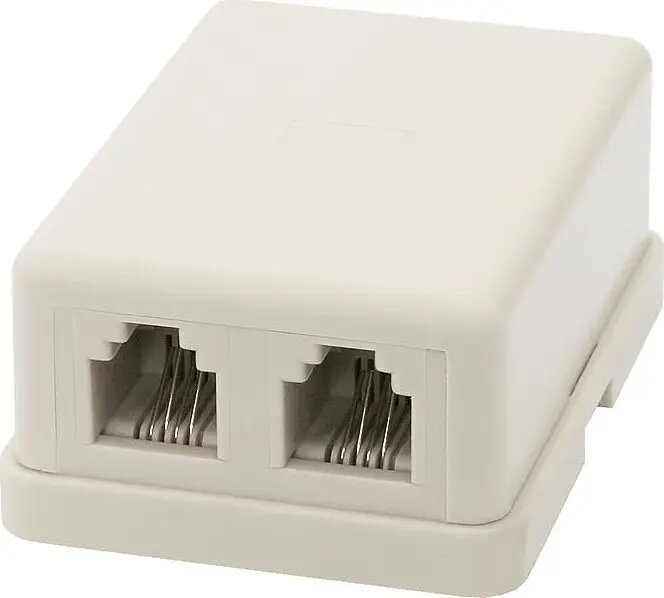
Telephone socket BLOW 2258# 2x6P4C (dual RJ11) flush-mount outlet
In cart {{totalProductsCount}} item(s)
Your cart is empty
Telephone socket BLOW 2258# 2x6P4C (dual RJ11) flush-mount outlet
Leave your address - as soon as the price of the product goes down, you'll know about it right away
Telephone socket BLOW 2258# 2x6P4C (dual RJ11) flush-mount outlet
BLOW 2258# is a flush-mount telephone socket with two 6P4C ports (commonly known as dual RJ11) designed for standard wall installation. The outlet provides two separate connectors for connecting two telephone lines or devices such as landline handsets, fax machines or analog modems. Its flush mounting is compatible with standard single-gang junction boxes and the device is intended for fixed indoor installations in homes and small offices.
The dual-port design allows independent connection of two telephone lines or devices without additional splitters. Mechanical contacts ensure stable signal transmission and simple wiring reduces installation time. The flush-mount frame provides a tidy finish on the wall and maintains compatibility with standard faceplates and installation boxes. Materials and contact arrangement are selected for reliable performance in typical residential and small business telephony environments.
Turn off the line power or disconnect the incoming telephone cable before beginning installation. Remove the existing wall plate if present, mount the socket into a standard single-gang junction box, and secure with screws. Connect the incoming telephone wires to the appropriate terminals following the wiring scheme for each 6P4C port, ensuring solid contact and correct line assignment. After wiring, fit the faceplate and restore line power to verify operation of both ports with connected devices.
Use short, tested telephone cables and avoid routing parallel to high-voltage electrical wiring to reduce interference. For reliable long-term connections, check terminal tightness after initial installation and during periodic maintenance. If connecting digital or VoIP adapters, confirm compatibility with analog RJ11 ports before installation.
{{highlightedFeature.featureTitle}}:
{{getProductFeatureValueById(product, highlightedFeature.featureId)}}