
Powerful EcoFlow stations for energy anywhere!
In cart {{totalProductsCount}} item(s)
Your cart is empty
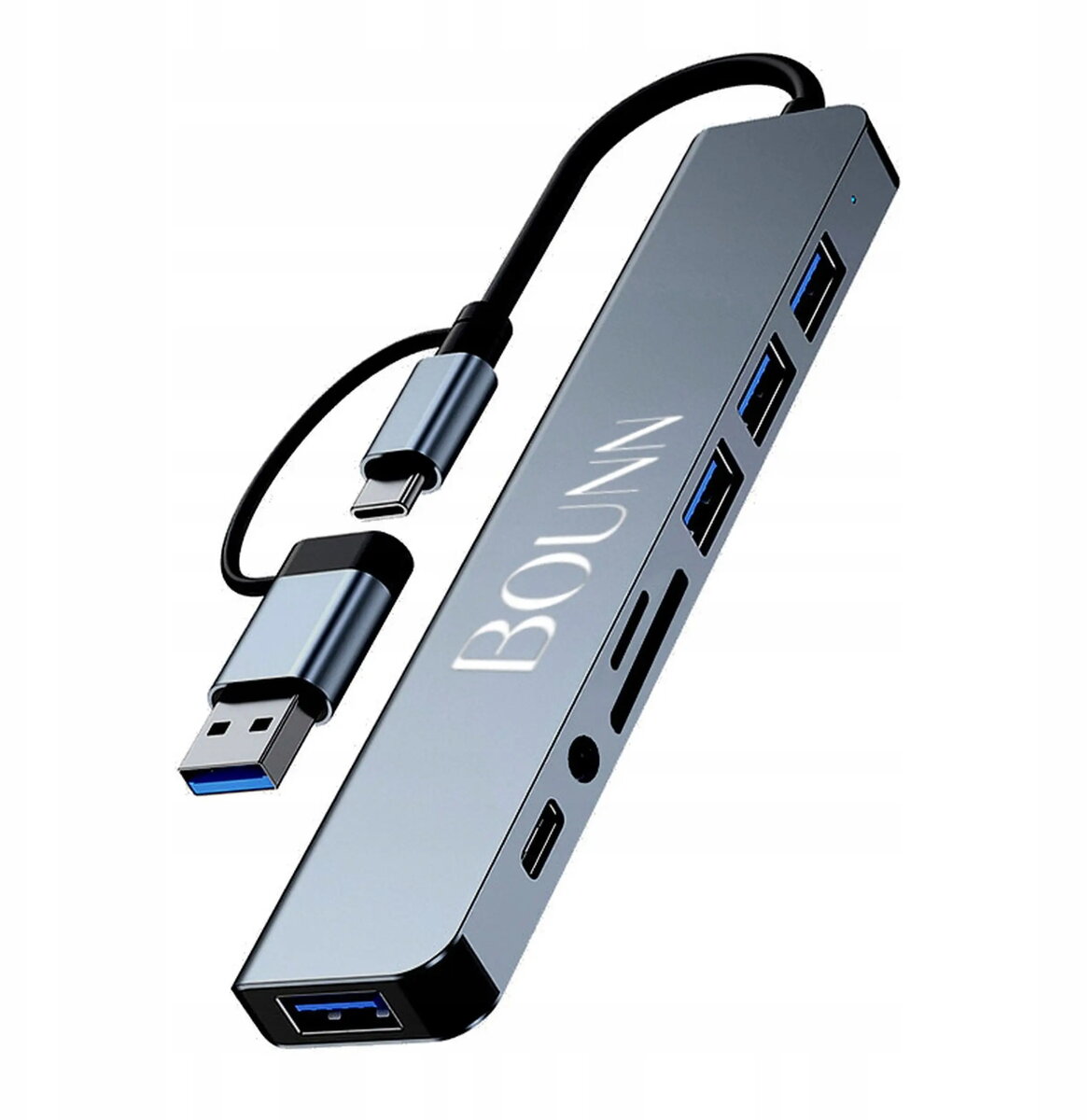
USB hub Bounn JUH8W1_01 — USB-C + USB-A ports, 3× USB 2.0, USB 3.0, SD/TF card reader, USB-C power, 3.5mm mini‑jack
The Bounn USB hub JUH8W1_01 expands connectivity for laptops, tablets and desktop computers by combining USB‑C and USB‑A interfaces in a compact adapter. It offers three USB 2.0 ports for peripherals, a USB 3.0 port for faster data transfer, SD and TF card slots for memory cards, a USB‑C power/input port and a 3.5 mm mini‑jack for audio. This hub is designed to add multiple I/O options to devices with limited ports while maintaining a small footprint suitable for mobile and stationary setups.
The hub integrates both USB‑C and USB‑A connectivity to support a wide range of peripherals and legacy devices. A dedicated USB 3.0 port enables higher-speed data transfers for external drives and flash media while the USB 2.0 ports provide reliable connections for keyboards, mice and other low‑bandwidth devices. Built-in SD and TF card readers allow direct access to camera and smartphone memory cards without additional adapters. The USB‑C power/input port supports pass-through power to charge the host device or power connected accessories where supported. The included 3.5 mm mini‑jack adds a simple wired audio output option when a device lacks a dedicated headphone port.
Connect the hub to your host device using the built-in connector appropriate for your model (USB‑C). Insert USB devices into the available USB‑A ports and use the USB 3.0 port for devices that require faster transfer speeds. Insert SD or TF cards directly into the corresponding card slots to access photos and files. If charging or external power is needed, connect a suitable USB‑C power adapter to the hub’s USB‑C power/input port following the power specifications of your host device. Plug a headset or speakers into the 3.5 mm mini‑jack to use wired audio output. The hub is generally plug-and-play; ensure your operating system recognizes connected devices before transferring important data.
To ensure reliable operation, use the USB 3.0 port for high‑speed storage devices and avoid connecting power-hungry peripherals simultaneously to multiple USB‑A ports without adequate external power. When using the USB‑C power/input port for pass-through charging, verify the power adapter’s output is compatible with your host device. Remove memory cards using the operating system’s safe-eject procedure before physically removing them to prevent data loss.
{{highlightedFeature.featureTitle}}:
{{getProductFeatureValueById(product, highlightedFeature.featureId)}}
{{ productComparisonGenerationError }}