{{ totalProductsCount }}

In cart {{totalProductsCount}} item(s)

Total:
{{sum | formatAmount}}

Your cart is empty

header-product Docking Station DELL WD19TBS-180W
302.49 €

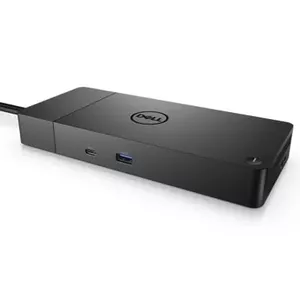
Docking Station DELL WD19TBS-180W

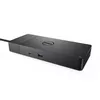
Docking Station WD19TBS-180W Photo 1
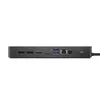
Docking Station WD19TBS-180W Photo 2
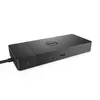
Docking Station WD19TBS-180W Photo 3
Docking Station WD19TBS-180W Photo 4
Docking Station WD19TBS-180W Photo 5
Docking Station WD19TBS-180W Photo 6
Docking Station WD19TBS-180W Photo 1
Docking Station WD19TBS-180W Photo 2
Docking Station WD19TBS-180W Photo 3
Docking Station WD19TBS-180W Photo 4
Docking Station WD19TBS-180W Photo 5
Docking Station WD19TBS-180W Photo 6
Keep track of price changes You keep track of price changes
Watch the price drop

Leave your address - as soon as the price of the product goes down, you'll know about it right away

You keep track of price changes

Docking Station DELL WD19TBS-180W

{{email}}
You keep track of price changes

Docking Station DELL WD19TBS-180W

{{email}}
{{selectedOffer && selectedOffer.price | formatAmount}}

Short description

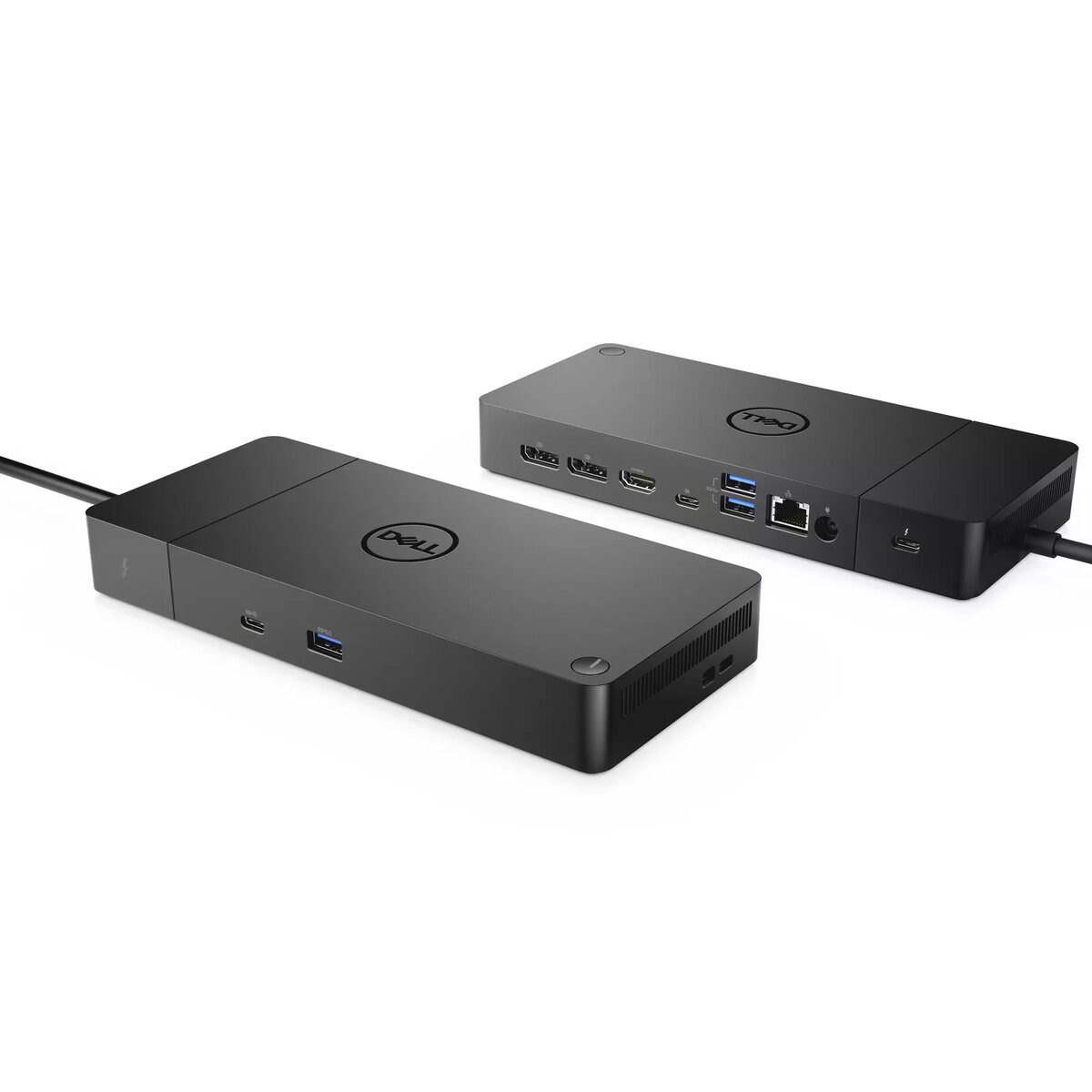
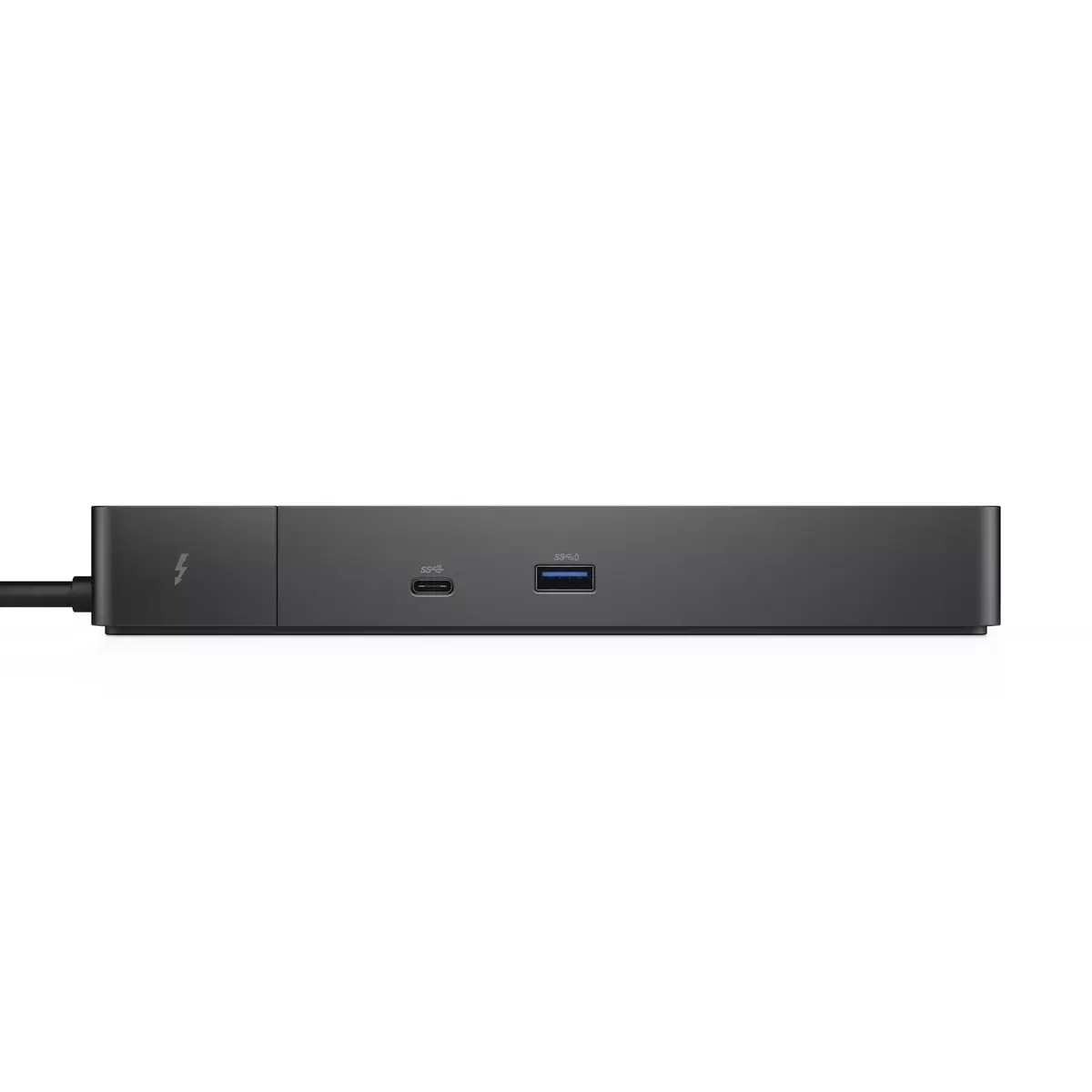
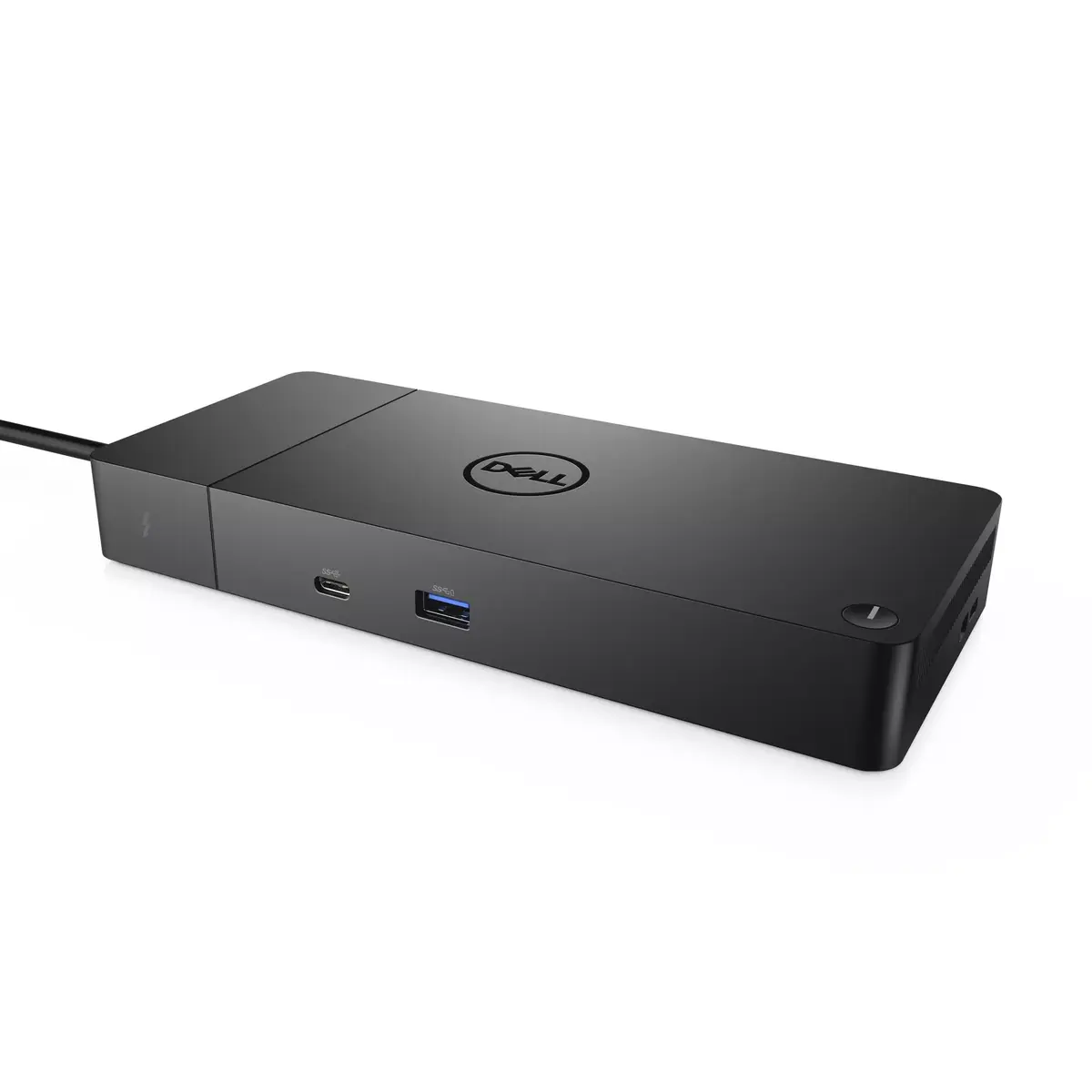
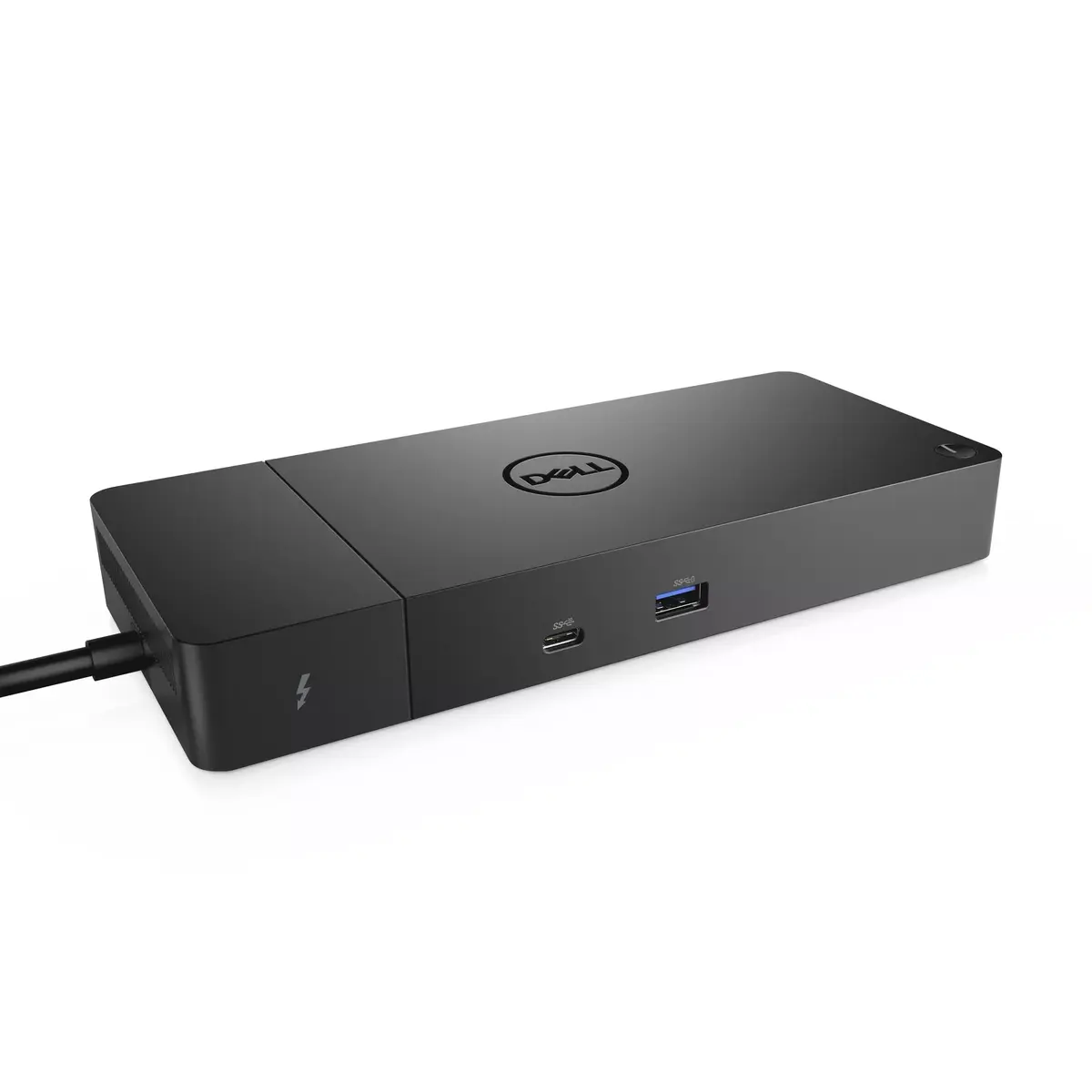
The DELL WD19TBS-180W is a wired docking station with USB 3.2 Gen 2 Type-C connectivity. It supports Ethernet LAN data rates of 1000 Mbit/s and offers a maximum digital resolution of 5120 x 2880 pixels. The device operates on a power source of DC and is compatible with Windows 10 operating systems. Its sleek black design makes it a stylish addition to any workspace.
Available for order: 24 pcs.
Warranty: 2 Years
SKU: 4094993
free shipment

Cheapest delivery:

Unisend LV

Pick-up points

Unisend LV

Cost

1.99 €

Deliver

{{selectedOffer.parcelStationDeliveryString}}

Customer service center
2b. Kengaraga str., Riga, Latvia, LV-1063
09.11.2026 {{selectedOffer.officeDeliveryString}}
free
Courier Delivery Please note that in case of a large parcel additional delivery costs may apply!
12.11.2026 {{selectedOffer.courierDeliveryString}}
From 4.99 € (Weight: 0.59 kg)
Parcel couriers
Unisend LV / Venipak Pickup LV / Venipak Locker LV / DPD Paku skapis / Omniva LV / Latvijas Pasts pakomāts / Latvijas Pasts nodaļa
12.11.2026 {{selectedOffer.parcelStationDeliveryString}}
From 1.99 €
0 credit

pay in 3 equal parts

today

0 €

afterward

3 mth. × 100.83 €

overpayment

0 €

All payment Methods:
Bank transfer, Bank cards on-line, Apple Pay, Google Pay, Installment
36 months installment: from 8.40 euros per month
Together cheaper
{{product.price | formatAmount}}
{{product.title}}
{{productBundle.reference.specialPrice | formatAmount}}
{{productBundle.title}}
{{productBundlePreviousPrice | formatAmount}}
{{productBundleSpecialPrice | formatAmount}}

You saving {{productBundleYouSave | formatAmount}}

Product information

Description

The Dell WD19TBS-180W is a wired Thunderbolt/USB-C docking station designed to expand connectivity for compatible Windows 10 laptops. It provides high-speed USB 3.2 Gen 2 Type-C connectivity, a Gigabit Ethernet port, display outputs capable of up to 5120 x 2880 resolution, and a compact black housing that fits standard workspaces. This model is a simplified version of Dell’s WD19TB and omits 3.5 mm audio ports while delivering up to 180W power delivery for connected systems.

Advantages

The dock consolidates power delivery, networking and multiple peripheral connections into a single wired Thunderbolt/USB-C connection, reducing cable clutter and enabling a streamlined workstation. With USB 3.2 Gen 2 data rates, Thunderbolt 3 support and a Gigabit Ethernet interface, it supports fast data transfer, stable wired network access and high-resolution external displays. Its compact black design offers a professional look and easy placement on or under a desk.

Suitable for

  • Windows 10 laptops with Thunderbolt 3 or USB-C ports
  • Users needing a single-cable dock for power, network and peripherals
  • Workstations that require support for high-resolution external displays (up to 5120 x 2880)
  • Offices or home setups seeking Gigabit wired Ethernet connectivity

When it may not be suitable

This dock omits 3.5 mm audio ports, so users who require direct analog headphone or microphone connections will need separate adapters or alternative docking solutions. It is designed for systems that support USB-C/Thunderbolt power delivery and display protocols; laptops without compatible ports or without the necessary driver support may not be able to use all features.

Key specifications

  • Connectivity: Wired Thunderbolt 3 / USB-C (USB 3.2 Gen 2)
  • Power delivery: up to 180 W to connected system
  • Ethernet: Gigabit Ethernet (1000 Mbit/s)
  • Display support: maximum digital resolution up to 5120 x 2880 pixels
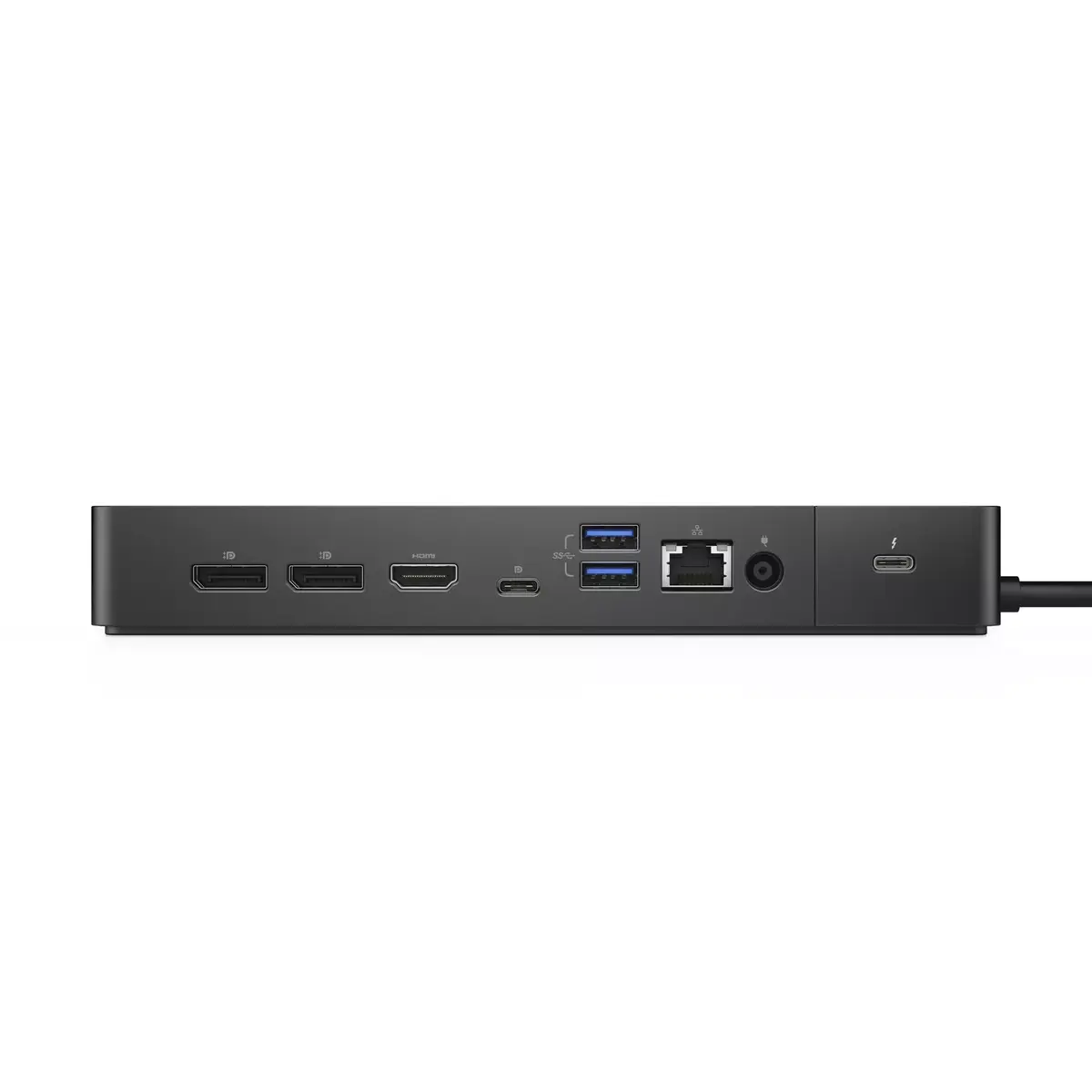
  • Ports: 1 Thunderbolt 3, 1 HDMI, 2 USB 3.2 Gen 2 Type-A, 3 USB 3.2 Gen 1 Type-A
  • Color: Black
  • Weight: approximately 0.585 kg

How to use

Connect the dock to a compatible laptop using the supplied Thunderbolt/USB-C cable. Attach external displays to the HDMI or Thunderbolt ports, plug peripherals into the available USB-A ports and connect to a wired network via the Gigabit Ethernet port. Ensure the laptop’s power delivery and display settings are enabled; install any required Dell drivers or firmware updates on Windows 10 to access full functionality.

What to consider before purchase

  • Confirm your laptop supports Thunderbolt 3 or USB-C with power delivery and display output
  • Check whether the lack of built-in 3.5 mm audio ports affects your setup
  • Verify that your external monitors and cables support the desired resolutions and refresh rates

Usage recommendations

For stable performance, connect the dock to the laptop’s native Thunderbolt/USB-C port, keep firmware and drivers up to date, and use quality display cables rated for the target resolution.

Specifications

Card reader integrated: A card reader is a device that enables reading and, in some cases, writing data to and from a memory card.
No
Ethernet LAN: An Ethernet LAN (Local Area Network) interface is present, for a wired conection via a cable.
Yes
USB 3.2 Gen 1 (3.1 Gen 1) Type-A ports quantity:
3
Host interface: Interface that enables a host controller to communicate with a driver.
USB 3.2 Gen 2 (3.1 Gen 2) Type-C
Connectivity technology: The technology that enables connectivity of the device, e.g. wired or wireless.
Wired
All features

Logistics data

Quantity per pack:
1 pc(s)
Harmonized System (HS) code:
84733020

Packaging data

Package height: The distance from the top to the bottom of the packaging.
62 mm
Package depth: The distance from the front to the back of the packaging.
315 mm
Package width: The distance from one side of the packaging to the other.
300 mm

Software

Linux operating systems supported: 8 RT. Linux (9.4, 9.5), Red Hat Enterprise Linux 5.0 (supported with a pre-built package); SUSE Linux (10.3, 11.0, 11, 11.1, 11.2), Fedora (9, 9.0, 10, 10.0, 11.0, 11, 12, 12.0), Ubuntu (8.04, 8.04.1, 8.04.2, 8.10, 9.04, 9.10, 10.04), Debian (5.0, 5.0.1, 5.0.2, 5.0.3)
Yes

Power

AC input frequency:
50 - 60
AC input voltage: The voltage of the AC electricity that is inputted into the product.
120 - 230
Power cable length:
0.8 m
Power supply: The way in which the product is powered e.g. rechargeable battery, mains electricity connected via a plug and cable.
180 W
Power source type: What the power source is.
DC

Performance

Windows operating systems supported: Windows vesions wich can be used with the device.
Windows 10 Home x64, Windows 10 Pro x64, Windows 10 x64, Windows 10, Windows 10 Education, Windows 10 Pro, Windows 10 IoT Enterprise, Windows 10 IOT Core, Windows 10 Home, Windows 10 Education x64, Windows 10 Enterprise, Windows 10 Enterprise x64
LED indicators:
Y
On/off switch: The button which is pressed to switch the device on or off.
Yes
VESA mounting:
Yes
Maximum digital resolution:
5120 x 2880
Product colour: The colour e.g. red, blue, green, black, white.
Black
Card reader integrated: A card reader is a device that enables reading and, in some cases, writing data to and from a memory card.
No

Operational conditions

Operating relative humidity (H-H):
10 - 80
Storage temperature (T-T): The minimum and maximum temperatures at which the product can be safely stored.
-20 - 60
Operating temperature (T-T): The minimum and maximum temperatures at which the product can be safely operated.
0 - 35
Storage relative humidity (H-H):
5 - 90

Network

Ethernet LAN data rates: The different speed levels of the Ethernet LAN connection.
1000
Ethernet LAN: An Ethernet LAN (Local Area Network) interface is present, for a wired conection via a cable.
Yes

Ports & interfaces

DC-in jack: The socket/plug where the DC electricity supply connects to the device.
Yes
Headphone outputs: Number of sockets /ports where headphones are connected.
0
Microphone in: The socket where a microphone is connected to the device.
No
Thunderbolt 3 ports quantity:
1
Ethernet LAN (RJ-45) ports: Number of Ethernet LAN (RJ-45) ports (connecting interfaces) in the device. Ethernet LAN (RJ-45) ports allow a computer to connect to the ethernet.
1
HDMI version:
2.0
HDMI ports quantity: The number of sockets (ports) for HDMI connections. HDMI (High-Definition Multimedia Interface) is a compact audio/video interface for transferring uncompressed video data and compressed/uncompressed digital audio data from a HDMI-compliant device ("the source device") to a compatible computer monitor, video projector, digital television, or digital audio device. HDMI is a digital replacement for existing analog video standards.
1
DisplayPort version:
1.4
DisplayPorts quantity: Number of DisplayPorts. A DisplayPort is a digital display interface developed by the Video Electronics Standards Association (VESA). The interface is primarily used to connect a video source to a display device such as a computer monitor, though it can also be used to carry audio, USB, and other forms of data.
2
USB 2.0 ports quantity: Number of USB 2.0 ports (connecting interfaces) in the device. USB 2.0 was released in April 2000 (now called "Hi-Speed"), adding higher maximum signaling rate of 480 Mbit/s (effective throughput up to 35 MB/s or 280 Mbit/s), USB 2.0 ports are usually black.
0
PowerShare:
Yes
USB 3.2 Gen 2 (3.1 Gen 2) Type-A ports quantity:
2
USB 3.2 Gen 1 (3.1 Gen 1) Type-A ports quantity:
3
Host interface: Interface that enables a host controller to communicate with a driver.
USB 3.2 Gen 2 (3.1 Gen 2) Type-C
Connectivity technology: The technology that enables connectivity of the device, e.g. wired or wireless.
Wired

Weight & dimensions

Weight: Weight of the product without packaging (net weight). If possible, the net weight is given including standard accessories and supplies. Please note that sometimes the manufacturer leaves out the weight of accessories and/or supplies.
0.585 kg
Height: The measurement of the product from head to foot or from base to top.
29 mm
Depth: The distance from the front to the back of something.
90 mm
Width: The measurement or extent of something from side to side.
205 mm

Description

Machine translation.

Reasons to buy

Power your connections

Charge faster and stay productive all day. Dell ExpressCharge refuels your battery to up to 80% in one hour, so you can get back to work quickly. When you need an extra burst, ExpressCharge Boost delivers up to 35% charge in just 20 minutes for rapid on-the-go top-ups.

Maximize delivery with compatible docks that provide up to 180W of power, enabling quicker charging while powering multiple peripherals and demanding workflows.

Power your connections

Future-ready modular design

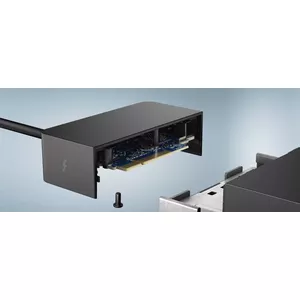
Adapt and upgrade with ease using the Dell Thunderbolt™ Dock’s modular architecture. Swap modules or perform field replacements without disrupting your setup, ensuring your investment evolves with your needs.

Enjoy broad, high-performance connectivity: Thunderbolt™ delivers power, data, audio and video over a single connection and supports up to three displays — including a single 5K or dual 4K monitors — so you can drive high-resolution workflows from one dock.

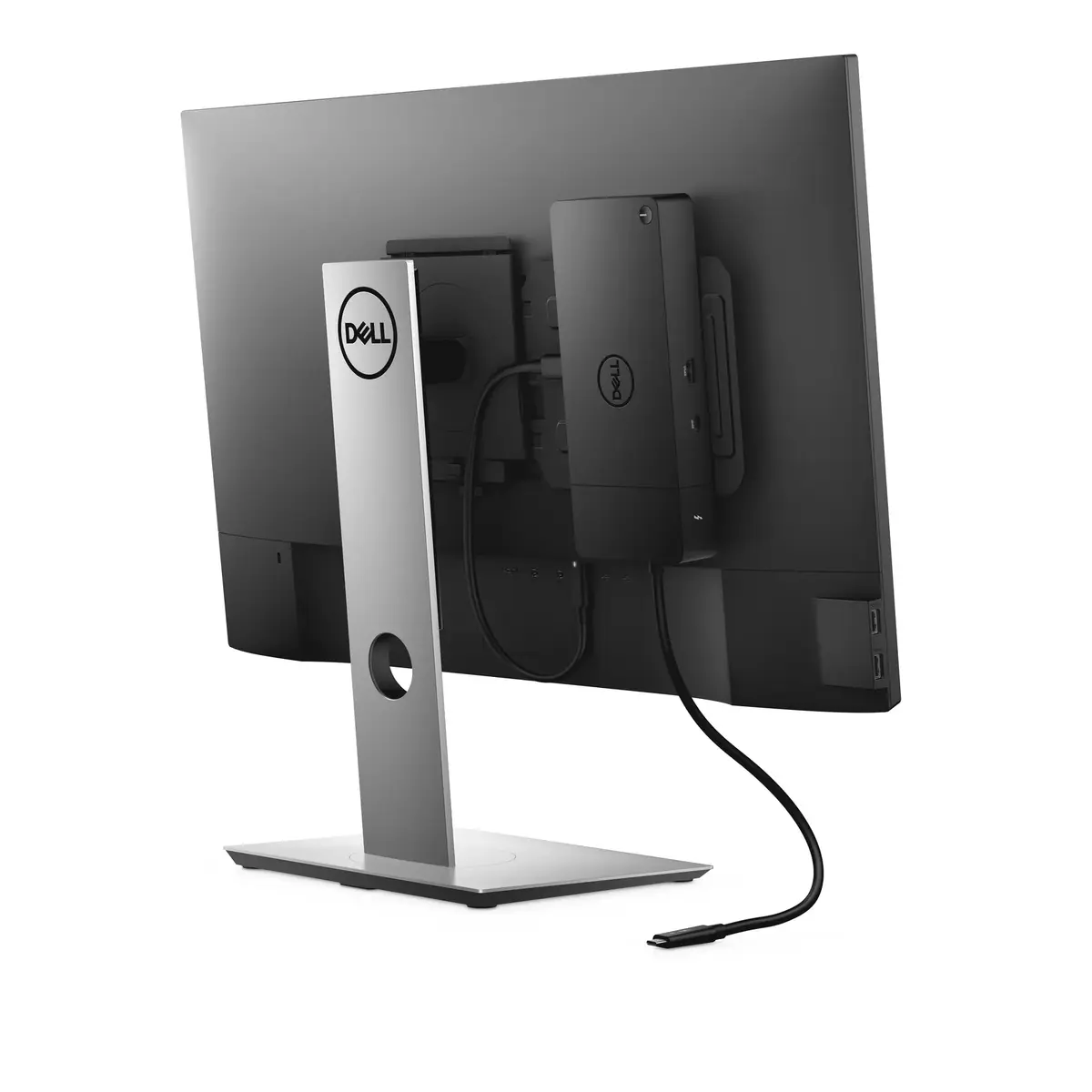
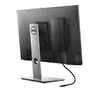
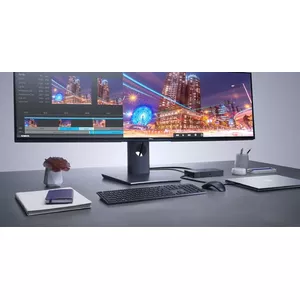
Keep your workspace tidy by mounting the dock behind a monitor or under your desk using the optional VESA mount and built-in 0.8‑meter cable for a clean, clutter-free environment.

Move large files fast with data transfer speeds up to 40 Gbps, helping you stay efficient when connected to multiple devices.

Built for the future

Optimize your workspace management

Simplify maintenance with a single firmware platform across Dell’s most manageable docks. Use Dell Client Command Suite and Microsoft System Center Configuration Manager to update firmware quickly and without rebooting the dock, minimizing downtime.

Rely on enterprise-grade manageability and security features — including MAC address pass‑thru, remote port disablement, PXE Boot and Wake-on-LAN — to protect your network and streamline centralized management while keeping users productive.

Optimize your workspace

Similar products

{{product.title}}
Show details Hide details

{{highlightedFeature.featureTitle}}:

{{getProductFeatureValueById(product, highlightedFeature.featureId)}}

{{product.price | formatAmount}}
Might be useful
{{product.manufacturerName}}
{{product.categoryName}}
{{product.title}}
{{product.specialPrice}}
{{product.price}}

Customer reviews

Customer questions

FAQ

How much does the Docking Station WD19TBS-180W cost, and is it available for purchase?

The price is 302.49 € (valid at the time of publication and already includes all taxes). The item is available for order — 24 pcs. are in stock, and you can place your purchase right now with delivery across Latvia and Europe or choose pickup at the Riga collection point. We offer favorable purchase terms, including the option to split the payment into convenient monthly installments. Availability and price are updated in real time, so we recommend placing your order in advance.

If I order this product today, when will I receive my order?

If you place your order today, delivery will be as fast and convenient as possible. You will be able to pick up your order on 09.11.2026 at the Riga pickup point or choose delivery across Latvia and Europe. We carefully inspect every purchase and pack it securely for safe transportation.

What payment options are available?

AiO.lv offers several payment methods: Bank transfer, Bank cards on-line, Apple Pay, Google Pay, Installment. All transactions are 100% secure and encrypted.

Can Docking Station WD19TBS-180W be purchased with a lease?

Yes, the purchase is available both on credit and with an interest-free installment plan. We work with leading banks and leasing companies in Latvia, allowing you to make your purchase on convenient terms — with a minimal down payment and a repayment period from 3 to 36 months. You can apply for credit or installments for the Docking Station WD19TBS-180W online, and the application process is as simple as possible:
  • Select the product on the website and add it to your cart;
  • When placing your order, choose the payment method “Installments”;
  • Fill in the required details for the lending partner;
  • Receive a decision within a few minutes.
For more information about available payment options, interest-free installment terms, and credit conditions in Latvia, please visit the Payment page.

Can this product be purchased for a company (with VAT)?

Yes. AiO.lv works with legal entities in Latvia and across Europe. The product price already includes VAT. For certain product categories, as well as for companies from other EU countries with a valid VAT number, a 0% VAT rate may apply. We issue the invoice immediately after the order is placed, support electronic BIS invoices, and automatically generate all necessary accounting documents. You can complete the purchase for a company online — simply select the company profile and choose bank transfer as the payment method during checkout.

What is the warranty period?

All Dell products come with an official 2 Years warranty. It covers all manufacturing defects and malfunctions that may occur during use. The warranty is valid at all authorized Dell service centers and through AiO.lv

Can the product be returned after purchase?

Yes, you can return the product within 14 days of purchase if you bought it as a consumer (not a legal entity). Returns are possible without giving any reason — the main condition is that the product retains its original appearance and full set of accessories. We will make the process as simple and convenient as possible: just contact our customer support team, and we will help you arrange the return.

Where should I contact for warranty service?

For warranty-related questions you can contact the AiO.lv (SIA VSPRO) customer support team. We will assist with consultation, warranty claim processing, and coordination with certified service centers.

How can I tell if this product suits my needs?

When making a choice, we recommend paying attention to the key features: card reader integrated, ethernet lan, usb 3.2 gen 1 (3.1 gen 1) type-a ports quantity, host interface, connectivity technology, compatibility with your devices or usage conditions, material quality, functionality, and warranty terms. These characteristics will help you determine how well the model meets your needs.

warranty
14-Day Return Policy We are confident in our quality, but if the purchase doesn’t fit — you have 14 days to return the product with peace of mind.
shipping
Fast Delivery Get your orders as quickly as possible — right to your door, parcel lockers, or pickup points across Latvia and the EU.
payment
Secure Payment Pay the way you prefer: cash, VISA, MasterCard, Apple Pay, Google Pay, bank transfer, or 0% installment plan.
warranty
Quality Since 2008 AiO.lv has been on the market for over 18 years and has earned trust — with more than 6000 genuine positive reviews on Google.