
Dreame vacuums for fast and efficient cleaning!
In cart {{totalProductsCount}} item(s)
Your cart is empty
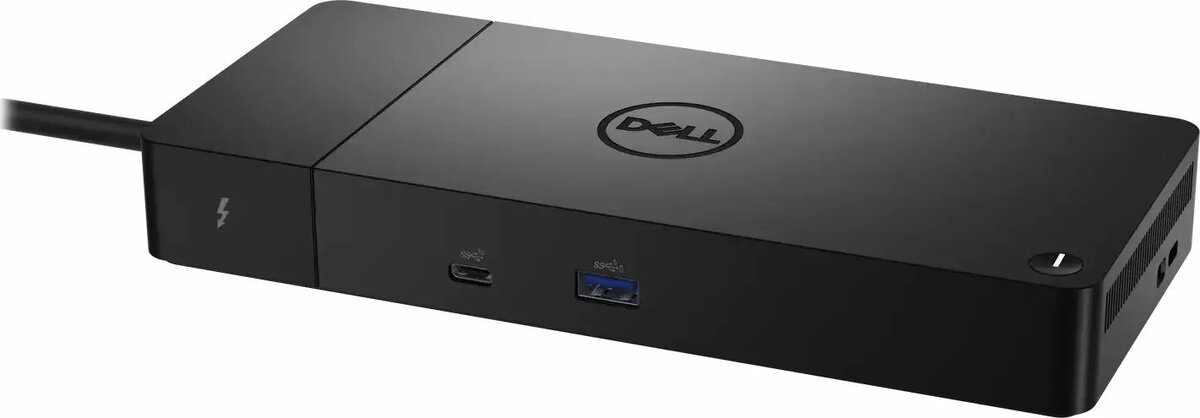
Docking station Dell WD22TB4 Thunderbolt 4 180W — Dell WD22TB4 (210-BDTD)
The Dell WD22TB4 Thunderbolt 4 docking station delivers single-cable connectivity and up to 180W power delivery for compatible laptops. It expands a laptop's port options to support multiple external displays, wired network access, high-speed data transfer and connection of common peripherals. Designed for professional and workstation environments, the dock centralises charging, display routing and peripheral management to streamline mobile and desktop workflows.
The dock provides Thunderbolt 4 performance with broad device compatibility, allowing a single Thunderbolt cable to carry power, video and data simultaneously. With up to 180W power delivery it can charge demanding laptops while feeding connected USB devices and displays. The compact, desktop-oriented design reduces cable clutter and keeps a consistent connection point for monitors, keyboard, mouse and wired Ethernet. Hardware-level support for multi-monitor setups and fast ports simplifies switching between mobile and workstation modes without reconfiguring devices.
Connect the docking station to a compatible laptop using the supplied Thunderbolt 4 cable or a Thunderbolt 4-certified cable. Attach external monitors to the dock's video outputs, connect keyboard, mouse and other USB peripherals to the available USB ports, and plug an Ethernet cable if wired network access is required. The dock will provide power to the laptop and manage connected devices through the single host connection. Ensure the laptop's firmware and Thunderbolt drivers are up to date to enable full functionality and multi-monitor support.
Place the dock on a stable surface with adequate ventilation and use a Thunderbolt 4-certified cable to achieve the stated power delivery and video capabilities. For multi-monitor setups, verify the laptop's Thunderbolt and GPU capabilities to confirm supported resolutions and display configurations.
{{highlightedFeature.featureTitle}}:
{{getProductFeatureValueById(product, highlightedFeature.featureId)}}
{{ productComparisonGenerationError }}
