
Hurry and order now – up to 50% off!
In cart {{totalProductsCount}} item(s)
Your cart is empty
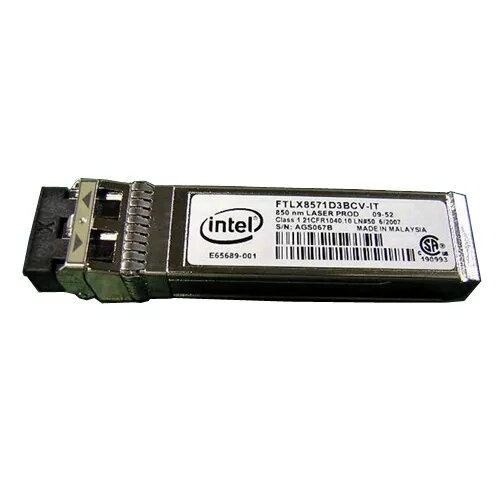
Network transceiver module Dell 407-BBVJ SFP+ 10 Gbps LC fiber, black/stainless steel
Dell 407-BBVJ SFP+ 10 Gbps LC fiber transceiver is a hot-pluggable module designed to provide 10 Gbps fiber connectivity for compatible Dell PowerEdge servers and switches. The module adopts an SFP+ form factor with a duplex LC fiber connector and a black/stainless-steel housing, enabling high-speed uplinks, server interconnects and data center links. The transceiver also supports an enhanced digital diagnostic monitoring interface for real-time access to operating parameters including transceiver temperature, laser bias current, transmitted and received optical power, and supply voltage.
This SFP+ module offers a compact hot-swappable design that simplifies installation and replacement without powering down equipment. Support for 10,000 Mbit/s data rates and the LC duplex interface ensures compatibility with standard multimode and single-mode fiber cabling as specified by the network architecture. The enhanced digital diagnostics provide real-time monitoring of key optical and electrical parameters, aiding in troubleshooting and preventive maintenance. The metalized black and stainless-steel casing provides durability and electromagnetic shielding appropriate for rack environments.
Install the transceiver into a compatible SFP+ port on a Dell PowerEdge server or supported switch while the device is powered on; the hot-pluggable design allows insertion and removal without shutting down the host. After seating the module, connect duplex LC fiber patch cables to the Tx and Rx ports following the appropriate fiber polarity. Verify link status on the host device and use the device management interface to view diagnostic data exposed via the digital monitoring interface. For consistent performance, use fiber cabling and patch panels that meet the network's length and attenuation requirements.
Handle the module by its edges, protect fiber connectors with dust caps when not in use, and avoid touching the optical interfaces. Ensure compatibility lists for your server or switch before installation and match the transceiver type to the intended fiber type and link distance. Use the digital diagnostic monitoring output to track operating parameters and schedule maintenance when metrics approach vendor-defined limits.
{{highlightedFeature.featureTitle}}:
{{getProductFeatureValueById(product, highlightedFeature.featureId)}}
{{ productComparisonGenerationError }}
