
Leave your address - as soon as the price of the product goes down, you'll know about it right away
Travel adapter Dudao A65Pro 65W with 2× USB-C and 2× USB-A (A65Pro black)
In cart {{totalProductsCount}} item(s)
Your cart is empty
Travel adapter Dudao A65Pro 65W with 2× USB-C and 2× USB-A (A65Pro black)
Leave your address - as soon as the price of the product goes down, you'll know about it right away
Travel adapter Dudao A65Pro 65W with 2× USB-C and 2× USB-A (A65Pro black)
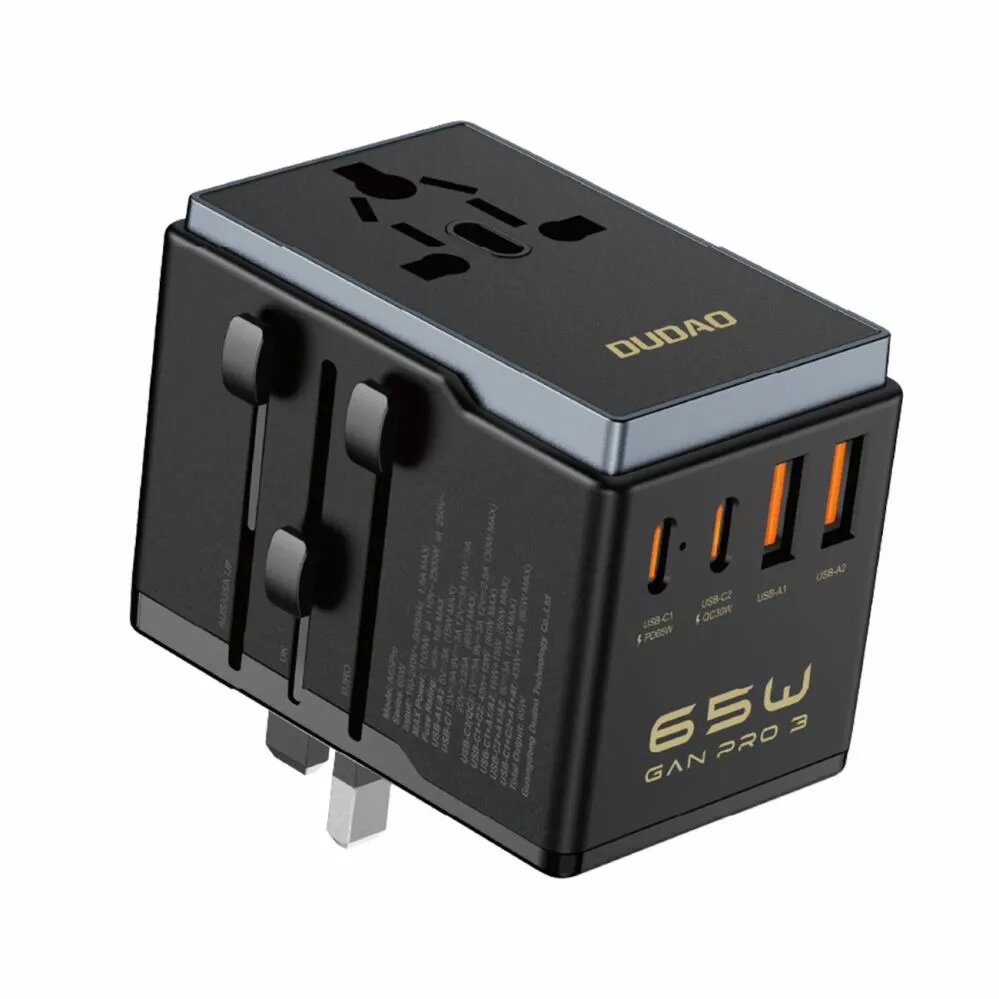
Dudao A65Pro 65W travel adapter provides a multi-port charging solution with two USB-C and two USB-A outputs. Designed for charging laptops, tablets, smartphones and other USB-powered devices, the adapter delivers up to 65W total output and supports simultaneous charging of multiple devices. Its compact form factor is intended for travel, business trips and everyday situations where multiple fast-charging ports are required.
The adapter combines USB-C and USB-A connectivity in a single compact housing, allowing users to power a laptop and charge additional devices at the same time. With a maximum total output of 65W, the adapter is capable of supplying sufficient power to many USB-C laptops and high-power devices while still accommodating legacy USB-A chargers for phones and accessories. The small footprint and travel-oriented design reduce luggage bulk and simplify charging setups on the go.
Connect the Dudao A65Pro to a compatible mains outlet and plug devices into the USB-C or USB-A ports as required. If charging a laptop that accepts USB-C power delivery, use one of the USB-C ports. Distribute connected devices across ports to stay within the adapters total 65W output; if multiple high-power devices are connected, charging power to each device will adjust automatically. Always use appropriate charging cables rated for the device and power level.
Use the adapter in a well-ventilated area and avoid covering it while charging. For best results with high-power devices, connect only essential devices or charge high-draw devices individually to ensure maximum available power. Inspect cables regularly and replace any damaged cables to maintain safe charging.
{{highlightedFeature.featureTitle}}:
{{getProductFeatureValueById(product, highlightedFeature.featureId)}}