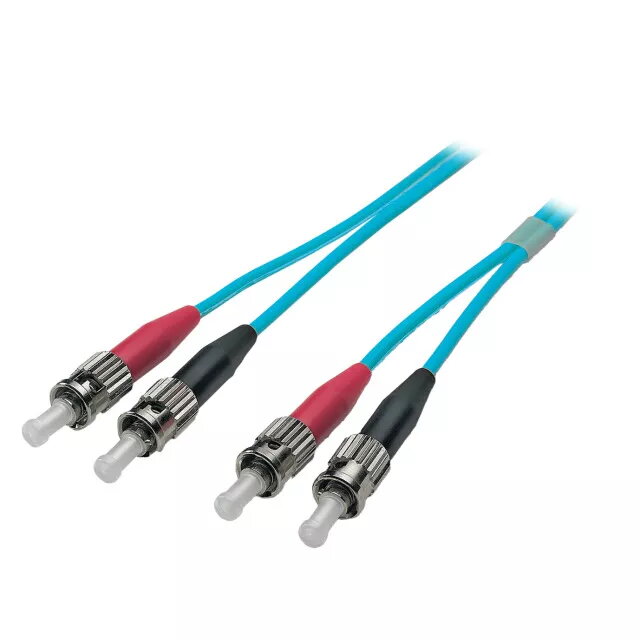
The EFB Elektronik O7013.10 is a high-performance OM3 fibre optic patch cable engineered for reliable and high-speed data transmission in professional networking environments. This 10-meter duplex cable features ST to ST connectors, providing a secure and stable physical link between passive cabling ports and active network equipment or between two active devices. Built to meet international standards for structured cabling, this cable ensures consistent signal integrity and durability for demanding telecommunications and data center applications.
Advantages
This fibre optic cable is constructed with a halogen-free and flame-retardant jacket, ensuring compliance with strict safety standards regarding smoke density and corrosive gas emissions. The internal design incorporates aramid yarn for enhanced strain relief, protecting the delicate glass fibers from mechanical stress during installation and daily use. Each cable undergoes rigorous 100% testing to ensure it meets high-quality grade standards, providing users with a reliable connection that minimizes signal loss and maximizes throughput in high-bandwidth networks.
Suitable for
- Data center infrastructure and server room connectivity
- High-speed telecommunications networks
- Point-to-point connections between active network hardware
- Structured cabling systems compliant with ISO/IEC 11801
When it may not be suitable
This cable is not suitable for environments requiring LC, SC, or E2000 connector types, as it is strictly equipped with ST connectors. Additionally, it is designed for multimode OM3 applications and will not function in single-mode fiber optic systems.
Key specifications
- Cable type: OM3 Multimode
- Connector type: ST to ST
- Length: 10 meters
- Core diameter: 50 µm
- Jacket material: Halogen-free and flame-retardant
- Strain relief: Aramid yarn reinforced
How to use
To use the patch cable, carefully remove the protective dust caps from the ST connectors. Align the keyed connector with the corresponding ST port on your network device or patch panel. Insert the connector and rotate the outer sleeve clockwise until it locks securely into place. Ensure that the cable is not bent beyond its minimum bend radius to prevent signal attenuation or fiber damage. Once connected, verify the link status on your network hardware interface.
What to consider before purchase
- Verify that your network hardware ports are compatible with ST connectors.
- Measure the required distance to ensure the 10-meter length is sufficient for your setup.
- Confirm that your system requires OM3 multimode fiber specifications.
Usage recommendations
Always keep the connector ferrules clean and free of dust or debris before insertion. Use a dedicated fiber optic cleaning tool if necessary to maintain optimal signal quality and prevent permanent damage to the optical interface.