
Leave your address - as soon as the price of the product goes down, you'll know about it right away
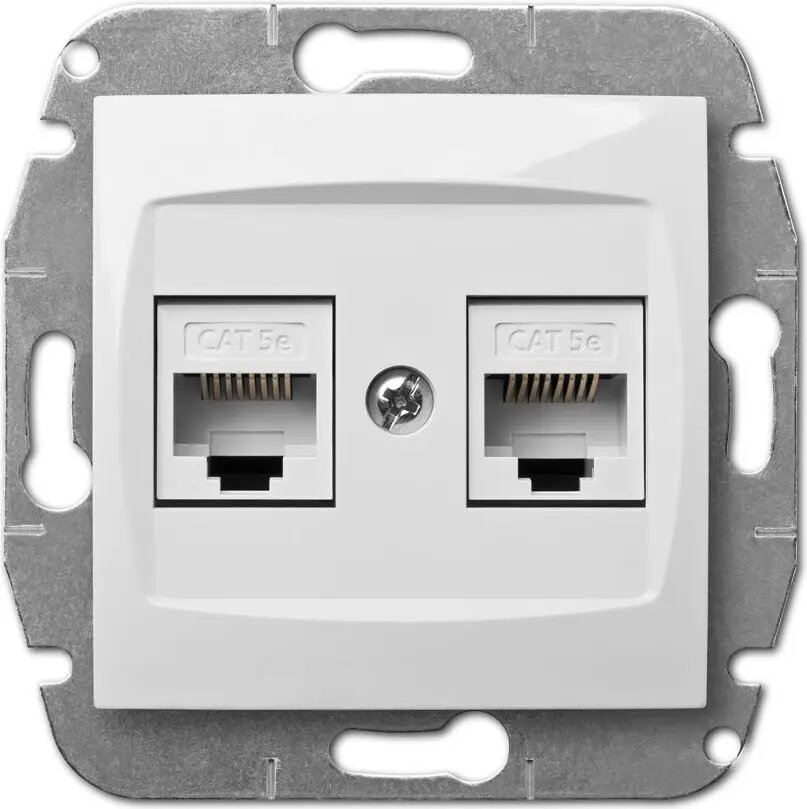
Elektro-Plast Carla Double Computer Socket 2xRJ45 Cat 5e White
In cart {{totalProductsCount}} item(s)
Your cart is empty
Elektro-Plast Carla Double Computer Socket 2xRJ45 Cat 5e White
Leave your address - as soon as the price of the product goes down, you'll know about it right away
Elektro-Plast Carla Double Computer Socket 2xRJ45 Cat 5e White
The Elektro-Plast Carla double computer socket is a professional-grade networking component designed to provide two independent RJ45 connection points for Category 5e local area networks. Finished in a clean, neutral white, this wall-mounted unit integrates seamlessly into modern interior designs while maintaining high standards of data transmission reliability. It is engineered for durability and consistent performance in both residential and commercial networking setups.
This double computer socket offers a robust construction that ensures long-term stability for your network connections. By providing two RJ45 ports in a single housing, it allows for efficient space management and reduces the need for additional wall outlets. The design is optimized for easy installation within standard electrical boxes, ensuring that your network infrastructure remains organized and protected from physical strain. The high-quality materials used in the construction minimize signal interference, supporting stable internet and data transfer speeds consistent with Cat 5e standards.
This socket is specifically designed for Category 5e cabling standards. It may not be suitable for high-speed network environments requiring Cat 6, Cat 6a, or Cat 7 infrastructure, as it will not support the higher bandwidth capabilities of those standards.
Installation should be performed by a qualified individual familiar with electrical and low-voltage wiring. The socket is designed to be mounted into a standard wall box. Begin by stripping the outer jacket of your Cat 5e network cable and terminating the individual wires into the internal IDC connectors according to the T568A or T568B wiring standard. Once the wires are securely seated, fasten the socket mechanism into the wall box and attach the faceplate to complete the installation.
For optimal network performance, ensure that the cable twists are maintained as close to the termination point as possible and avoid sharp bends in the cable during installation.
{{highlightedFeature.featureTitle}}:
{{getProductFeatureValueById(product, highlightedFeature.featureId)}}