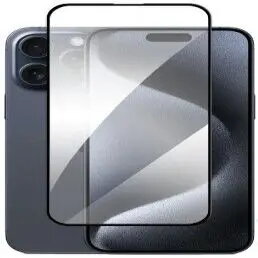
The Evelatus Full Cover Tempered Glass Screen Protector is specifically engineered for the Apple iPhone 15 Pro Max, offering comprehensive protection for your device's display. This high-quality tempered glass provides edge-to-edge coverage, ensuring that the entire screen is shielded from daily wear and tear, including scratches, minor impacts, and abrasions. With its specialized anti-static coating, the protector actively repels dust particles, keeping your screen cleaner for longer periods. The light black frame is designed to blend perfectly with the aesthetics of the iPhone 15 Pro Max, maintaining the original look of your smartphone while providing an invisible layer of security.
Advantages
This screen protector stands out due to its precise fit and advanced material composition. The full-cover design ensures that there are no gaps between the glass and the device edges, providing a seamless transition that feels natural to the touch. The anti-static properties significantly reduce the frustration of dust accumulation during installation and daily use. Furthermore, the glass maintains high touch sensitivity, ensuring that your interactions with the screen remain responsive and accurate. Its crystal-clear transparency preserves the vibrant colors and sharpness of the Super Retina XDR display, allowing for an uncompromised viewing experience.
Suitable for
- Daily protection against scratches from keys, coins, and other objects
- Users who prioritize a clean, dust-free screen surface
- Maintaining the original aesthetic of the iPhone 15 Pro Max
- Preventing screen damage from minor accidental drops
When it may not be suitable
This screen protector may not be compatible with certain heavy-duty or rugged cases that wrap tightly around the front edges of the phone, as the full-cover design might cause the case to lift the glass. It is also not designed to repair existing deep cracks or shattered displays.
Key specifications
- Full edge-to-edge coverage
- Anti-static surface treatment
- High touch sensitivity
- Crystal-clear transparency
- Light black frame finish
- Impact and scratch-resistant material
How to use
Before applying the screen protector, ensure your hands are clean and work in a dust-free environment. Use the provided cleaning kit to thoroughly wipe the iPhone 15 Pro Max screen, removing all fingerprints, oils, and dust particles. Once the screen is completely dry, peel off the protective film from the adhesive side of the glass. Carefully align the protector with the edges of the screen and the camera cutout. Gently place it onto the display, allowing the adhesive to spread naturally. If any air bubbles appear, use a soft cloth to push them toward the edges of the screen.
What to consider before purchase
- Check if your current phone case is compatible with full-cover screen protectors
- Ensure the screen is perfectly clean before installation to avoid trapped dust
- Verify the model compatibility with the iPhone 15 Pro Max
Usage recommendations
For the best results, perform the installation in a well-lit area and avoid touching the adhesive side of the glass. If dust gets trapped during application, use a piece of adhesive tape to gently lift the corner of the glass and remove the debris.