
Hurry and order now – up to 50% off!
In cart {{totalProductsCount}} item(s)
Your cart is empty
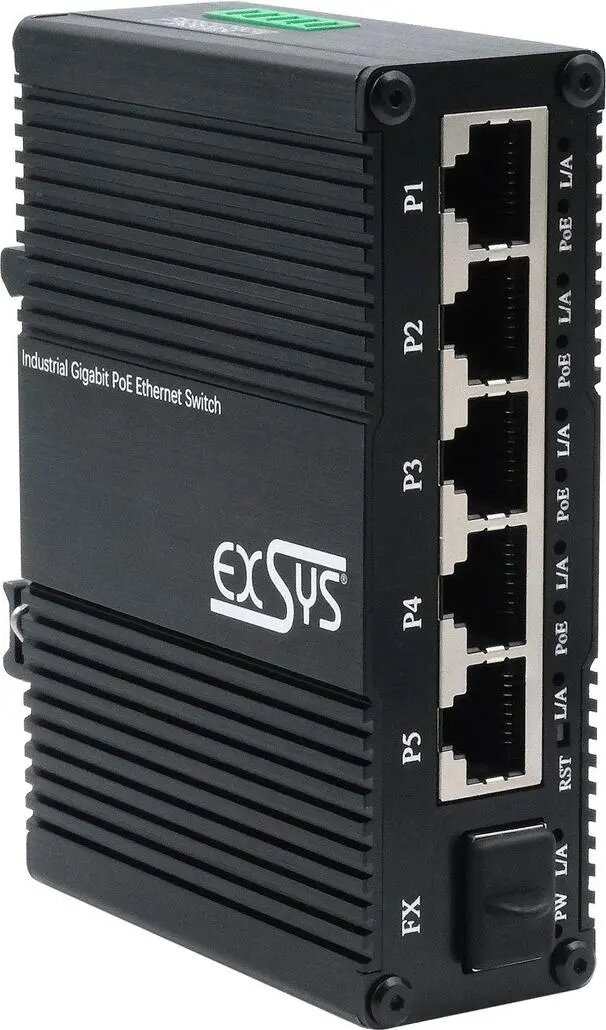
Switch Exsys EX-62030MPOE-SFP — Mini Gigabit 5+1 PoE+ Web-Managed switch with 5 Gigabit + 1 SFP
Exsys EX-62030MPOE-SFP — Mini Gigabit 5+1 PoE+ Web-Managed switch with 5 Gigabit + 1 SFP is a compact network switch designed for small office, retail and edge deployments. It provides five Gigabit copper ports with PoE+ capability and one Gigabit SFP slot for fiber or uplink connectivity. The device supports web-based management for basic configuration, VLANs, QoS and monitoring, while delivering data and power over Ethernet to compatible devices such as IP cameras, wireless access points and VoIP phones.
The switch combines full Gigabit performance on copper ports with a flexible SFP uplink option, enabling seamless integration into fiber or long-reach links. PoE+ on the copper ports supplies power and data on a single cable, simplifying installations of powered devices and reducing the need for separate power supplies. Web-based management provides an accessible interface for network configuration and status monitoring without requiring a dedicated controller. Its compact form factor and fanless design make it suitable for constrained spaces and quiet environments.
Install the switch on a stable surface or in a small enclosure and connect the uplink through the SFP slot using a compatible SFP module, or use one of the Gigabit copper ports for uplink to the upstream switch or router. Connect PoE-compatible devices to the copper PoE+ ports using standard Ethernet cables to deliver both data and power. Access the web management interface from a connected computer by entering the device IP address in a browser to configure VLANs, QoS, port settings and to monitor PoE power usage and link status. Ensure the total connected PoE load does not exceed the device’s available power budget.
Place the switch in a well-ventilated area away from direct heat sources. Use certified PoE+ devices and quality Ethernet cables (Cat5e or higher) to ensure reliable power delivery. When deploying multiple powered devices, calculate total power consumption and distribute devices across ports to avoid exceeding the switch’s PoE power budget. Regularly update the switch firmware via the web interface when updates are provided by the vendor to maintain security and compatibility.
{{highlightedFeature.featureTitle}}:
{{getProductFeatureValueById(product, highlightedFeature.featureId)}}