
Dreame vacuums for fast and efficient cleaning!
In cart {{totalProductsCount}} item(s)
Your cart is empty
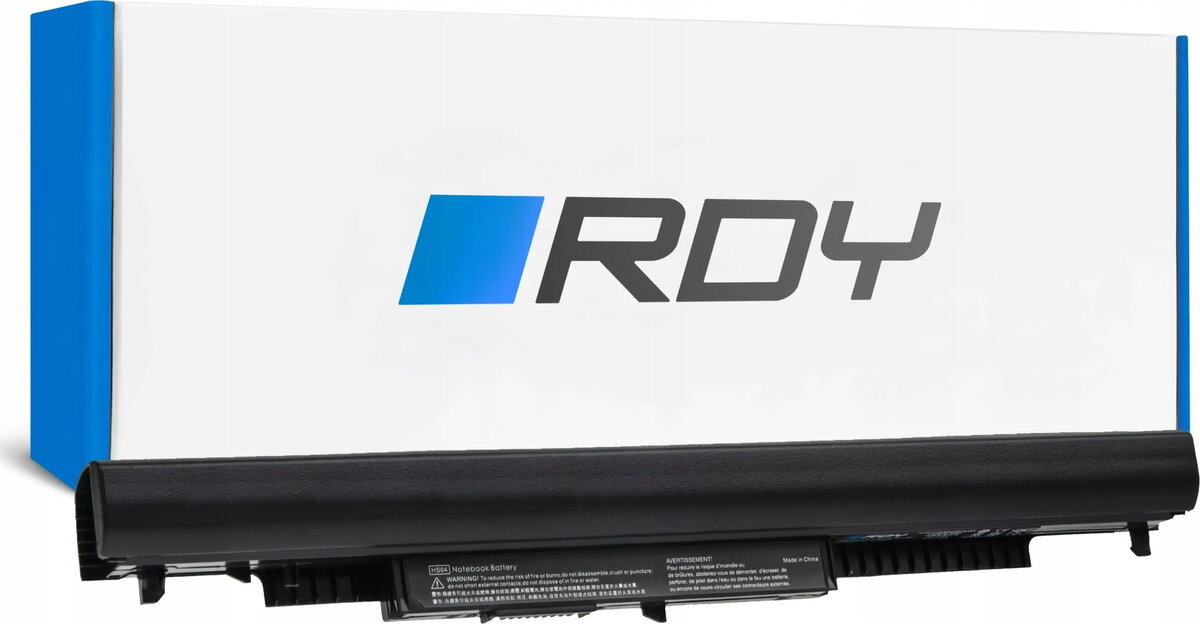
Green Cell RDY HS04 Laptop Battery for HP 250 G4 G5, 255 G4 G5, 15-AC and 15-AF Series
The Green Cell RDY HS04 laptop battery is a high-quality replacement power source specifically engineered for HP 250 G4, 255 G4, and the 15-AC and 15-AF series laptops. This lithium-ion battery is designed to restore your device's original performance, providing a reliable and stable power supply for your daily computing needs. By matching the exact technical requirements of your laptop, this battery ensures seamless integration and safe operation, allowing you to work on the go without constant reliance on a power outlet.
This battery offers exceptional reliability and longevity, utilizing high-grade lithium-ion cells that prevent the memory effect and ensure consistent capacity over time. Its precise construction guarantees a perfect physical fit within your laptop chassis, maintaining the original aesthetic and structural integrity of your device. Furthermore, the battery includes advanced safety features to protect against overcharging, overheating, and short-circuiting, providing peace of mind during intensive usage periods.
This battery is not compatible with laptop models outside of the specified HP 250 G4, 255 G4, 15-AC, and 15-AF series. It should not be used if your laptop requires a different voltage or physical connector type, as this could cause damage to the internal components of your computer.
To install the battery, first ensure your laptop is completely powered off and disconnected from the AC adapter. Remove the old battery by releasing the locking mechanism or unscrewing the bottom panel as required by your specific laptop model. Insert the Green Cell RDY HS04 battery into the slot, ensuring it clicks securely into place. Once installed, reconnect the power adapter and charge the battery to its full capacity before the first use to calibrate the power management system.
For optimal battery health, avoid letting the charge drop to zero percent frequently. If you plan to store the laptop for an extended period, keep the battery charged at approximately 50 percent and store it in a cool, dry environment.
{{highlightedFeature.featureTitle}}:
{{getProductFeatureValueById(product, highlightedFeature.featureId)}}