
Save time and money with our discounts!
In cart {{totalProductsCount}} item(s)
Your cart is empty
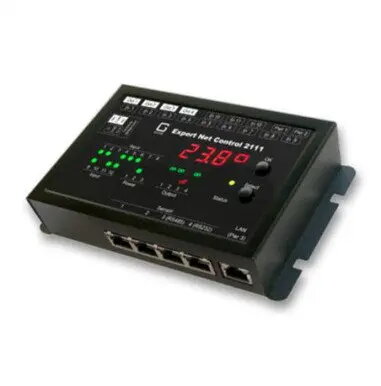
gude Net Control Gude 2111-2 network relay controller — 4x relay outputs, 12x passive signal inputs
Net Control Gude 2111-2 network relay controller is a compact, Ethernet-enabled control unit with four relay outputs and twelve passive signal inputs. Designed for remote switching and state monitoring, the device integrates into local networks to provide centralized control of connected equipment. The unit supports standard network protocols for remote access and can be used in automation, monitoring and simple industrial control applications.
The Gude 2111-2 offers reliable relay switching through four independent outputs and broad input coverage with twelve passive signal channels for status detection. Ethernet connectivity enables integration into existing networks and remote operation without additional gateway hardware. The modular input and output arrangement allows flexible wiring and straightforward connection of sensors, switches and actuators. The device's compact form factor and clear terminal layout simplify installation and servicing.
Install the unit in a suitable location with access to Ethernet and power. Connect loads to the relay output terminals according to their rated voltage and current, and attach passive sensors or dry-contact sources to the input terminals. Configure network settings to place the controller on the local network, then use the provided web interface or supported protocol commands to assign relay control logic and monitor input states. Verify connections and test each output and input function before placing the device into continuous operation.
Use the controller within the specified electrical ratings of connected devices and provide appropriate overcurrent protection. Ensure the network environment is secured and access to the control interface is restricted to authorized users. For reliable long-term operation, place the unit in a dry, ventilated environment and follow grounding and wiring best practices when integrating into automation systems.
{{highlightedFeature.featureTitle}}:
{{getProductFeatureValueById(product, highlightedFeature.featureId)}}
{{ productComparisonGenerationError }}