
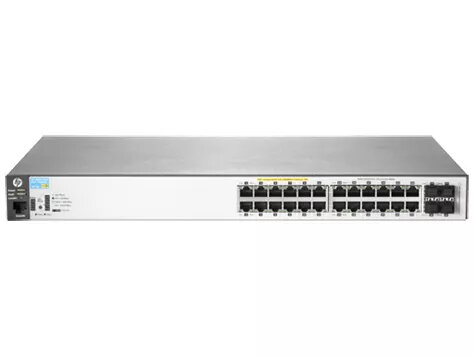
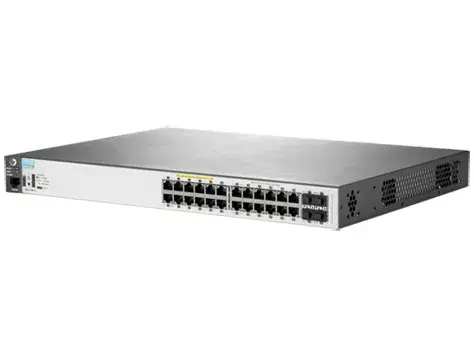
The Aruba 2530 Switch Series delivers secure, reliable, and easy-to-manage connectivity for enterprise edge, branch office, and SMB environments. These fully managed Layer 2 switches are available with Gigabit or Fast Ethernet ports, optional PoE+ and 10GbE uplinks, and provide traffic prioritization, sFlow, IPv6 host support, and energy-saving features. Integration with Aruba ClearPass Policy Manager, AirWave and Aruba Central enables consistent wired/wireless user experience and unified management.
Advantages
The Aruba 2530 family supports flexible port counts (8, 24, 48) and optional PoE+ to fit different deployment sizes. Models include fanless and variable-speed fan options for quieter operation and reduced power consumption via Energy Efficient Ethernet and port low power modes. Enhanced access security, DoS protection, VLAN and QoS features ensure predictable traffic handling, while Zero Touch Provisioning, Web GUI, CLI and SNMP simplify deployment and management. Cloud and on-premise management options provide a single view of the network and allow easy migration between Aruba Central and AirWave.
Key specifications
- Layer: Fully managed Layer 2 switching
- Port options: 8-, 24-, and 48-port models with Gigabit or Fast Ethernet variants
- PoE: Optional PoE+ support on selected models
- Uplinks: Optional 10GbE uplinks
- Security: 802.1X, MAC authentication, Web authentication, ACLs, DHCP/DHCPv6 protection, Dynamic ARP protection, Dynamic IP lockdown
- QoS: IEEE 802.1p with eight priority levels, WDRR and strict priority queuing
- Management: Web GUI, CLI, SNMP, console and micro USB ports
- Monitoring: sFlow and RMON support
- Deployment: Wall, table and rack mounting; Zero Touch Provisioning (ZTP)
- Power/efficiency: Fanless models available, Energy Efficient Ethernet (IEEE 802.3az), LED disable and port low power mode
- Integration: Aruba ClearPass Policy Manager, AirWave, Aruba Central cloud-based management
How to use
Choose the model that matches your port count and PoE requirements, mount the switch on a rack, wall, or table, and connect uplinks and edge devices. Configure basic settings through the Web GUI or CLI, or deploy at scale using Zero Touch Provisioning. Integrate with ClearPass or AirWave for unified policy and monitoring, or manage remotely with Aruba Central. Enable QoS profiles and VLANs for traffic segmentation, activate DHCP/DHCPv6 and ARP protections to improve security, and, if available, configure PoE priorities for connected access points.
Recommendations
For branch or SMB deployments, select the model with the appropriate port density and PoE budget for your devices. Use fanless models in noise-sensitive environments and enable Energy Efficient Ethernet and port low power mode where supported to reduce power consumption. Integrate with ClearPass or Aruba Central to maintain unified access policies for wired and wireless users.