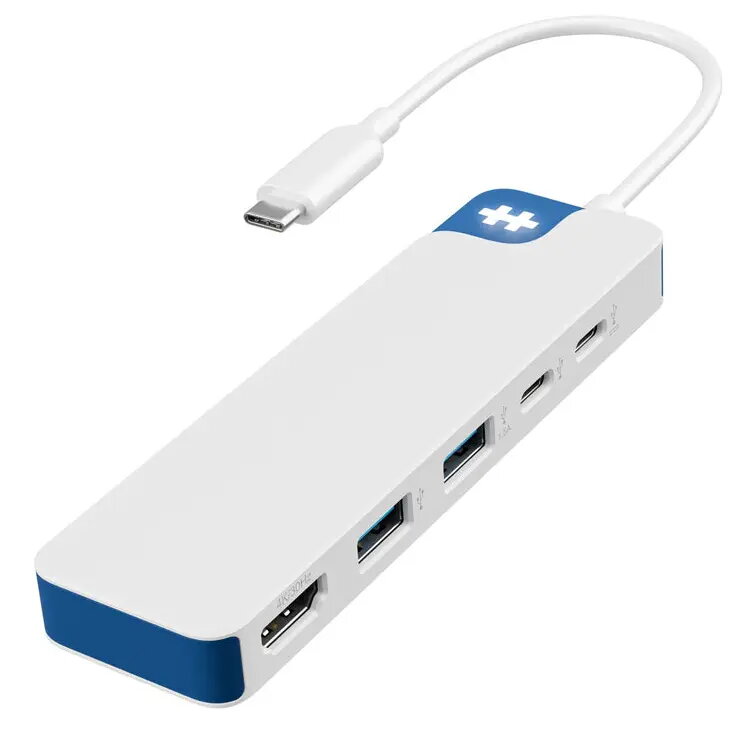
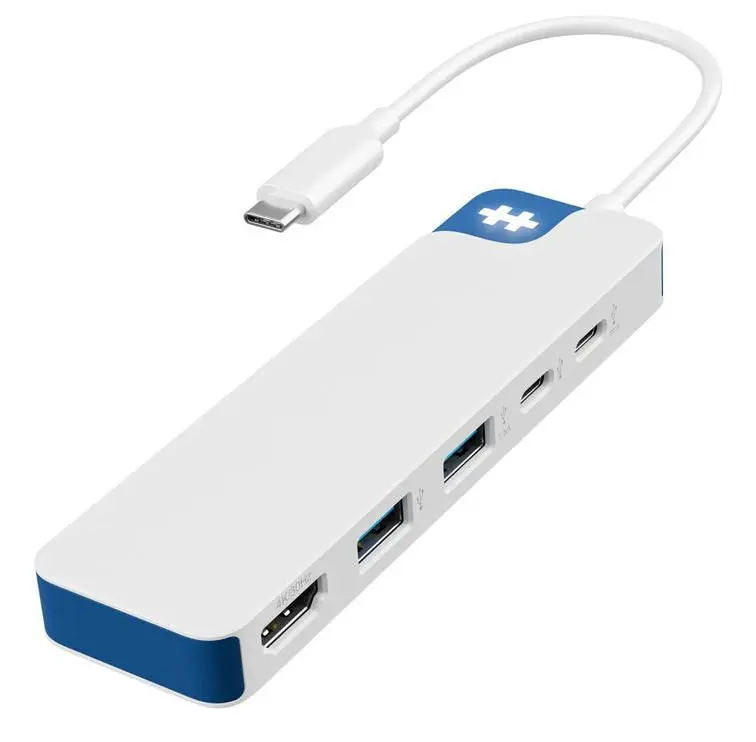
This product page focuses on the USB Type-C hub HYPER HD4101BUGL, which is compared with several alternative USB hubs from the same brand HYPER, including models HD4103BUGL, HD4101BKGL, HD4102BUGL, HD4102BKGL, and HDMB2. All these devices share foundational specifications such as data transfer rates up to 5000 Mbit/s, a USB Type-C host interface, 4K HDMI video output, USB bus power, and compatibility with macOS, ChromeOS, and iPadOS. The primary differences lie in the total number of ports, the inclusion of extra connectors like card readers, audio jacks, or Ethernet ports, and the housing color.
⚙️ The specifications comparison table below contrasts the key parameters of the devices: total port count, interface types, additional connectors, and color options to help evaluate the functional capabilities of each model for real-world usage.
| Parameter | USB Type-C hub HYPER HD4101BUGL | USB-C Multiport Hub HYPER HD4103BUGL | USB-C hub HYPER HD4101BKGL | USB-C multiport hub HYPER HD4102BUGL | USB-C multiport hub HYPER HD4102BKGL | HUB USB 3.2 Gen 1 HYPER HDMB2 | Practical significance |
|---|
| Ports quantity | 5 | 7 | 5 | 6 | 6 | 5 | Models with a higher port count offer broader connectivity for multiple peripherals simultaneously. |
| Hub interfaces | HDMI, USB 3.2 Gen 1 Type-A, USB Type-C | USB 3.2 Gen 1 Type-C, USB 3.2 Gen 1 Type-A, HDMI, 3.5mm, SD/MicroSD | HDMI, USB 3.2 Gen 1 Type-A, USB Type-C | USB 3.2 Gen 1 Type-C, USB 3.2 Gen 1 Type-A, HDMI, 3.5mm, SD/MicroSD | USB 3.2 Gen 1 Type-C, USB 3.2 Gen 1 Type-A, HDMI, 3.5mm, SD/MicroSD | HDMI, RJ-45, USB 3.2 Gen 1 Type-A, USB Type-C | The presence of audio jacks, card readers, or an RJ-45 port determines convenience for specific workflows. |
| Data transfer rate | 5000 Mbit/s | 5000 Mbit/s | 5000 Mbit/s | 5000 Mbit/s | 5000 Mbit/s | 5000 Mbit/s | All reviewed options deliver equally high data transfer performance for standard external drives. |
| Colour | Blue/White | Blue/White | Black | Blue/White | Black | Not specified | Color finishes allow matching the hub to your laptop or desktop workspace setup. |
◎ The table below evaluates the suitability of each model for various usage scenarios and buyer needs to help select the most relevant option.
| Use case | Recommended product | Why |
|---|
| Basic display and mouse connection | USB Type-C hub HYPER HD4101BUGL | Ideal for users who need a compact set of ports for video output and standard USB peripherals. |
| Working with photos and media files | USB-C multiport hub HYPER HD4102BUGL | The inclusion of SD and MicroSD card slots makes this model convenient for photographers and media enthusiasts. |
| Wired internet and stable networking | HUB USB 3.2 Gen 1 HYPER HDMB2 | The RJ-45 network port makes this hub the best choice for environments requiring wired internet connectivity. |
USB Type-C hub HYPER HD4101BUGL is best suited for users looking for a lightweight, streamlined solution with essential ports for connecting a monitor and everyday peripherals. If your workflow requires memory card slots, an audio jack, or a wired network connection, consider the expanded multi-port alternatives.