{{ totalProductsCount }}

In cart {{totalProductsCount}} item(s)

Total:
{{sum | formatAmount}}

Your cart is empty

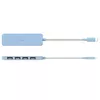
header-product j5create Eco-Friendly USB-C to 4-Port Type-A Gen 2 Hub with 10Gbps Data Transfer Rate, Cyan ABS Housing

j5create Eco-Friendly USB-C to 4-Port Type-A Gen 2 Hub with 10Gbps Data Transfer Rate, Cyan ABS Housing

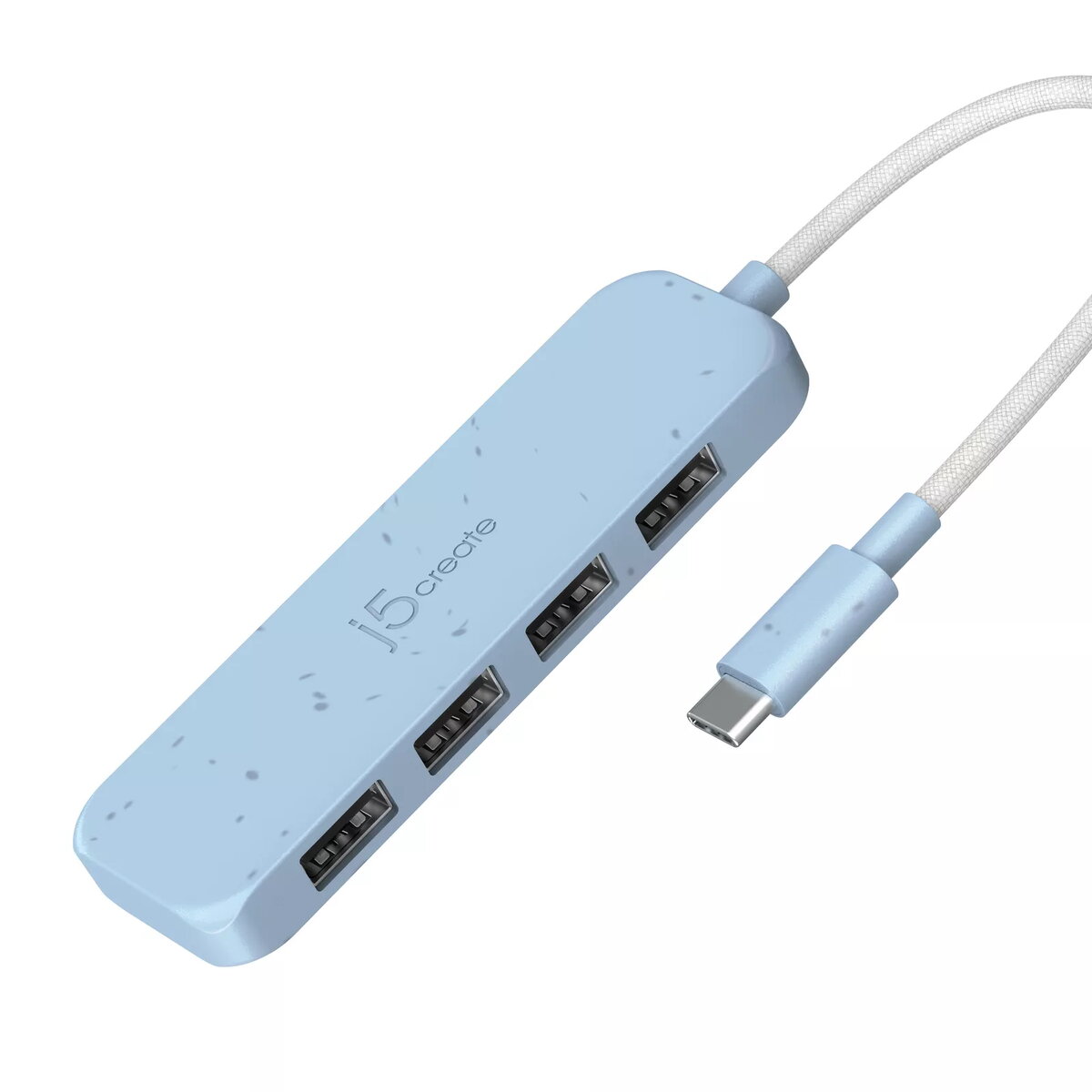
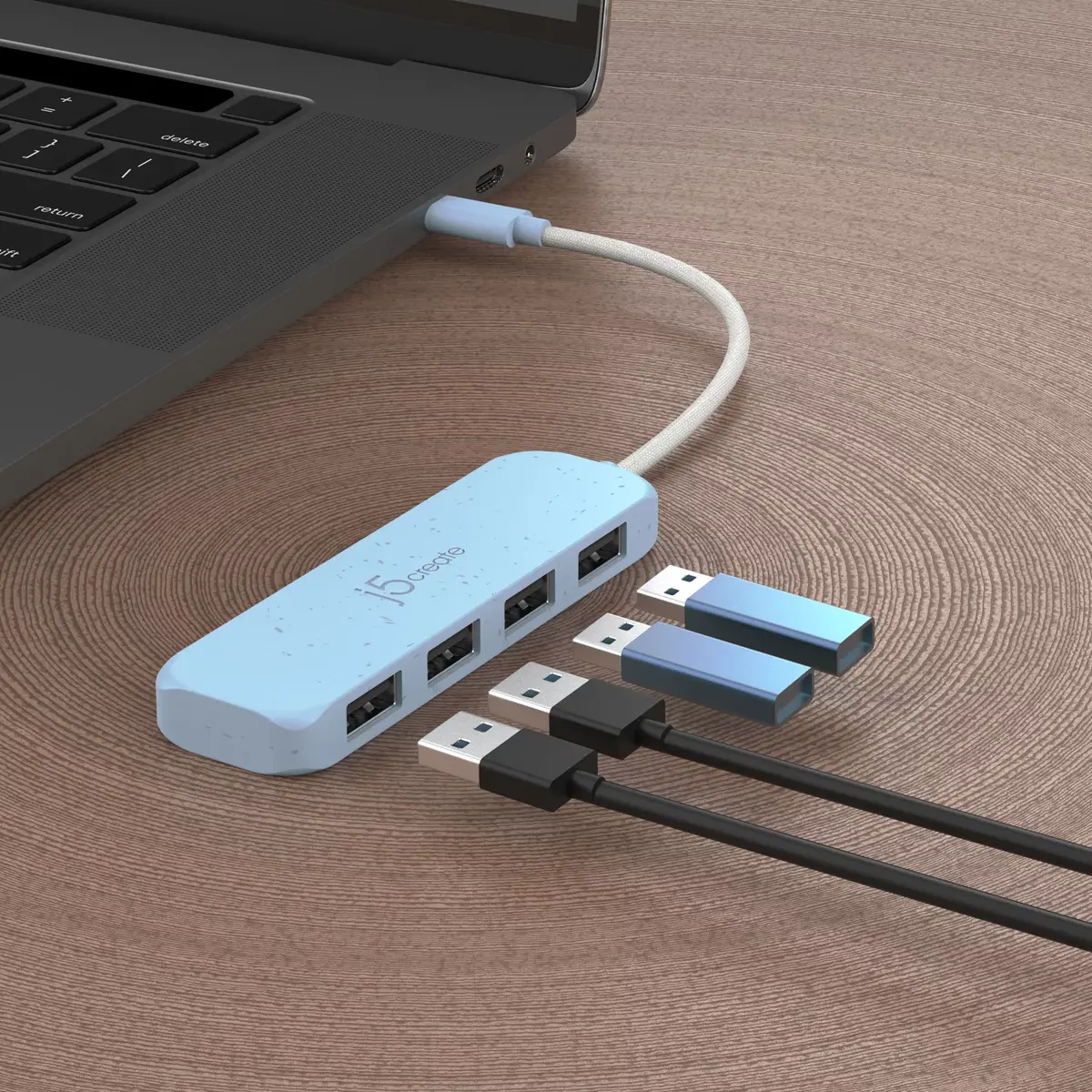
j5create Eco-Friendly USB-C to 4-Port Type-A Gen 2 Hub Photo 1
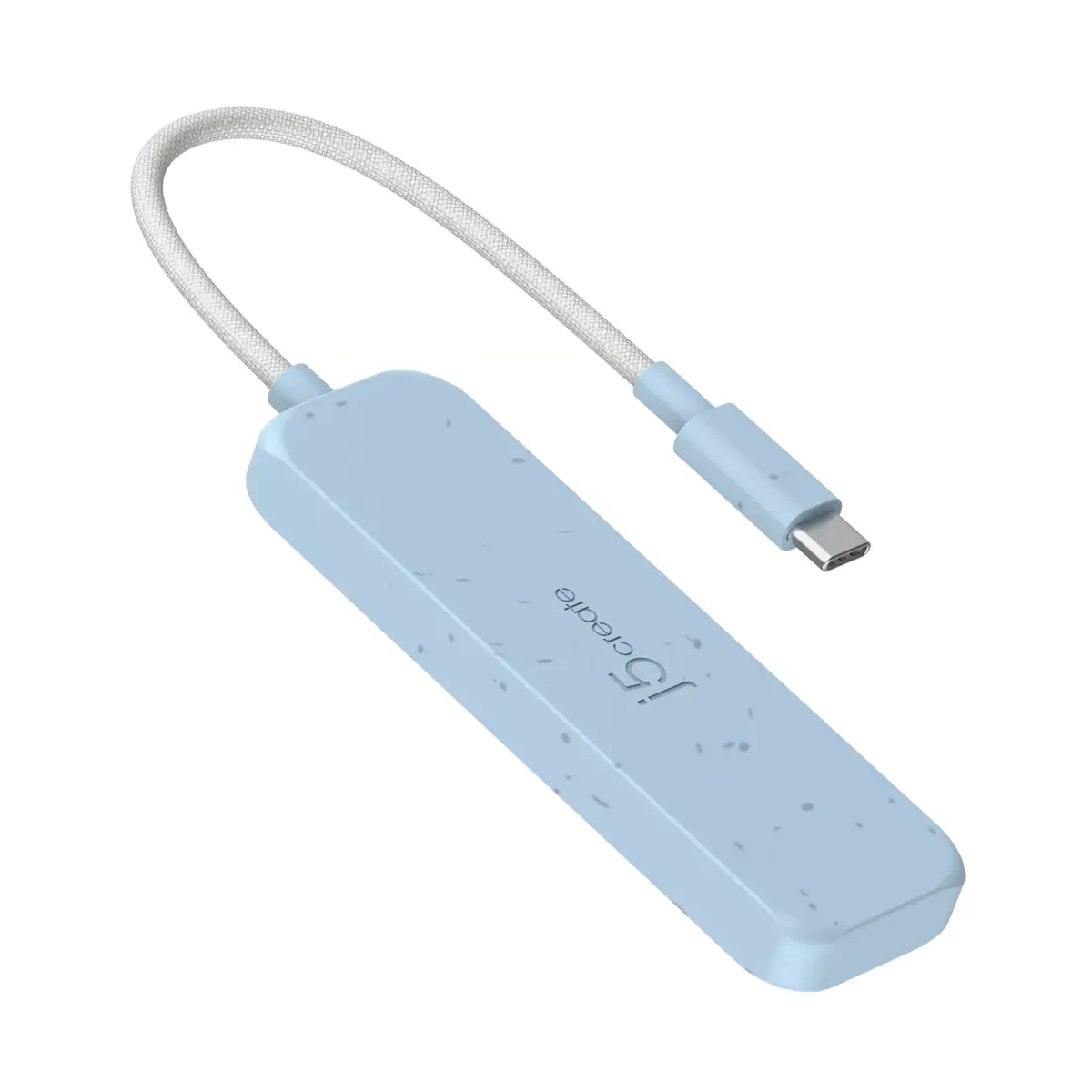
j5create Eco-Friendly USB-C to 4-Port Type-A Gen 2 Hub Photo 2
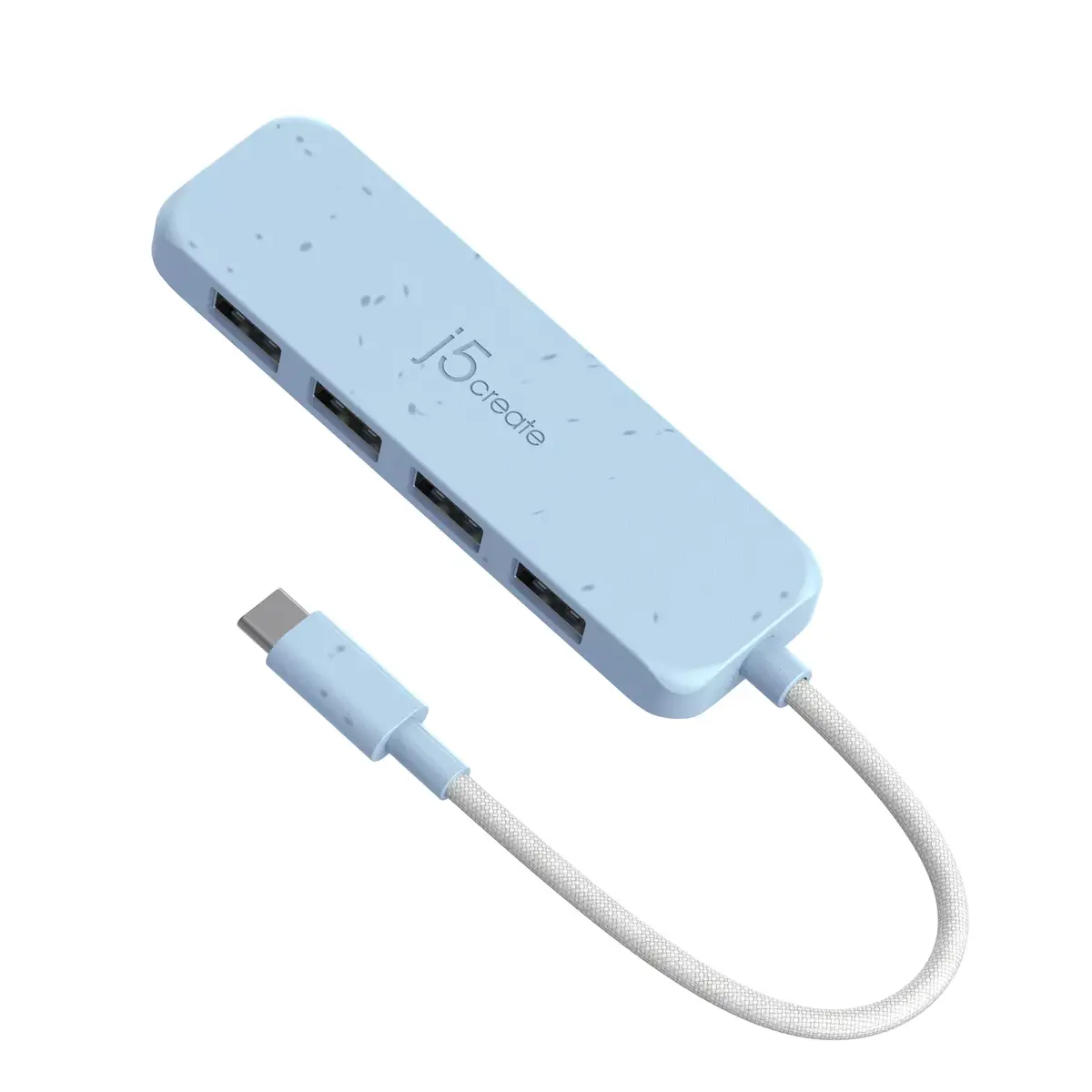
j5create Eco-Friendly USB-C to 4-Port Type-A Gen 2 Hub Photo 3
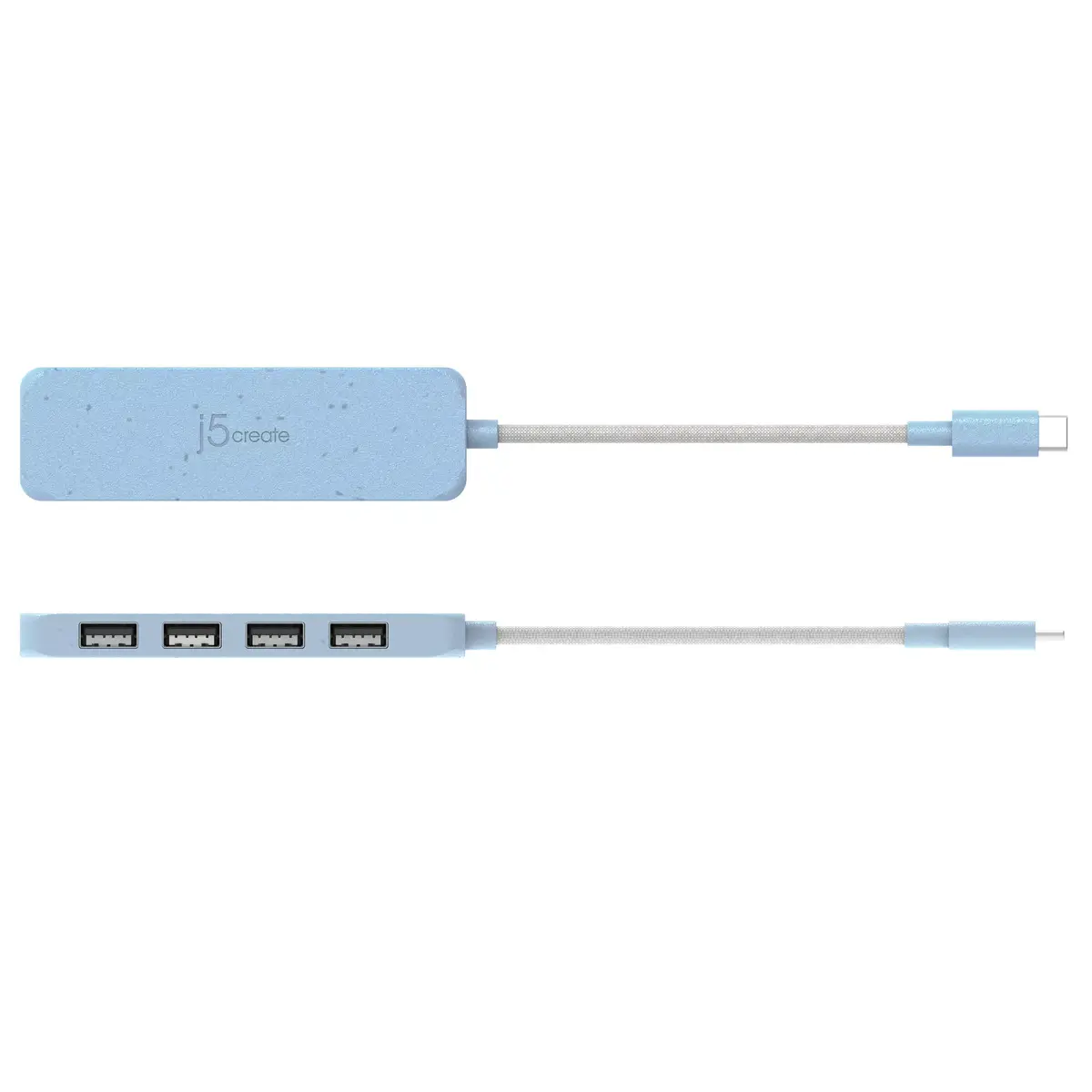
j5create Eco-Friendly USB-C to 4-Port Type-A Gen 2 Hub Photo 4
j5create Eco-Friendly USB-C to 4-Port Type-A Gen 2 Hub Photo 5
Out of stock.
View similar!

Short description

The j5create Eco-Friendly USB-C to 4-Port Type-A Gen 2 Hub connects to a USB-C host interface and expands your connectivity with four USB-A ports supporting data transfer rates up to 10000 Mbit/s. Made from recycled plastic and durable ABS housing in a cyan color, this hub is designed for efficiency and compatibility with modern laptops and computers running ChromeOS and other operating systems, ideal for expanding peripheral connectivity.
Warranty: 2 Years
SKU: 10826445
Manufacturer: j5 create
delivery
Information regarding the items availability for purchase will be posted on this site
price
Item cost information will be published on this site
Together cheaper
{{product.price | formatAmount}}
{{product.title}}
{{productBundle.reference.specialPrice | formatAmount}}
{{productBundle.title}}
{{productBundlePreviousPrice | formatAmount}}
{{productBundleSpecialPrice | formatAmount}}

You saving {{productBundleYouSave | formatAmount}}

Product information

Description

The j5create Eco-Friendly USB-C to 4-Port Type-A Gen 2 Hub is designed to expand the connectivity of modern computers and laptops. By connecting to a single USB-C host interface, this device provides four additional USB Type-A ports to accommodate multiple peripherals simultaneously. Built with sustainability in mind, the housing is constructed from durable ABS and recycled plastic featuring a cyan color finish. It supports high-speed data transfers, making it a practical addition to any workspace requiring reliable peripheral integration.

Advantages

This USB hub offers exceptional data transfer speeds reaching up to 10000 Mbit/s, ensuring that large files and demanding applications run smoothly without unnecessary delays. The integration of four USB Type-A ports removes the limitation of built-in computer ports, allowing seamless connection of multiple devices. Its eco-friendly construction utilizes UL certified recycled materials, contributing to sustainable tech practices without compromising build quality or durability. Additionally, the plug-and-play design requires no driver installations, enabling immediate functionality across supported operating systems right out of the box.

Suitable for

  • Connecting mice, keyboards, and flash drives to modern laptops
  • Transferring large media files quickly at speeds up to 10000 Mbit/s
  • Expanding connectivity on devices with limited USB-C ports such as MacBooks and Chromebooks
  • Users seeking an eco-friendly accessory made from recycled plastic materials

When it may not be suitable

This hub does not provide video output capabilities or power delivery for charging host devices, meaning it cannot be used to connect an external monitor or supply power to a laptop. Furthermore, it is not designed for high-power peripherals that exceed standard USB port power output without an external power supply.

Key specifications

  • Host interface: USB-C
  • Hub interfaces: Four USB Type-A ports
  • Data transfer rate: Up to 10000 Mbit/s
  • Housing material: ABS and recycled plastic
  • Color: Cyan
  • Supported operating systems: ChromeOS and other standard operating systems

How to use

To begin using the hub, simply plug the integrated USB-C cable into an available USB-C port on your computer or laptop. The system will automatically recognize the device without the need to install external drivers or software. Once connected, you can plug your standard USB Type-A peripherals, such as flash drives, mice, or keyboards, directly into any of the four available ports on the hub for immediate use.

What to consider before purchase

  • Verify that your computer or laptop features a compatible USB-C host interface
  • Confirm that your peripherals utilize standard USB Type-A connections
  • Note that this model focuses solely on data transfer and does not support video display output
Usage recommendations: To ensure stable performance and longevity of the hub, avoid exposing it to moisture or extreme temperatures, and safely eject connected storage devices from your operating system before unplugging them from the ports.

Specifications

Data transfer rate: Rate at which data can be transferred, usually measured in units per second. May vary with network configurations.
10000 Mbit/s
Host interface: Interface that enables a host controller to communicate with a driver.
USB 3.2 Gen 1 (3.1 Gen 1) Type-C
Ports quantity: The number of ports or external interfaces to which other equipment can be connected.
4
Hub interfaces: A hub is a device for connecting multiple devices together. The hub interface is where the hub connects to other devices via input/output (I/O) ports.
USB 3.2 Gen 2 (3.1 Gen 2) Type-A
All features

Performance

Export Control Classification Number (ECCN):
EAR99

Operational conditions

Storage relative humidity (H-H):
0 - 85
Operating relative humidity (H-H):
0 - 85
Storage temperature (T-T): The minimum and maximum temperatures at which the product can be safely stored.
-10 - 65
Operating temperature (T-T):
32 - 118
Operating temperature (T-T): The minimum and maximum temperatures at which the product can be safely operated.
0 - 48

Packaging content

Quick start guide: Instructions, either online, as a computer program or in paper form, to allow you to set up and start using the product quickly.
Yes

Packaging data

Package weight: Weight of the packaged product.
80 g
Package height: The distance from the top to the bottom of the packaging.
17.5 mm
Package depth: The distance from the front to the back of the packaging.
85 mm
Package width: The distance from one side of the packaging to the other.
190 mm
Quantity per pack:
1 pc(s)

Weight & dimensions

Weight: Weight of the product without packaging (net weight). If possible, the net weight is given including standard accessories and supplies. Please note that sometimes the manufacturer leaves out the weight of accessories and/or supplies.
0.035 kg
Height: The measurement of the product from head to foot or from base to top.
19 mm
Depth: The distance from the front to the back of something.
27 mm
Width: The measurement or extent of something from side to side.
100 mm

System requirements

Other operating systems supported:
ChromeOS
Mac operating systems supported: Mac operating systems e.g. OS X can be used with the device.
Y
Windows operating systems supported: Windows vesions wich can be used with the device.
Y

Features

Plug and Play: Indicates whether this product supports is "plug and play". Plug and play is hardware or software that, after being installed ("plugged in"), can immediately be used ("played with"), as opposed to hardware or software which requires configuration.
Yes
Country of origin: Country where the device is made. Aka Country of manufacture (COM).
Taiwan
USB Power Delivery (USB PD):
No
Product colour: The colour e.g. red, blue, green, black, white.
Cyan
Housing material: What the casing of the product is made of.
Recycled plastic, Acrylonitrile butadiene styrene (ABS)
Data transfer rate: Rate at which data can be transferred, usually measured in units per second. May vary with network configurations.
10000 Mbit/s

Ports & interfaces

Hub interfaces: A hub is a device for connecting multiple devices together. The hub interface is where the hub connects to other devices via input/output (I/O) ports.
USB 3.2 Gen 2 (3.1 Gen 2) Type-A
Host interface: Interface that enables a host controller to communicate with a driver.
USB 3.2 Gen 1 (3.1 Gen 1) Type-C
Ports quantity: The number of ports or external interfaces to which other equipment can be connected.
4

Description

Machine translation.

Similar products

{{product.title}}
Show details Hide details

{{highlightedFeature.featureTitle}}:

{{getProductFeatureValueById(product, highlightedFeature.featureId)}}

{{product.price | formatAmount}}
Might be useful
{{product.manufacturerName}}
{{product.categoryName}}
{{product.title}}
{{product.specialPrice}}
{{product.price}}

Customer reviews

Customer questions

FAQ

What payment options are available?

AiO.lv offers several payment methods: Bank transfer. All transactions are 100% secure and encrypted.

Can this product be purchased for a company (with VAT)?

Yes. AiO.lv works with legal entities in Latvia and across Europe. The product price already includes VAT. For certain product categories, as well as for companies from other EU countries with a valid VAT number, a 0% VAT rate may apply. We issue the invoice immediately after the order is placed, support electronic BIS invoices, and automatically generate all necessary accounting documents. You can complete the purchase for a company online — simply select the company profile and choose bank transfer as the payment method during checkout.

What is the warranty period?

All j5 create products come with an official 2 Years warranty. It covers all manufacturing defects and malfunctions that may occur during use. The warranty is valid at all authorized j5 create service centers and through AiO.lv

Can the product be returned after purchase?

Yes, you can return the product within 14 days of purchase if you bought it as a consumer (not a legal entity). Returns are possible without giving any reason — the main condition is that the product retains its original appearance and full set of accessories. We will make the process as simple and convenient as possible: just contact our customer support team, and we will help you arrange the return.

Where should I contact for warranty service?

For warranty-related questions you can contact the AiO.lv (SIA VSPRO) customer support team. We will assist with consultation, warranty claim processing, and coordination with certified service centers.

How can I tell if this product suits my needs?

When making a choice, we recommend paying attention to the key features: data transfer rate, host interface, ports quantity, hub interfaces, compatibility with your devices or usage conditions, material quality, functionality, and warranty terms. These characteristics will help you determine how well the model meets your needs.

Where can I download the instructions for j5create Eco-Friendly USB-C to 4-Port Type-A Gen 2 Hub?

You can download the instructions in PDF format from the “Instructions” section on the product description page. The file contains complete information about installation, setup, and usage.
warranty
14-Day Return Policy
We are confident in our quality, but if the purchase doesn’t fit — you have 14 days to return the product with peace of mind.
shipping
Fast Delivery
Get your orders as quickly as possible — right to your door, parcel lockers, or pickup points across Latvia and the EU.
payment
Secure Payment
Pay the way you prefer: cash, VISA, MasterCard, Apple Pay, Google Pay, bank transfer, or 0% installment plan.
warranty
Quality Since 2008
AiO.lv has been on the market for over 18 years and has earned trust — with more than 6000 genuine positive reviews on Google.