Leave your address - as soon as the price of the product goes down, you'll know about it right away
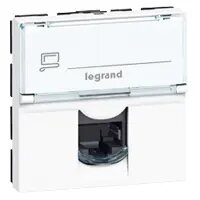
Legrand Mosaic RJ-45 Socket-Outlet, 2 Modules, UTP, White
In cart {{totalProductsCount}} item(s)
Your cart is empty
Legrand Mosaic RJ-45 Socket-Outlet, 2 Modules, UTP, White
Leave your address - as soon as the price of the product goes down, you'll know about it right away
Legrand Mosaic RJ-45 Socket-Outlet, 2 Modules, UTP, White
The Legrand Mosaic RJ-45 socket-outlet is a professional-grade networking component engineered for reliable data transmission in structured cabling systems. Designed as a 2-module unit, this UTP socket provides a stable connection for Ethernet applications in both residential and commercial environments. Its clean white finish and standard dimensions ensure it integrates perfectly into existing Mosaic installation frames, offering a durable and aesthetically pleasing solution for modern network infrastructure.
This socket-outlet features the advanced LCS2 connector system, which allows for fast and efficient installation through integrated crimping. It is compatible with a wide range of cable types, including single-core cables from AWG 22 to AWG 26 and various multicore cables. The contacts are clearly marked with a dual color code, supporting both T568A and T568B wiring schemes to simplify the termination process. Furthermore, the product adheres to international standards such as ISO/IEC 11801 and TIA/EIA 568 C, ensuring high performance and compatibility with global networking requirements.
This socket is designed specifically for UTP (Unshielded Twisted Pair) cabling and is not suitable for applications requiring shielded (STP/FTP) connections. Additionally, it requires a compatible Mosaic support frame and faceplate for installation, meaning it cannot be mounted as a standalone unit without these additional components.
To install the socket, first ensure that the appropriate Mosaic support frame is mounted in your wall box. Prepare the UTP cable by stripping the outer jacket and arranging the wires according to the color-coded guide on the connector, choosing either the T568A or T568B scheme. Use the integrated LCS2 crimping mechanism to secure the wires into the connector. Once terminated, snap the module into the support frame and attach the final decorative faceplate to complete the installation.
For optimal network performance, always maintain the twist of the cable pairs as close to the termination point as possible and avoid sharp bends in the cable during installation.
{{highlightedFeature.featureTitle}}:
{{getProductFeatureValueById(product, highlightedFeature.featureId)}}