Leave your address - as soon as the price of the product goes down, you'll know about it right away
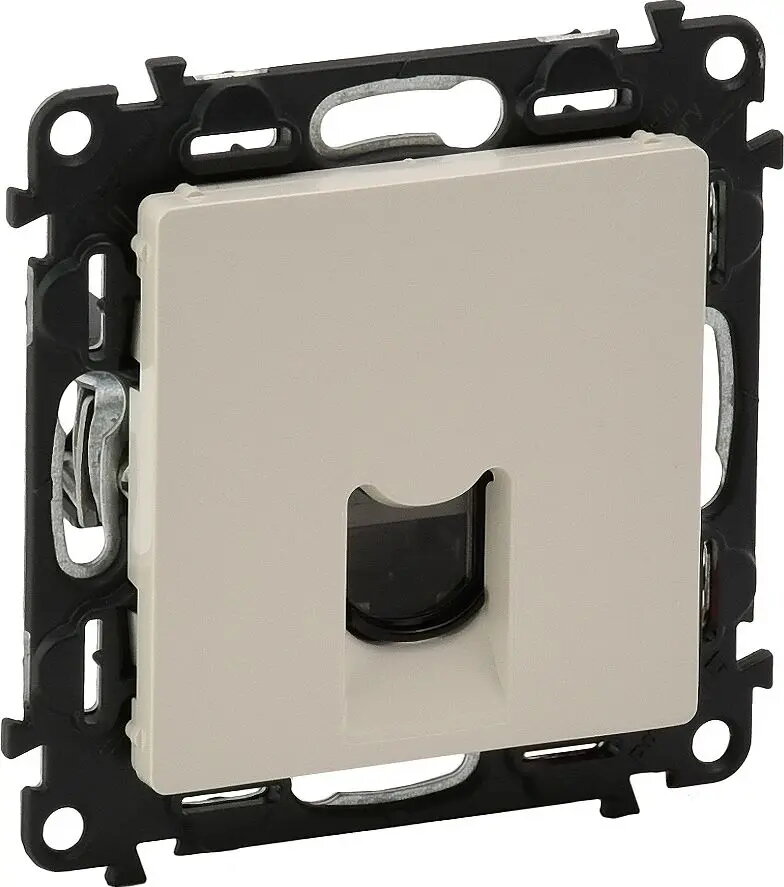
Legrand Valena Life RJ45 Category 5e UTP Data Socket, Cream
In cart {{totalProductsCount}} item(s)
Your cart is empty
Legrand Valena Life RJ45 Category 5e UTP Data Socket, Cream
Leave your address - as soon as the price of the product goes down, you'll know about it right away
Legrand Valena Life RJ45 Category 5e UTP Data Socket, Cream
The Legrand Valena Life RJ45 Category 5e UTP data socket is a professional-grade connectivity solution designed to provide stable and reliable network access in residential and commercial environments. Finished in a classic cream color, this single-port outlet is engineered to integrate perfectly with the Valena Life wiring device range, ensuring a cohesive aesthetic for your interior while maintaining high standards of data transmission performance.
This data socket offers exceptional build quality and ease of installation, making it a preferred choice for structured cabling systems. Its design ensures a secure connection for Ethernet cables, minimizing signal interference and supporting consistent network speeds suitable for standard office and home internet requirements. The durable construction guarantees long-term reliability, while the neutral cream finish allows it to blend seamlessly with various wall surfaces and interior design styles.
This socket is designed for Category 5e UTP cabling and may not be suitable for high-speed network environments requiring Category 6 or higher performance standards. It is also not intended for outdoor use or areas exposed to high levels of moisture or dust.
Installation should be performed by a qualified professional or an individual with experience in electrical wiring. The socket is designed to be mounted in a standard wall box. Begin by stripping the outer jacket of the Ethernet cable and arranging the individual wires according to the T568A or T568B wiring standard indicated on the socket terminal block. Use a punch-down tool to secure the wires into the IDC connectors, ensuring a firm connection. Once wired, snap the mechanism into the mounting frame and attach the cover plate to complete the installation.
Usage recommendations: For optimal network performance, avoid bending the Ethernet cables at sharp angles behind the wall plate and ensure that the cable pairs are untwisted as little as possible during the termination process.
{{highlightedFeature.featureTitle}}:
{{getProductFeatureValueById(product, highlightedFeature.featureId)}}