
Filters you can trust. Pure water every day.
In cart {{totalProductsCount}} item(s)
Your cart is empty
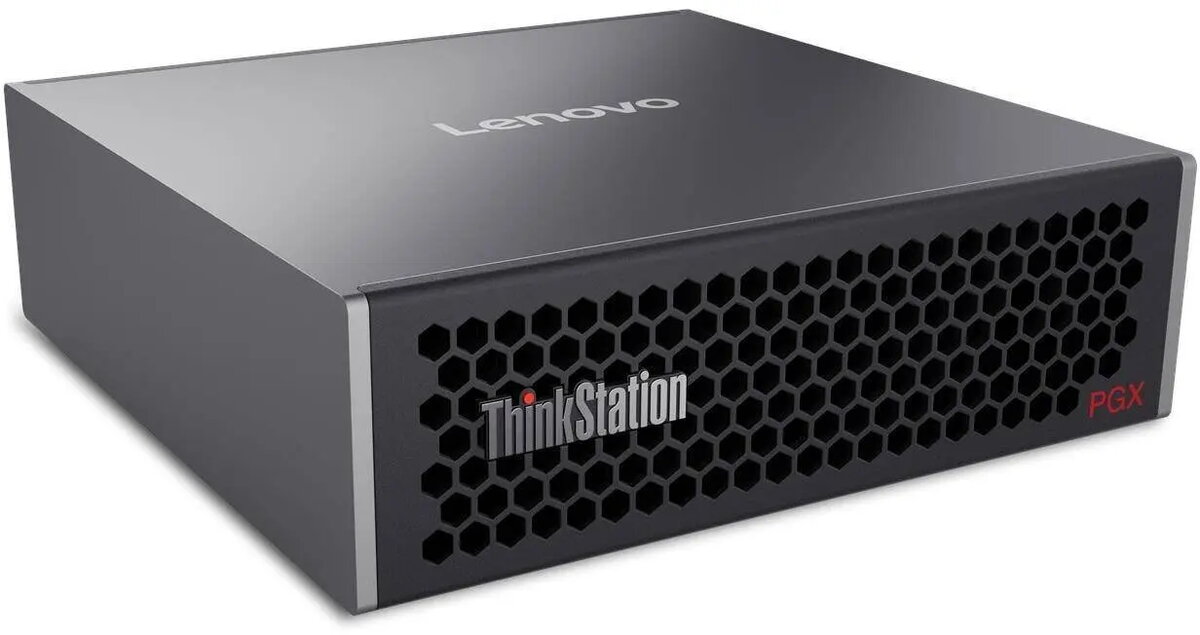
Workstation Lenovo ThinkStation PGX with NVIDIA Grace Blackwell GB10 GPU, 128GB RAM, 1TB M.2 PCIe SSD
The Lenovo ThinkStation PGX with NVIDIA Grace Blackwell GB10 GPU, 128GB RAM and 1TB M.2 PCIe SSD is a high-performance workstation engineered for compute-intensive professional workloads. It combines a dedicated NVIDIA Grace Blackwell GB10 accelerator, a large memory pool and fast NVMe storage to deliver responsive performance for AI model training, data analytics, and complex visualization tasks. The configuration provides a balanced platform for workflows that require sustained throughput, large datasets in memory and accelerated compute.
This workstation offers GPU-accelerated compute via the NVIDIA Grace Blackwell GB10 GPU, substantial system memory of 128GB to reduce swapping and speed multi-threaded applications, and a 1TB M.2 PCIe SSD for low-latency data access and fast project load times. The combined hardware reduces overall processing time for training and inference, supports larger in-memory datasets, and improves responsiveness in rendering and simulation workloads.
Set up the ThinkStation PGX on a stable surface with adequate ventilation and connect to a reliable power source and network. Install required drivers and system updates for the NVIDIA Grace Blackwell GB10 GPU and the operating system to ensure compatibility with development frameworks and professional applications. For AI training or large data processing, configure frameworks (such as TensorFlow, PyTorch or other GPU-enabled libraries) to utilize the GPU and allocate appropriate CPU and memory resources. Use the 1TB NVMe SSD for active projects and temporary datasets, and consider additional bulk storage for archival data.
For sustained heavy workloads, ensure consistent ambient airflow and monitor thermal and power metrics. Maintain up-to-date GPU drivers and use GPU-aware versions of libraries to maximize performance. Regularly back up important project data from the NVMe drive to secondary storage. When working with very large models or datasets, consider adding complementary storage or networked storage to expand capacity without impacting workstation responsiveness.
{{highlightedFeature.featureTitle}}:
{{getProductFeatureValueById(product, highlightedFeature.featureId)}}
{{ productComparisonGenerationError }}
