
JBL speakers and headphones for pure and deep sound!
In cart {{totalProductsCount}} item(s)
Your cart is empty
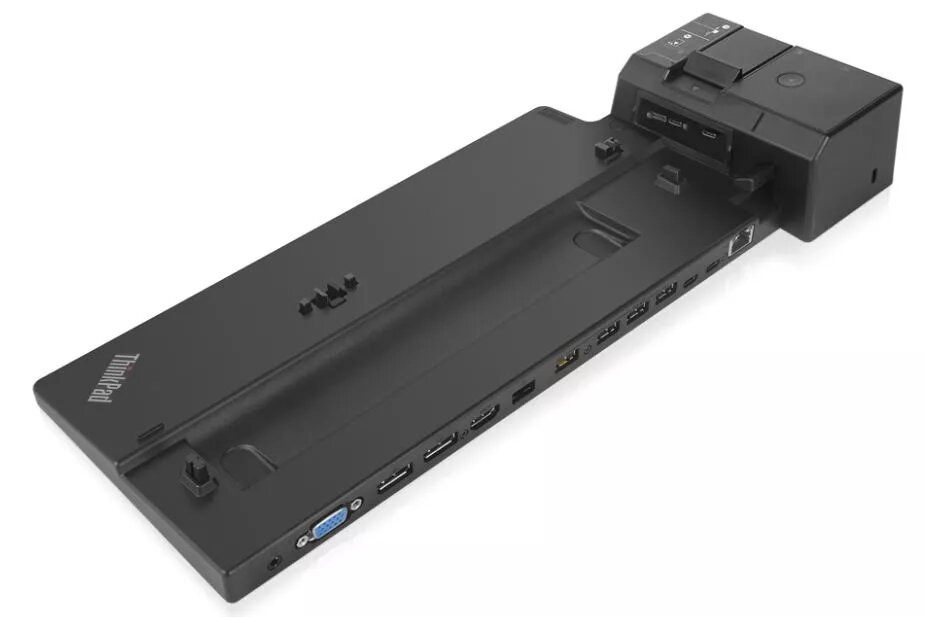
Docking Station Lenovo 40AJ0135DK
The Lenovo 40AJ0135DK Docking Station provides a compact, wired connection hub for compatible Lenovo laptops and workstations. It delivers Gigabit Ethernet (10/100/1000 Mbit/s) connectivity in a slim black enclosure and offers multiple video and USB ports to extend desktop productivity. The docking station includes a Kensington cable lock slot for physical security and is designed to fit into constrained workspace layouts with dimensions of 159 mm (W) x 378 mm (D) x 54.1 mm (H).
This docking station consolidates network, display and peripheral connections into a single unit, reducing cable clutter and simplifying laptop docking. The integrated Gigabit Ethernet port ensures stable wired network access for large file transfers and low-latency communications. Multiple Type-A USB 3.2 Gen 1 ports support external drives and accessories at high transfer rates, while the available HDMI and VGA outputs allow connection to modern and legacy displays. The compact black design and Kensington lock slot add practical security and a professional appearance suitable for office environments.
Place the Lenovo 40AJ0135DK on a stable surface close to the laptop and power source. Connect the docking station to your laptop following the manufacturer's connection method (dock cable or compatible interface) and plug in the power adapter if required. Attach an Ethernet cable to the RJ-45 port for wired network access, connect monitors via HDMI or VGA as needed, and plug peripherals such as external drives, keyboard and mouse into the USB 3.2 Gen 1 Type-A ports. Use the Kensington slot to secure the dock to a fixed object if physical security is needed.
For best performance, use Cat5e or higher Ethernet cabling for Gigabit speeds, connect displays that match the docking station’s available outputs, and ensure your laptop's drivers and firmware are up to date to maintain compatibility and optimal transfer rates. When using both HDMI and VGA outputs, check display settings on the host device to configure resolution and extended/duplicate modes.
{{highlightedFeature.featureTitle}}:
{{getProductFeatureValueById(product, highlightedFeature.featureId)}}
{{ productComparisonGenerationError }}
