
Powerful EcoFlow stations for energy anywhere!
In cart {{totalProductsCount}} item(s)
Your cart is empty
Docking Station Lenovo 40AJ0135EU
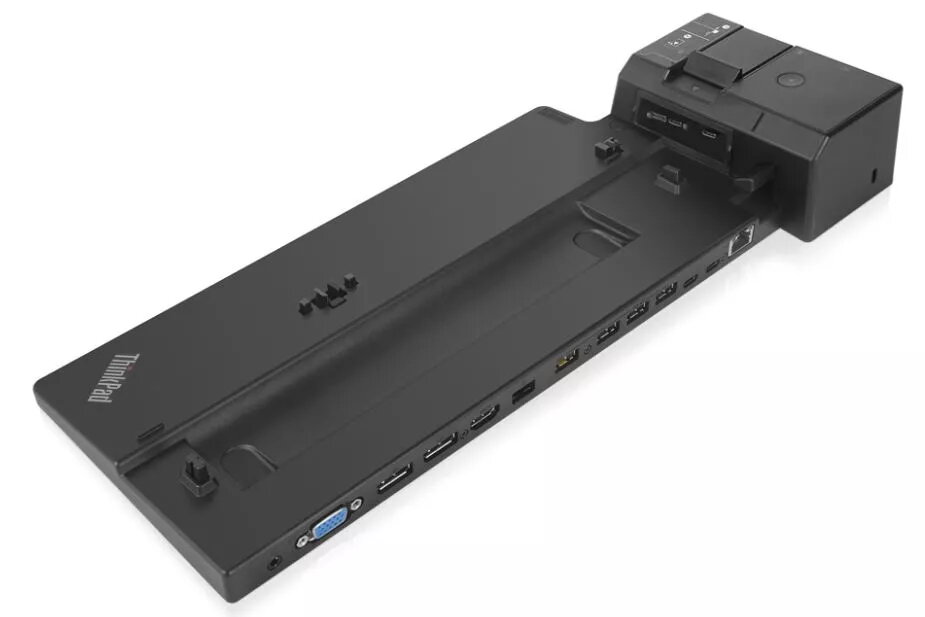
The Lenovo 40AJ0135EU docking station delivers seamless connectivity for compatible Lenovo laptops using the proprietary ThinkPad side connector. It supports Gigabit Ethernet (10/100/1000 Mbit/s) for stable wired network access and offers a compact black enclosure measuring 159 mm × 378 mm × 54.1 mm with a Kensington cable lock slot for added security. The dock is engineered for enterprise use, providing simple attachment and reliable power and peripheral connections to expand a laptop's workstation capabilities.
The docking station provides driver-free docking via the ThinkPad side connector and includes multiple USB 3.2 Gen 1 Type‑A ports for high-speed peripheral connections, a VGA port and an HDMI port for external displays, and a single RJ-45 Ethernet port for wired networks. Its mirrored power button and rapid charging support streamline workflows, while enterprise-oriented features such as PXE boot, Wake-on-LAN and MAC address pass-through aid IT management and asset control.
Place the docking station on a stable surface and connect it to a compatible Lenovo laptop using the ThinkPad side connector. Attach external displays to the HDMI and/or VGA ports as required, plug peripherals into the USB 3.2 Gen 1 Type‑A ports, and connect the RJ-45 port to your network. Use the mirrored power button to power the laptop via the dock. Ensure any necessary network or display settings are configured on the laptop for multi-monitor and PXE/WOL features.
For reliable enterprise deployment, verify laptop compatibility with the ThinkPad side connector and enable PXE/Wake-on-LAN in BIOS/UEFI if needed. Use a quality Ethernet cable and secure the dock with the Kensington lock in shared or public environments.
{{highlightedFeature.featureTitle}}:
{{getProductFeatureValueById(product, highlightedFeature.featureId)}}
{{ productComparisonGenerationError }}
