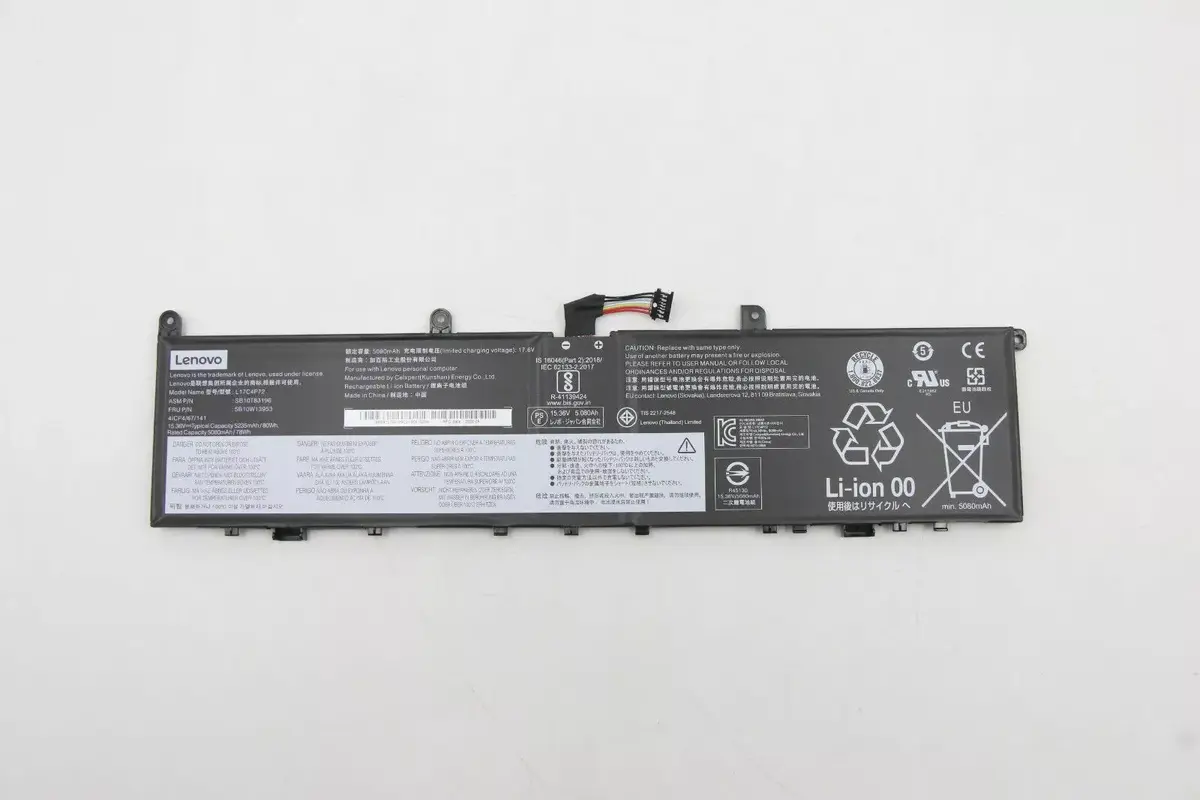
The Internal lithium‑ion battery Lenovo 80Wh model 5B10W13953 is a replacement power unit intended for compatible Lenovo laptops. With an 80 watt‑hour rated capacity, it restores portable operation and extends runtime compared with depleted cells. The battery is designed for internal installation and matches form factors used in selected Lenovo models, providing a direct replacement option to recover battery life for travel, work, or study.
Advantages
This battery offers a high energy capacity of 80 Wh to support longer use between charges, improving productivity on the go. Its lithium‑ion chemistry delivers a balance of energy density and cycle life appropriate for laptop applications. The unit is made for internal mounting, enabling a clean installation without external adapters, and is compatible with charging and power-management systems typically found in Lenovo notebooks.
Suitable for
- Restoring battery runtime in compatible Lenovo laptops
- Replacing worn or failing internal batteries to regain mobility
- Users who need longer unplugged operation for travel, meetings, or classes
- Service and repair technicians performing standard battery replacements
When it may not be suitable
This battery is intended only for compatible Lenovo laptop models that accept the internal 80 Wh form factor and electrical specifications. It is not suitable for laptops from other manufacturers or Lenovo models that require a different capacity, shape, or connector type. Installation requires opening the laptop chassis and may void warranty if performed outside manufacturer guidelines.
Key specifications
- Battery type: lithium‑ion (Li‑ion)
- Rated capacity: 80 watt‑hours (Wh)
- Mounting: internal laptop battery designed for internal installation
- Intended use: replacement battery for compatible notebook models
How to use
Power down the laptop, disconnect any external cables, and follow the manufacturer’s service instructions for safe access to the internal battery compartment. Remove the old battery according to the service manual, taking precautions against short circuits and static discharge. Install the replacement battery in the same orientation, secure any retaining screws or clips, reconnect internal cables as specified, and reassemble the chassis. After installation, charge the battery fully before normal use and allow the system to calibrate battery level reporting through a few charge/discharge cycles.
What to consider before purchase
- Confirm physical compatibility with your specific Lenovo model and that the internal connector, shape, and mounting match.
- Ensure system BIOS and power-management settings support the replacement battery type and capacity.
- Check whether opening the laptop affects warranty or requires professional service.
- Consider proper disposal or recycling of the old lithium‑ion battery following local regulations.
Usage recommendations
For safe operation and longevity, use the battery within the laptop’s specified temperature range, avoid deep discharges when possible, and follow standard charging practices. If unsure about compatibility or installation, consult Lenovo support or a qualified technician to prevent damage and ensure reliable performance.