
Filters you can trust. Pure water every day.
In cart {{totalProductsCount}} item(s)
Your cart is empty
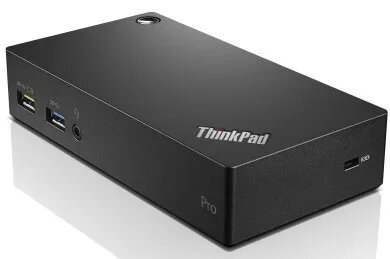
Docking Station Lenovo ThinkPad USB 3.0 Pro Dock EU
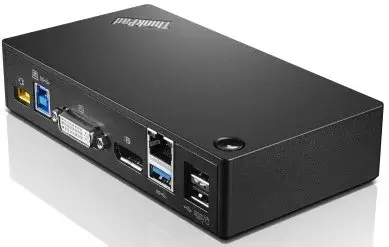
The Lenovo ThinkPad USB 3.0 Pro Dock is a universal wired docking solution that expands a laptop's connectivity through a single USB 3.0 (USB 3.2 Gen 1 Type-A) cable. It provides fast data transfer, support for up to two external displays via digital video ports, Gigabit Ethernet, audio out and multiple USB ports so you can connect peripherals such as printers, scanners, keyboard and mouse while keeping your workspace tidy.
The dock delivers multiple ports in one compact unit, including three USB 3.2 Gen 1 Type-A ports and two USB 2.0 ports, a Gigabit RJ-45 Ethernet port and a 3.5 mm headphone jack. It supports DVI-I video output for monitor connection, offers a Kensington lock slot for physical security and a dedicated always-on USB port to charge mobile devices even when the host PC is off.
Connect the dock to your Lenovo PC using the supplied USB 3.0 (Type-A) cable. Attach external monitors to the DVI-I port (use appropriate adapters if required), plug in Ethernet, audio and USB peripherals. The dock is plug-and-play for most systems; install any necessary drivers if prompted by your operating system. Use the always-on USB port to charge mobile devices independently of the host power state.
For reliable video and network performance, connect displays and the Ethernet cable before powering on the host laptop. If using adapters for video (for example DVI-to-DisplayPort or DVI-to-HDMI), ensure they support the required resolution and signal type. Keep firmware and host drivers up to date for best compatibility.
{{highlightedFeature.featureTitle}}:
{{getProductFeatureValueById(product, highlightedFeature.featureId)}}
{{ productComparisonGenerationError }}
