{{ totalProductsCount }}

In cart {{totalProductsCount}} item(s)

Total:
{{sum | formatAmount}}

Your cart is empty

header-product Keyboard Logitech Folio Touch for iPad Air 4th & 5th generation
119.99 €

Keyboard Logitech Folio Touch for iPad Air 4th & 5th generation

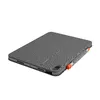
Keyboard Logitech Folio Touch for iPad Air Photo 1
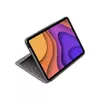
Keyboard Logitech Folio Touch for iPad Air Photo 2
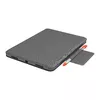
Keyboard Logitech Folio Touch for iPad Air Photo 3
Keyboard Logitech Folio Touch for iPad Air Photo 4
Keyboard Logitech Folio Touch for iPad Air Photo 5
Keyboard Logitech Folio Touch for iPad Air Photo 6
Keyboard Logitech Folio Touch for iPad Air Photo 7
Keyboard Logitech Folio Touch for iPad Air Photo 8
Keyboard Logitech Folio Touch for iPad Air Photo 9
Keyboard Logitech Folio Touch for iPad Air Photo 10
Keyboard Logitech Folio Touch for iPad Air Photo 11
Keyboard Logitech Folio Touch for iPad Air Photo 12
Keyboard Logitech Folio Touch for iPad Air Photo 13
Keyboard Logitech Folio Touch for iPad Air Photo 1
Keyboard Logitech Folio Touch for iPad Air Photo 2
Keyboard Logitech Folio Touch for iPad Air Photo 3
Keyboard Logitech Folio Touch for iPad Air Photo 4
Keyboard Logitech Folio Touch for iPad Air Photo 5
Keyboard Logitech Folio Touch for iPad Air Photo 6
Keyboard Logitech Folio Touch for iPad Air Photo 7
Keyboard Logitech Folio Touch for iPad Air Photo 8
Keyboard Logitech Folio Touch for iPad Air Photo 9
Keyboard Logitech Folio Touch for iPad Air Photo 10
Keyboard Logitech Folio Touch for iPad Air Photo 11
Keyboard Logitech Folio Touch for iPad Air Photo 12
Keyboard Logitech Folio Touch for iPad Air Photo 13

Cheaper than new!

Keep track of price changes You keep track of price changes
Watch the price drop

Leave your address - as soon as the price of the product goes down, you'll know about it right away

You keep track of price changes

Keyboard Logitech Folio Touch for iPad Air 4th & 5th generation

{{email}}
You keep track of price changes

Keyboard Logitech Folio Touch for iPad Air 4th & 5th generation

{{email}}
{{selectedOffer && selectedOffer.price | formatAmount}}

Short description

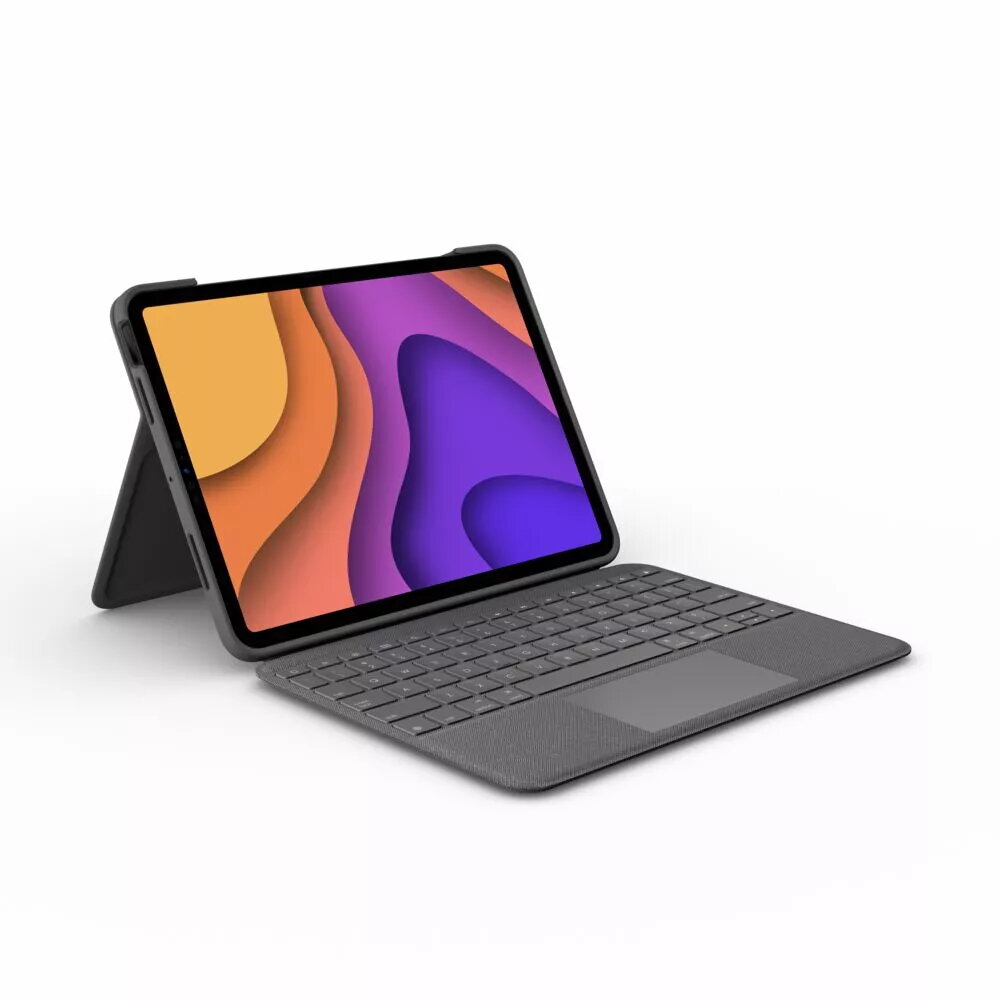
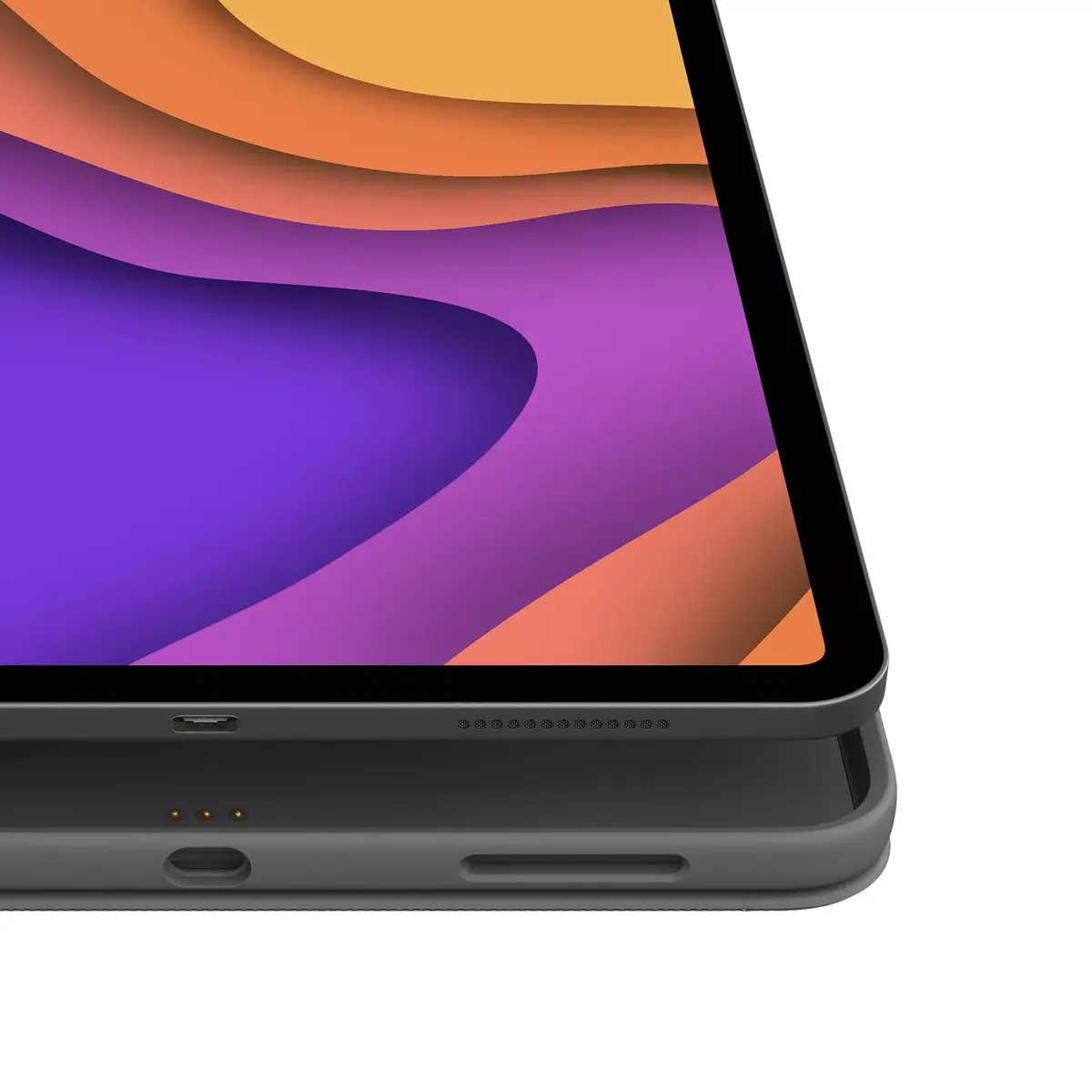
The Logitech Folio Touch is a versatile keyboard case designed for the iPad Air (4th & 5th generation). It features a QWERTZ layout in German, a built-in trackpad, and connects via Smart Connector for seamless wireless use. The case provides protection while allowing easy access to all ports and buttons. With a power source from the dock, it supports iPadOS for a smooth user experience. The sleek grey design complements your iPad perfectly.
Available at price 119.99 €: 1 pcs.
Total available for order: 154 pcs.
Warranty: 2 Years
Stāvoklis: Demo

Demo - Showcase sample. Opened packaging. There may be minor minor scratches.

SKU: 3941680
Manufacturer: Logitech Alternativ
Please note: the keyboard layout may not be English. Kindly verify before making a purchase.
free shipment

Cheapest delivery:

Unisend LV

Pick-up points

Unisend LV

Cost

1.79 €

Deliver

{{selectedOffer.parcelStationDeliveryString}}

Customer service center
2b. Kengaraga str., Riga, Latvia, LV-1063
06.10.2026 {{selectedOffer.officeDeliveryString}}
free
Courier Delivery Please note that in case of a large parcel additional delivery costs may apply!
09.10.2026 {{selectedOffer.courierDeliveryString}}
From 4.99 € (Weight: 0.86 kg)
Parcel couriers
Unisend LV / Venipak Pickup LV / Venipak Locker LV / Latvijas Pasts pakomāts / DPD Paku skapis / Omniva LV / Latvijas Pasts nodaļa
09.10.2026 {{selectedOffer.parcelStationDeliveryString}}
From 1.79 €
payment
Payment Methods:
Cash payment, Bank transfer, Bank cards on-line, Apple Pay, Google Pay
Available for private customers at price 145.99 €: 24 pcs.
Together cheaper
{{product.price | formatAmount}}
{{product.title}}
{{productBundle.reference.specialPrice | formatAmount}}
{{productBundle.title}}
{{productBundlePreviousPrice | formatAmount}}
{{productBundleSpecialPrice | formatAmount}}

You saving {{productBundleYouSave | formatAmount}}

Product information

Description

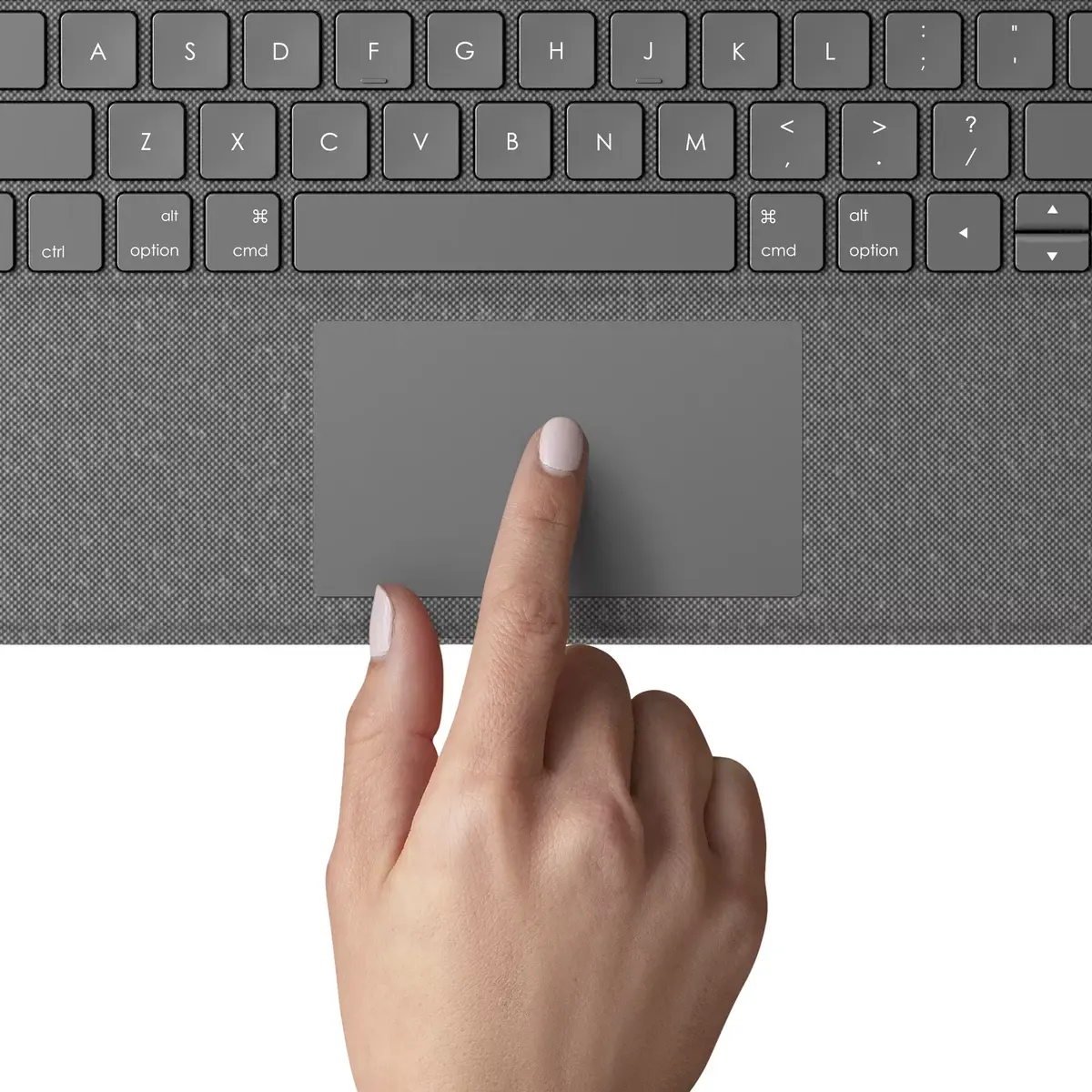
One case to do it all: the Folio Touch keyboard case for iPad Air (4th gen) combines a laptop-style backlit keyboard, a high-precision trackpad and a foldable adjustable kickstand to enable typing, sketching, viewing and reading in one protective cover. It connects via the Smart Connector for instant pairing and power without cables and supports familiar Multi‑Touch gestures such as swipe, tap and pinch.

Advantages

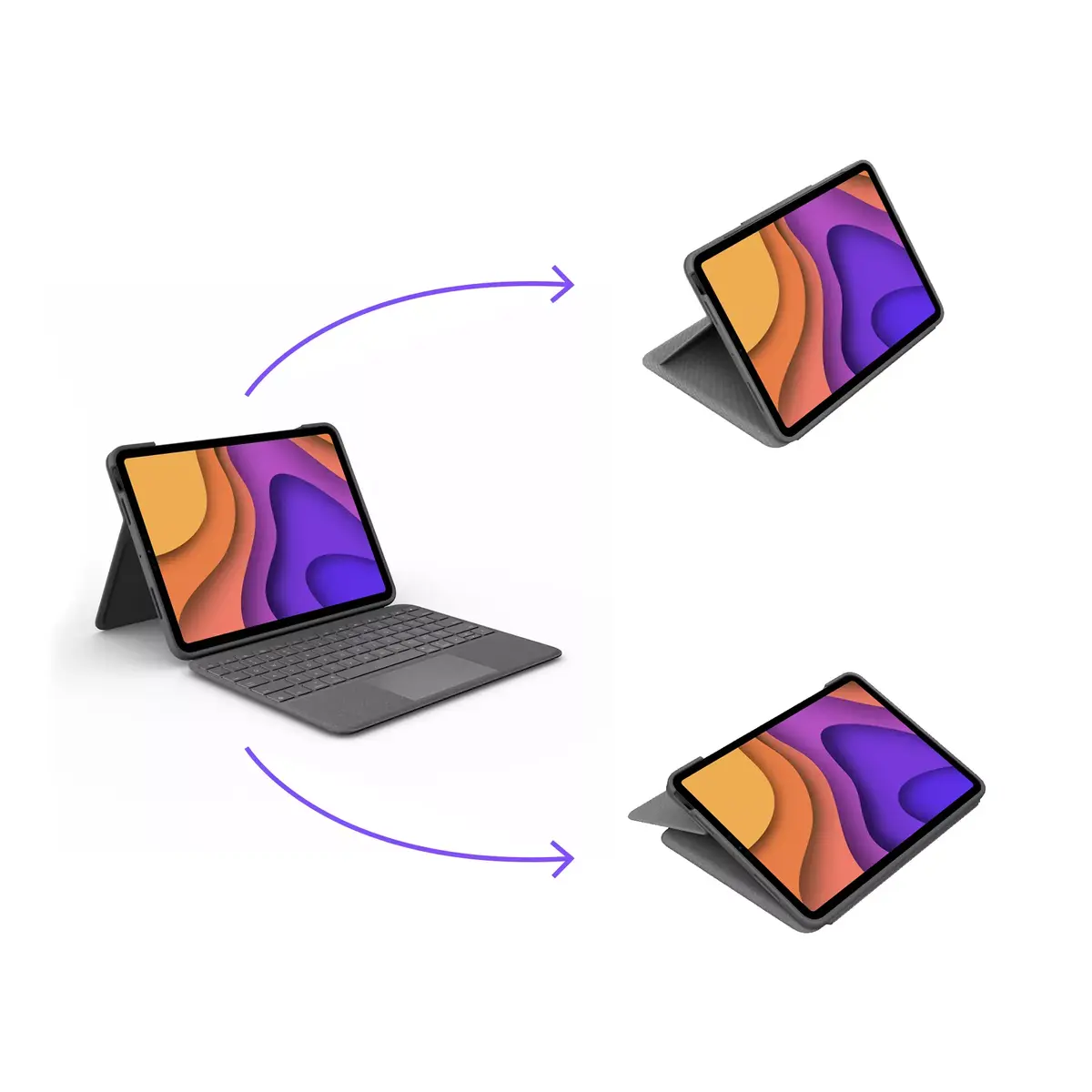
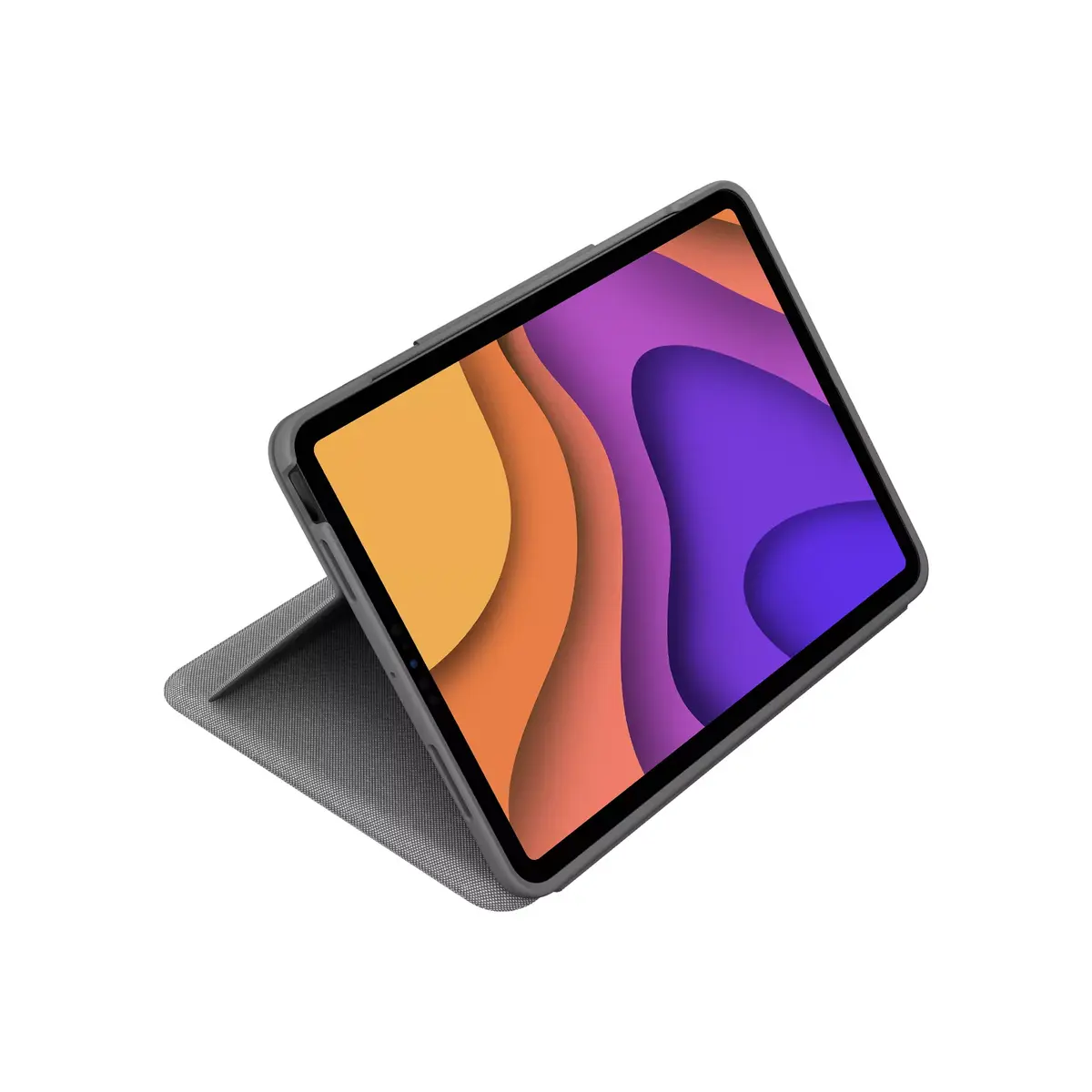
The Folio Touch offers four versatile use modes in a single accessory, a large backlit keyboard for comfortable and accurate typing, and a high-precision trackpad for cursor control and gesture navigation. The adjustable kickstand tilts up to 40° and the foldable keyboard increases portability while keeping the iPad Air protected. Connection and power are handled through the Smart Connector for a reliable, cable-free setup.

Key specifications

  • Compatibility: iPad Air (4th generation)
  • Four use modes: type, sketch, view, read
  • Backlit laptop-like keyboard for comfortable typing
  • High-precision trackpad for cursor control and gestures
  • Adjustable kickstand with up to 40° tilt
  • Smart Connector for one-click pairing and power

How to use

Attach the Folio Touch to the iPad Air via the Smart Connector to enable keyboard and trackpad functionality immediately without Bluetooth setup or charging. Adjust the kickstand angle (up to 40°) and fold or unfold the keyboard to switch between type, sketch, view and read modes. Use familiar Multi‑Touch gestures directly on the screen or operate with the trackpad for precise cursor control and gesture navigation.

Recommendations

Use the Folio Touch on a stable surface when typing for best ergonomics, and store the keyboard folded when transporting the iPad Air to protect the screen. For sketching, position the kickstand at a lower angle for a more natural drawing posture.
All features
Weight: Weight of the product without packaging (net weight). If possible, the net weight is given including standard accessories and supplies. Please note that sometimes the manufacturer leaves out the weight of accessories and/or supplies.
0.906 kg
Pointing device:
Trackpad
Package weight: Weight of the packaged product.
860 g
Compatibility: The other products, software and hardware this product can be used with.
iPad Pro 11" (2nd gen)(A2228, A2068, A2230, A2231)
Numeric keypad: Small, palm-sized, seventeen key section of a computer keyboard, usually on the very far right. The numeric keypad features digits 0 to 9, addition (+), subtraction (-), multiplication (*) and division (/) symbols, a decimal point (.) and Num Lock and Enter keys. Laptop keyboards often do not have a numpad, but may provide numpad input by holding a modifier key (typically labelled "Fn") and operating keys on the standard keyboard.
No
Hot keys:
Yes
Power source: What is providing power for the product e.g. mains electricity.
Dock
Keyboard layout: The type of keys on a keyboard, and their position on the keyboard. This can differ from country to country.
QWERTZ
Height: The measurement of the product from head to foot or from base to top.
256 mm
Width: The measurement or extent of something from side to side.
21 mm
Depth: The distance from the front to the back of something.
188.9 mm
Connectivity technology: The technology that enables connectivity of the device, e.g. wired or wireless.
Wireless
Product colour: The colour e.g. red, blue, green, black, white.
Grey
Languages support: The product has support (help) for languages.
German
Backlight: Product has a built-in light source for its illuminating.
Yes
Package depth: The distance from the front to the back of the packaging.
202 mm
Package height: The distance from the top to the bottom of the packaging.
263 mm
Package width: The distance from one side of the packaging to the other.
29.5 mm
Quick start guide: Instructions, either online, as a computer program or in paper form, to allow you to set up and start using the product quickly.
Yes
Master (outer) case height:
293.5 mm
Master (outer) case width:
217 mm
Maximum screen size: The maximum screen size which can be used with this product.
10.9 "
Brand compatibility: What other brands this brand can be used with.
Apple
Device interface: The ports (sockets) where the device connects with other devices.
Smart Connector
Keyboard language: The letters which are marked on the keys for convenience of the keyboard usage with specific language.
German
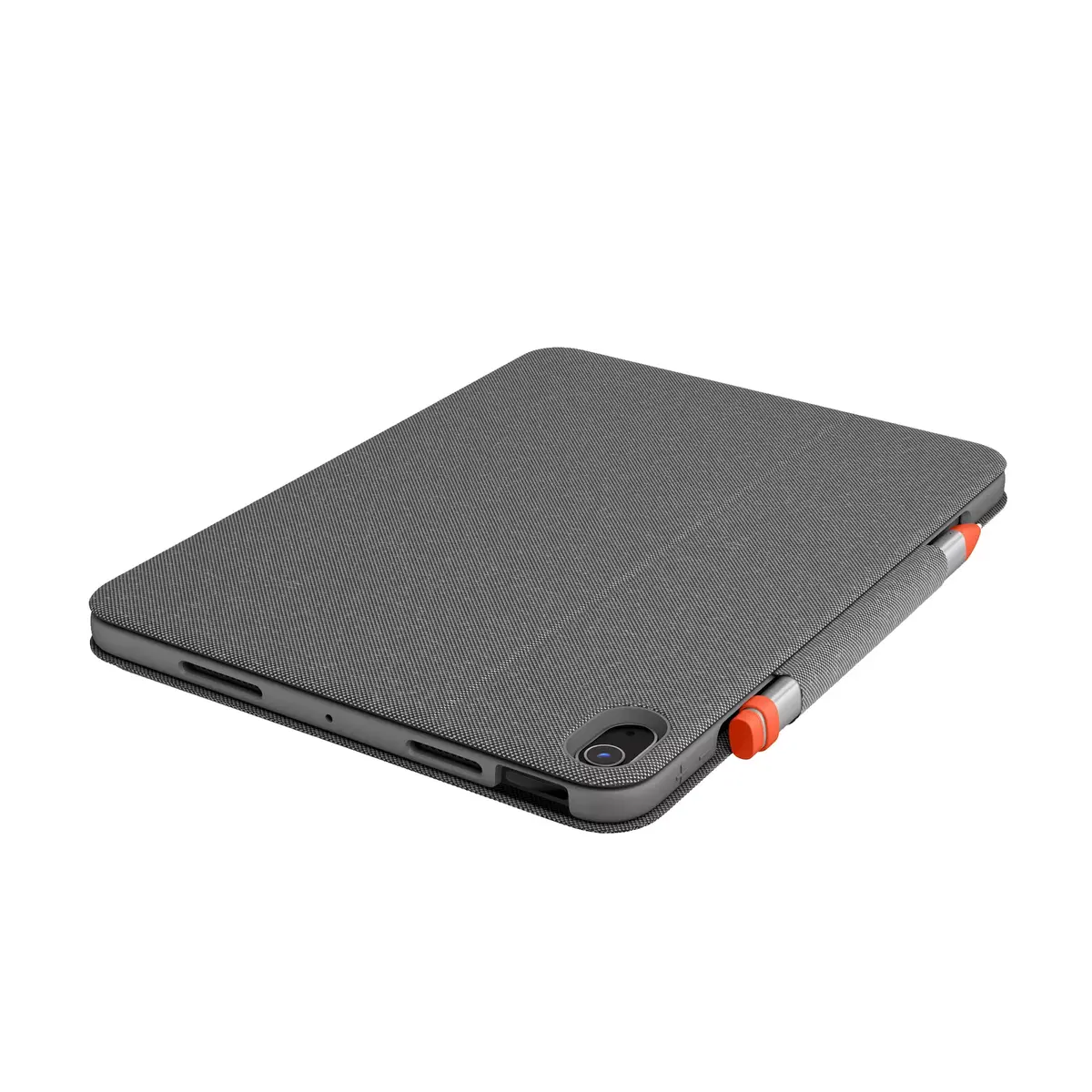
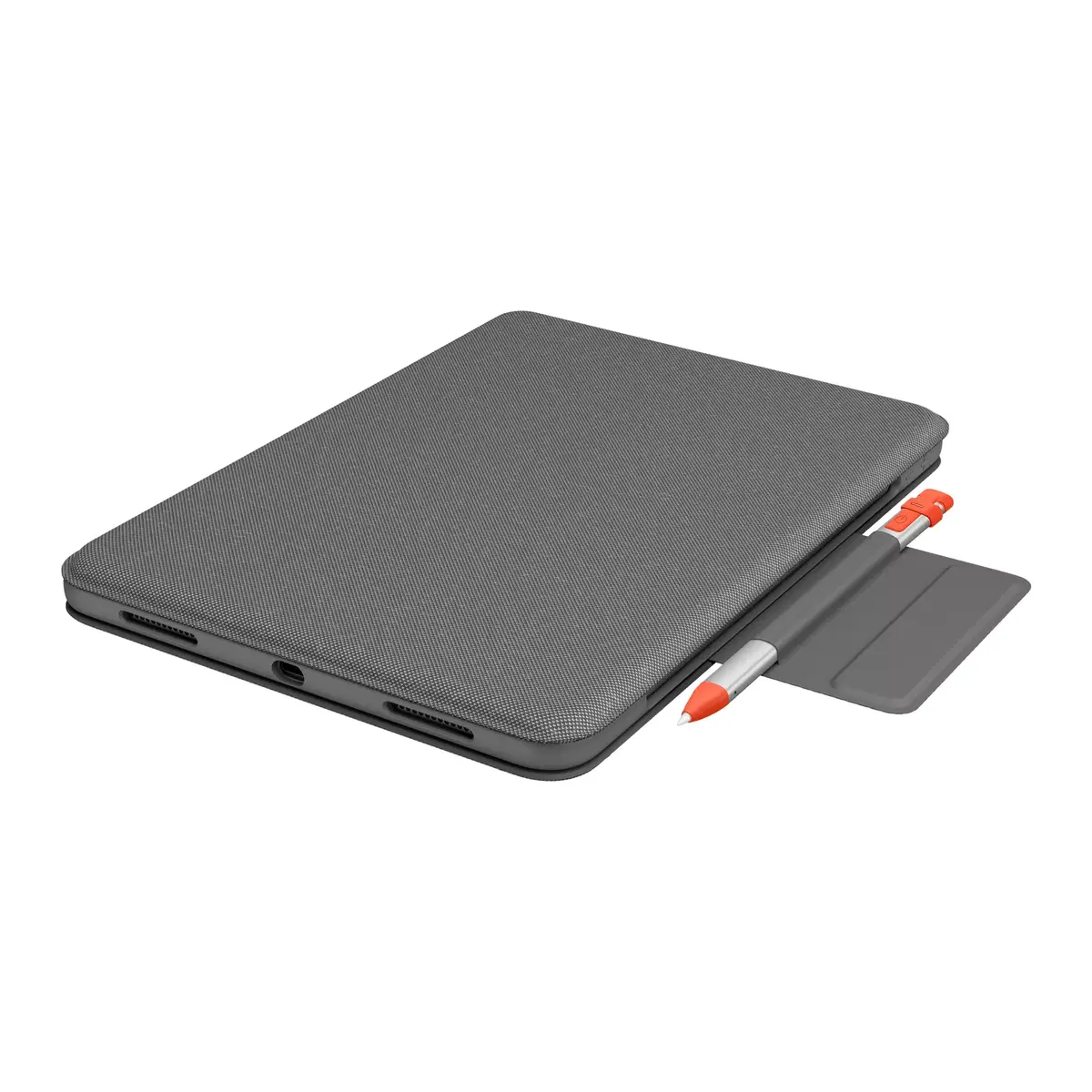
Pen holder:
Yes
Mobile operating systems supported: The operating systems e.g. Android, iOS, that can be used with the mobile device.
iPadOS
Keyboard battery type:
AAA
Multimedia keys:
Yes
Colour name:
Oxford Grey
Master (outer) case gross weight:
7660 g
Master (outer) case length:
255 mm
Adjustable backlight:
Yes
Key travel distance:
1 mm
Cover:
Yes
Key pitch:
18 mm
Angle adjustment (max):
60 °
Angle adjustment (min):
20 °

Description

Machine translation. Load original

Similar products

{{product.title}}
Show details Hide details

{{highlightedFeature.featureTitle}}:

{{getProductFeatureValueById(product, highlightedFeature.featureId)}}

{{product.price | formatAmount}}

Product comparison

The Logitech Folio Touch for iPad Air 4th & 5th generation keyboard case is compared against similar Logitech keyboard accessories designed for various Apple tablet generations. All products share the same manufacturer, feature a QWERTZ layout, and focus on boosting productivity with iPadOS support. The main practical differences lie in device compatibility, connection methods, and built-in navigation features like trackpads.

⚙️ The specification comparison covers device compatibility, keyboard connection types, built-in trackpads or touchpads, and layout details to help you understand the core technical differences.

ParameterLogitech Folio Touch for iPad Air 4th & 5th generationLogitech Combo Touch for iPad 7th 8th 9th generationLogitech Combo Touch for iPad Pro 12.9-inch 5th 6th genLogitech Combo Touch for iPad 7th 8th 9th generation (Swiss)Logitech Slim Folio for iPad 7th 8th 9th generationLogitech Combo Touch for iPad Pro 11-inchPractical conclusion
CompatibilityiPad Air (4th & 5th generation)iPad (7th, 8th, and 9th generation)iPad Pro 12.9-inch (5th and 6th gen)iPad (7th, 8th, and 9th generation)iPad 7th, 8th, 9th gen (and iPad Pro 11" 1st gen)iPad Pro 11-inch (1st to 4th gen)Each model is custom-built for specific tablet dimensions and port layouts, meaning selection depends entirely on your exact iPad model.
Connection typeSmart ConnectorSmart ConnectorSmart ConnectorSmart ConnectorBluetoothSmart ConnectorMost models use the Smart Connector for seamless plug-and-play power, whereas the Slim Folio relies on Bluetooth and an internal battery.
Trackpad / TouchpadBuilt-in trackpadBuilt-in touchpadBuilt-in trackpadBuilt-in touchpadNoneBuilt-in trackpadThe inclusion of a trackpad on most models enhances cursor navigation in iPadOS, whereas the Slim Folio focuses purely on typing without a trackpad.
Layout and languageQWERTZ (German)QWERTZ (German)QWERTZ (German)QWERTZ (Swiss)QWERTZ (German)QWERTZ (German)All options utilize regional German or Swiss QWERTZ configurations, which is an important consideration for typing preferences.

◎ The suitability and use case comparison evaluates user scenarios to help determine which product aligns best with specific tablet models and productivity needs.

Use caseRecommended productWhy
Working with iPad Air 4 or 5th genLogitech Folio Touch for iPad Air 4th & 5th generationDesigned precisely for the physical dimensions and port layout of iPad Air 4th and 5th generation devices.
Standard iPad 7, 8, or 9 with a trackpadLogitech Combo Touch for iPad 7th 8th 9th generationProvides a trackpad and direct Smart Connector power for baseline Apple tablets.
Swiss layout for standard iPadLogitech Combo Touch for iPad 7th 8th 9th generation (Swiss)Combines the features of the Combo Touch series with a Swiss regional QWERTZ layout.
Productivity on a large iPad Pro 12.9 screenLogitech Combo Touch for iPad Pro 12.9-inch 5th 6th genTailored specifically to fit the larger form factor of 12.9-inch iPad Pro models.
Mobile typing with standalone batteryLogitech Slim Folio for iPad 7th 8th 9th generationRelies on Bluetooth and a rechargeable lithium-ion battery for classic folio-style protection and typing.
Professional workflow on iPad Pro 11Logitech Combo Touch for iPad Pro 11-inchEngineered to match 11-inch iPad Pro models across multiple generations with Smart Connector integration.
The Logitech Folio Touch for iPad Air 4th & 5th generation is ideal for users of the 4th and 5th generation iPad Air who want an integrated trackpad and a direct Smart Connector link without managing separate battery charging. If you own a different iPad model such as a standard iPad or an iPad Pro, you will need to choose the corresponding alternative from Logitech's lineup that matches your exact device dimensions and port placement.
Might be useful
{{product.manufacturerName}}
{{product.categoryName}}
{{product.title}}
{{product.specialPrice}}
{{product.price}}
Stock data
Warehouse Stock Delivery to the store Store Price
WH113 24 22.09.2026 Best delivery
145.99 €
WH94 26 22.09.2026 Best delivery
157.99 €
Available only for legal entities
Warehouse Stock Delivery to the store Store Price
WH109 1 06.10.2026
Is Used
119.99 € Best price
WH109 1 06.10.2026
Is Used
146.99 €
WH109 2 06.10.2026
161.99 €
Show all offers Hide
145.99 €
Stock: 24
Delivery Date: 22.09.2026 Best delivery
Warehouse: WH113
157.99 €
Stock: 26
Delivery Date: 22.09.2026 Best delivery
Warehouse: WH94
Available only for legal entities
Is Used
119.99 €
Stock: 1
Delivery Date: 06.10.2026
Warehouse: WH109
Is Used
146.99 €
Stock: 1
Delivery Date: 06.10.2026
Warehouse: WH109
161.99 €
Stock: 2
Delivery Date: 06.10.2026
Warehouse: WH109
168.99 €
Stock: 100
Delivery Date: 06.10.2026
Warehouse: WH109

Customer reviews

Customer questions

FAQ

How much does the Keyboard Logitech Folio Touch for iPad Air cost, and is it available for purchase?

The price is 119.99 € (valid at the time of publication and already includes all taxes). The item is available for order — 154 pcs. are in stock, and you can place your purchase right now with delivery across Latvia and Europe or choose pickup at the Riga collection point. We offer favorable purchase terms, including the option to split the payment into convenient monthly installments. Availability and price are updated in real time, so we recommend placing your order in advance.

If I order this product today, when will I receive my order?

If you place your order today, delivery will be as fast and convenient as possible. You will be able to pick up your order on 06.10.2026 at the Riga pickup point or choose delivery across Latvia and Europe. We carefully inspect every purchase and pack it securely for safe transportation.

What payment options are available?

AiO.lv offers several payment methods: Cash payment, Bank transfer, Bank cards on-line, Apple Pay, Google Pay. All transactions are 100% secure and encrypted.

Can this product be purchased for a company (with VAT)?

Yes. AiO.lv works with legal entities in Latvia and across Europe. The product price already includes VAT. For certain product categories, as well as for companies from other EU countries with a valid VAT number, a 0% VAT rate may apply. We issue the invoice immediately after the order is placed, support electronic BIS invoices, and automatically generate all necessary accounting documents. You can complete the purchase for a company online — simply select the company profile and choose bank transfer as the payment method during checkout.

What is the warranty period?

All Logitech Alternativ products come with an official 2 Years warranty. It covers all manufacturing defects and malfunctions that may occur during use. The warranty is valid at all authorized Logitech Alternativ service centers and through AiO.lv

Can the product be returned after purchase?

Yes, you can return the product within 14 days of purchase if you bought it as a consumer (not a legal entity). Returns are possible without giving any reason — the main condition is that the product retains its original appearance and full set of accessories. We will make the process as simple and convenient as possible: just contact our customer support team, and we will help you arrange the return.

Where should I contact for warranty service?

For warranty-related questions you can contact the AiO.lv (SIA VSPRO) customer support team. We will assist with consultation, warranty claim processing, and coordination with certified service centers.
warranty
14-Day Return Policy We are confident in our quality, but if the purchase doesn’t fit — you have 14 days to return the product with peace of mind.
shipping
Fast Delivery Get your orders as quickly as possible — right to your door, parcel lockers, or pickup points across Latvia and the EU.
payment
Secure Payment Pay the way you prefer: cash, VISA, MasterCard, Apple Pay, Google Pay, bank transfer, or 0% installment plan.
warranty
Quality Since 2008 AiO.lv has been on the market for over 18 years and has earned trust — with more than 6000 genuine positive reviews on Google.