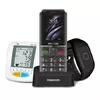
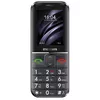
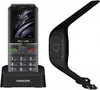
-
Battery capacity:
A measure of the charge stored by the battery. Determined by the mass of active material contained in the battery.
-
1400 mAh
-
Subscription type:
The type of cellular connection subscription.
-
No subscription
-
Position location:
Whether the navigation system can locate the phone's position.
-
Yes
-
Form factor:
The shape or design of the product.
-
Bar
-
Weight:
Weight of the product without packaging (net weight). If possible, the net weight is given including standard accessories and supplies. Please note that sometimes the manufacturer leaves out the weight of accessories and/or supplies.
-
0.083 kg
-
Standby time (2G) (max):
The officially quoted longest time that a single battery charge will last when the smartphone is constantly connected to the GSM network but is not in active use.
-
250 h
-
Talk time (2G) (max):
The time a GSM (smartphone) with a fully-charged battery is expected to last under perfect conditions.
-
7 h
-
FM radio:
Frequency-modulated (FM) radio gives the clearest reception of any radio band. When used with a headset, it delivers stereo-like sound.
-
Yes
-
Bluetooth:
Bluetooth is a low-power radio technology developed to replace the cables and wires currently used to link or connect electronic devices such as personal computers, printers, and a wide variety of handheld devices including mobile phones. Because it uses radio-wave connectivity, a Bluetooth-enabled device has a constant, established connection to whatever browser it uses. This saves the user the trouble of logging on to check for emails or news updates, for example.
-
Yes
-
Mobile network generation:
-
2G
-
SIM card capability:
How many SIM cards the device can hold.
-
Single SIM
-
Front camera:
Camera at the front of the product.
-
No
-
Rear camera:
Camera at the back of the product.
-
Yes
-
Flash card support:
The device can use flash cards, and usually has some kind of software/utility to manage it. Flash cards, also known as flash memories, are storage devices that can be electronically erased and reprogrammed. Common types of flash cards include USB sticks (USB pens).
-
Yes
-
External display:
The LED/LCD display at the front of the device.
-
No
-
Display resolution:
The number of distinct pixels in each dimension that can be displayed. It is usually quoted as width × height, with the units in pixels: for example, "1024 × 768" means the width is 1024 pixels and the height is 768 pixels. The higher the number of pixels, the sharper the image.
-
176 x 220
-
Display diagonal:
Size of the display for this product, measured diagonally, usually in inches.
-
2.2 "
-
Type:
Characteristics of the device.
-
Entry-level phone
-
Personal info management (PIM):
You can use your device to manage your information and your time.
-
SOS, Calendar, Alarm clock
-
Compatible memory cards:
Types of memory cards which can be used with this product.
-
MicroSD (TransFlash)
-
Product colour:
The colour e.g. red, blue, green, black, white.
-
Black