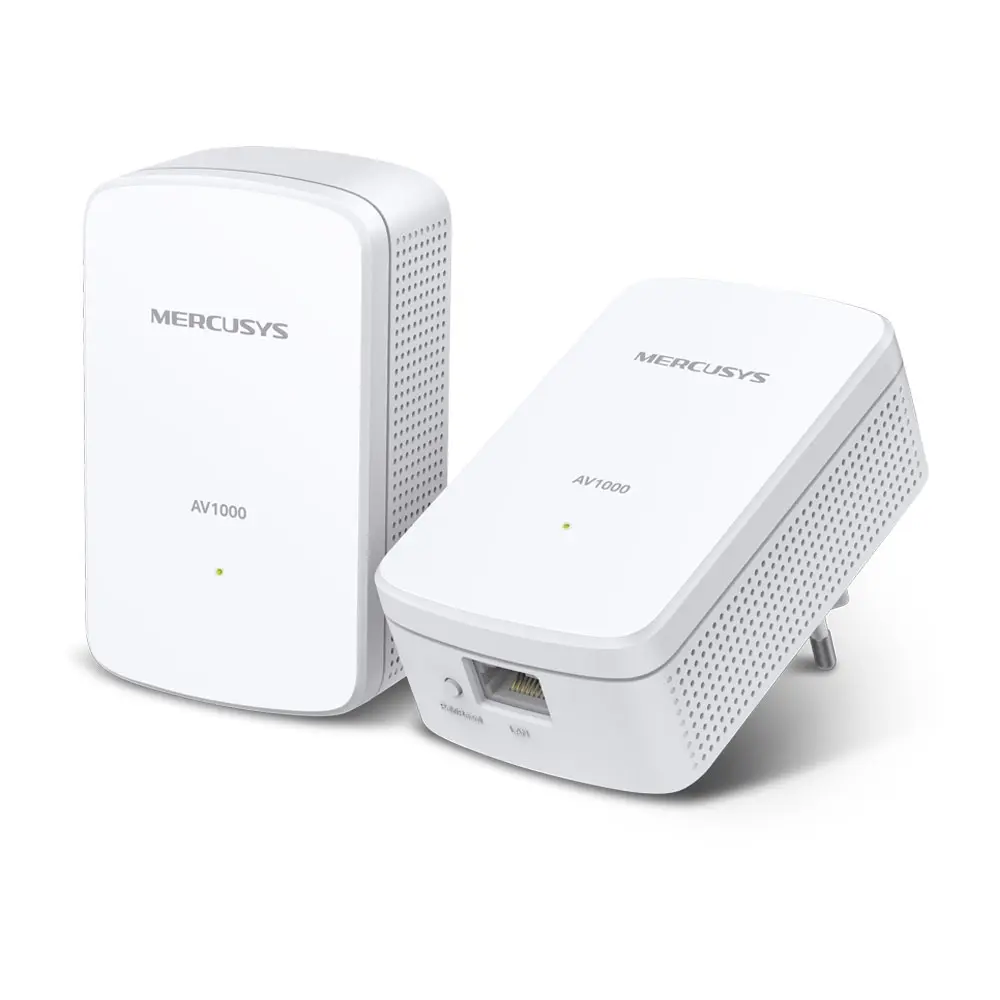
The MERCUSYS AV1000 MP500 KIT Powerline Adapter is an efficient networking device designed to extend your home or office network connection by utilizing your existing electrical wiring. This kit transforms any standard power outlet into an internet access point, allowing you to establish a stable and wired network connection without the need for drilling holes or laying long Ethernet cables. By delivering reliable data transmission speeds, it effectively eliminates Wi-Fi dead zones in areas where wireless signals struggle to reach, ensuring a consistent network performance for all connected devices.
Advantages
This powerline adapter kit offers a straightforward approach to network expansion by bypassing physical obstacles like thick walls and floors that typically degrade wireless signals. Installation is remarkably simple, requiring no complex configuration or software setup; users simply plug the adapters into power outlets to establish an instant connection. The use of existing electrical infrastructure ensures high reliability and minimal signal interference compared to standard wireless repeaters. Furthermore, the compact design prevents the adapters from blocking adjacent wall sockets, making them discreet and convenient for everyday use in various indoor environments.
Suitable for
- Extending internet coverage to remote rooms or multi-story buildings
- Connecting smart TVs, desktop computers, and game consoles via a stable wired link
- Eliminating wireless dead zones in areas with thick walls
- Seamless 4K video streaming and lag-free online gaming
When it may not be suitable
This device may not perform effectively if the adapters are plugged into electrical circuits connected to different circuit breakers or separate electricity meters, as signal degradation can occur across complex wiring systems. Additionally, powerline adapters should be plugged directly into wall sockets rather than surge protectors or power strips, which can filter out or weaken the data signals.
Key specifications
- HomePlug AV2 standard compliance
- Gigabit Ethernet port for fast wired connections
- Data transfer speeds up to 1000 Mbps
- Plug-and-play operation with no configuration required
- Range of up to 300 meters over electrical wiring
How to use
To begin using the powerline adapter kit, plug the first adapter into a power outlet near your main router and connect it to the router using an Ethernet cable. Next, plug the second adapter into a power outlet in the room where you need a network connection. Press the pair button on both adapters to establish a secure and encrypted connection. Once the indicator lights show a stable connection, you can connect your wired devices to the second adapter using an Ethernet cable.
What to consider before purchase
- Ensure that both power outlets are on the same electrical circuit for optimal performance
- Check the availability of direct wall sockets, avoiding power strips and extension cords
- Verify the compatibility of your existing network devices with Gigabit Ethernet connections
Usage recommendations
For the best performance and highest data transfer speeds, always plug the MERCUSYS AV1000 MP500 KIT adapters directly into wall outlets and avoid using surge protectors, extension leads, or power strips which can interfere with network signal transmission.