
{{ totalProductsCount }}

In cart {{totalProductsCount}} item(s)

Total:
{{sum | formatAmount}}

Your cart is empty

header-product Mercusys MP500 KIT AV1000 Gigabit Powerline Starter Kit with 1000 Mbit/s Data Transfer Rate and Gigabit Ethernet Interface

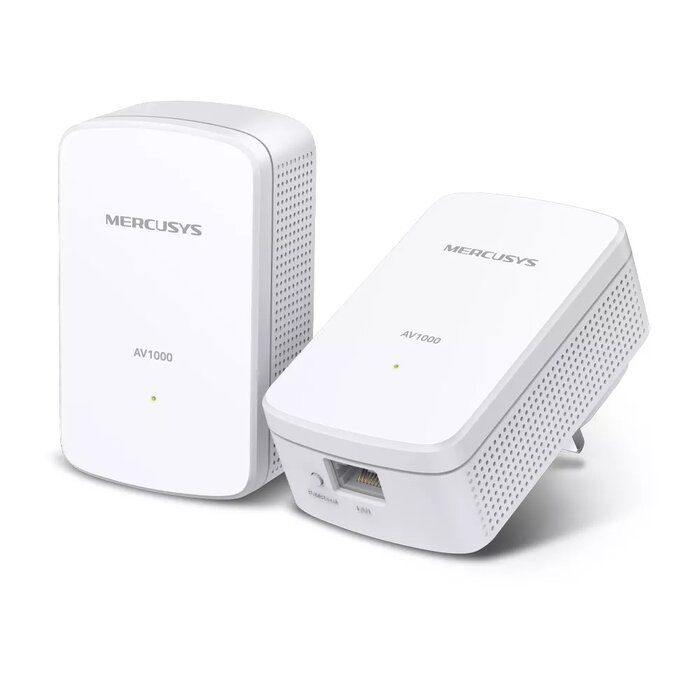
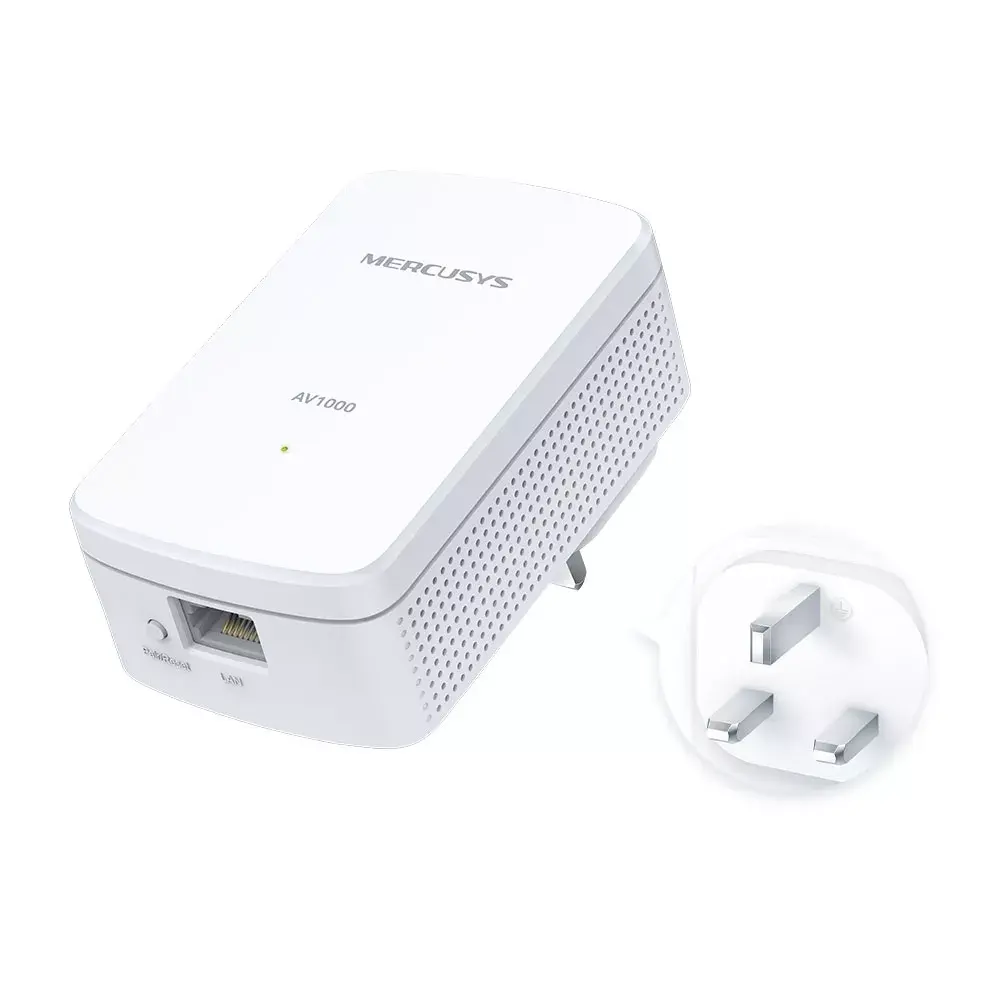
Mercusys MP500 KIT AV1000 Gigabit Powerline Starter Kit with 1000 Mbit/s Data Transfer Rate and Gigabit Ethernet Interface

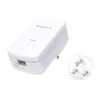
Mercusys MP500 KIT AV1000 Gigabit Powerline Starter Kit Photo 1
Mercusys MP500 KIT AV1000 Gigabit Powerline Starter Kit Photo 2
Mercusys MP500 KIT AV1000 Gigabit Powerline Starter Kit Photo 3
Mercusys MP500 KIT AV1000 Gigabit Powerline Starter Kit Photo 1
Mercusys MP500 KIT AV1000 Gigabit Powerline Starter Kit Photo 2
Mercusys MP500 KIT AV1000 Gigabit Powerline Starter Kit Photo 3

Short description

Mercusys MP500 KIT AV1000 Gigabit Powerline Starter Kit designed for extending wired network connections through existing electrical wiring. Features a maximum data transfer rate of 1000 Mbit/s and a Gigabit Ethernet LAN interface. Supports networking standards IEEE 802.3, IEEE 802.3ab, and IEEE 802.3u. Includes two units in white colour with internal antennas and LED power indicators. Compatible with Windows operating systems for reliable home or office networking setup.
Warranty: 3 Years
SKU: 4097472

delivery
Information regarding the items availability for purchase will be posted on this site
price
Item cost information will be published on this site
Together cheaper
{{product.price | formatAmount}}
{{product.title}}
{{productBundle.reference.specialPrice | formatAmount}}
{{productBundle.title}}
{{productBundlePreviousPrice | formatAmount}}
{{productBundleSpecialPrice | formatAmount}}

You saving {{productBundleYouSave | formatAmount}}

Product information

Description

The Mercusys MP500 KIT AV1000 Gigabit Powerline Starter Kit is a reliable networking solution designed to extend wired network connections throughout your home or office using existing electrical wiring. This starter kit includes two white units equipped with internal antennas, LED power indicators, and a Gigabit Ethernet LAN interface. By transmitting network data directly through electrical circuits, the kit bypasses physical obstacles and walls, delivering a stable connection across distances of up to 300 meters on the same electrical circuit. Operating efficiently with low power consumption, this system integrates seamlessly into environments running compatible Windows operating systems.

Advantages

This powerline kit utilizes advanced HomePlug AV2 technology to achieve a maximum data transfer rate of up to 1000 Mbit/s, ensuring high-speed and stable transmissions suitable for demanding tasks. The inclusion of a Gigabit Ethernet interface provides fast wired internet access directly to connected devices without signal degradation caused by wireless interference or thick walls. Setup is straightforward thanks to the plug-and-play design, which eliminates the need for complex configuration, drilling, or new cabling. Furthermore, the system allows for easy network expansion by simply adding more powerline adapters to other electrical outlets where internet access is required.

Suitable for

  • Extending wired internet access to rooms far away from the main router
  • Connecting desktop computers, smart TVs, and game consoles to a high-speed network
  • Supporting data-intensive activities such as 4K video streaming and online gaming
  • Overcoming thick walls and physical barriers that weaken standard Wi-Fi signals

When it may not be suitable

This powerline kit may not perform effectively in buildings with complex, outdated, or partitioned electrical wiring where circuits are isolated by separate electrical panels or meters. Additionally, it is not suitable for users looking for wireless Wi-Fi coverage extension, as this model relies exclusively on wired Ethernet connections.

Key specifications

  • Maximum data transfer rate: 1000 Mbit/s
  • Ethernet LAN interface: Gigabit Ethernet
  • Networking standards: IEEE 802.3, IEEE 802.3ab, IEEE 802.3u
  • Product colour: White
  • Antenna type: Internal
  • Quantity per pack: 2 pieces
  • Supported operating systems: Windows 7, Windows 8, Windows 8.1, Windows 10

How to use

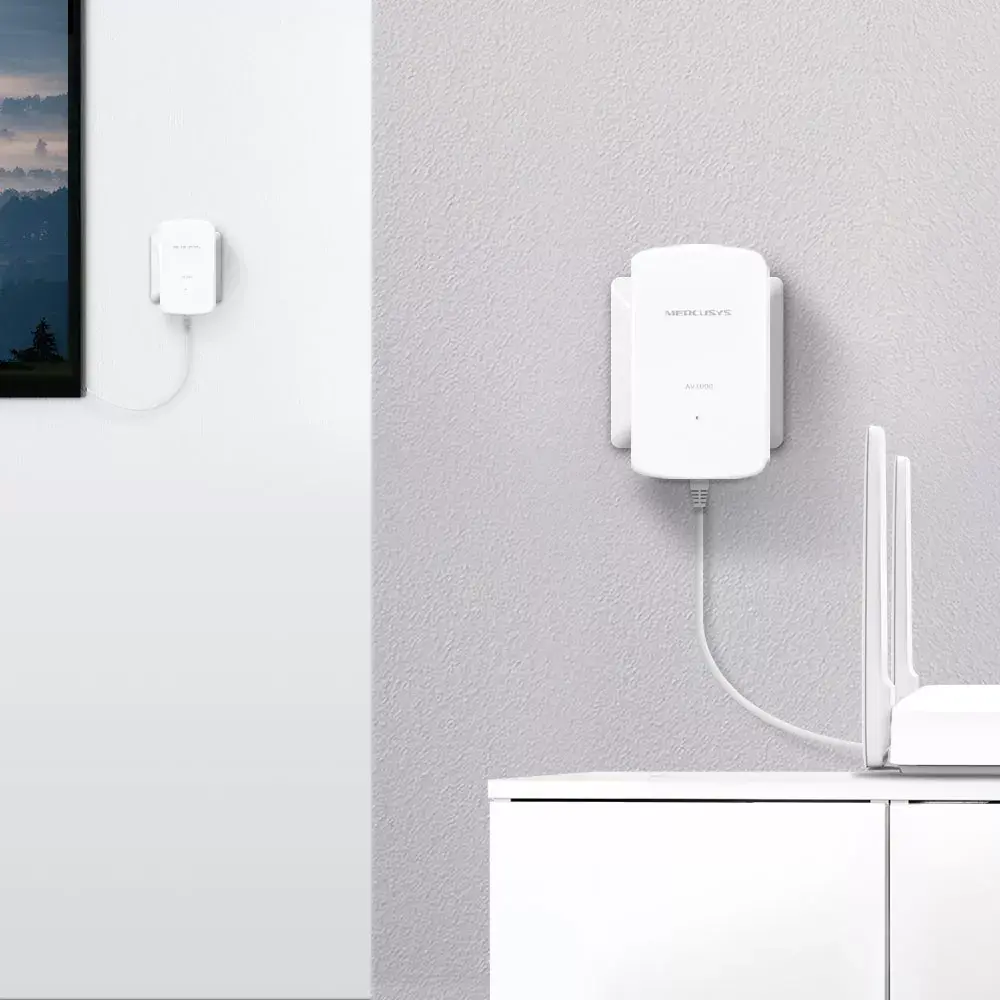
To set up the powerline starter kit, plug the first unit into an electrical outlet near your main router and connect it to the router using an Ethernet cable. Next, plug the second unit into an electrical outlet in the room where you need network access. Once both adapters are plugged into the same electrical circuit, they will establish a secure connection automatically. Connect your wired network device to the second adapter using an Ethernet cable to enjoy stable internet access.

What to consider before purchase

  • Verify that both powerline adapters will be used on the same electrical circuit for optimal performance
  • Check that your target devices utilize a wired Ethernet connection
  • Ensure that sufficient wall power outlets are available near your router and target location

Usage recommendations: For best performance, plug the powerline adapters directly into wall outlets rather than extension cords, power strips, or surge protectors, which can degrade the data transmission speed.

Specifications

Quantity per pack:
2 pc(s)
Built-in power socket: There is a power socket (port) in the device.
No
Wi-Fi: Popular technology that allows an electronic device to exchange data or connect to the internet wirelessly using radio waves.
No
Ethernet LAN: An Ethernet LAN (Local Area Network) interface is present, for a wired conection via a cable.
Yes
Maximum data transfer rate: The maximum speed with which data can be transmitted from one device to another.
1000 Mbit/s
Product colour: The colour e.g. red, blue, green, black, white.
White
Networking standards: The way in which the network is working, e.g. IEEE 802.11a, IEEE 802.11b, IEEE 802.11g.
IEEE 802.3u, IEEE 802.3ab, IEEE 802.3
All features

Logistics data

Harmonized System (HS) code:
85171800

Packaging content

Cables included:
LAN (RJ-45)
Manual:
Yes
Quick installation guide:
Yes
Quantity per pack:
2 pc(s)

Weight & dimensions

Height: The measurement of the product from head to foot or from base to top.
36 mm
Depth: The distance from the front to the back of something.
60 mm
Width: The measurement or extent of something from side to side.
101 mm

Operational conditions

Storage relative humidity (H-H):
5 - 90
Operating relative humidity (H-H):
10 - 90
Operating temperature (T-T): The minimum and maximum temperatures at which the product can be safely operated.
0 - 40

System requirements

Mac operating systems supported: Mac operating systems e.g. OS X can be used with the device.
Y
Mac compatibility: Product can be used with Apple Mac software and/or hardware.
Yes
Linux operating systems supported: 8 RT. Linux (9.4, 9.5), Red Hat Enterprise Linux 5.0 (supported with a pre-built package); SUSE Linux (10.3, 11.0, 11, 11.1, 11.2), Fedora (9, 9.0, 10, 10.0, 11.0, 11, 12, 12.0), Ubuntu (8.04, 8.04.1, 8.04.2, 8.10, 9.04, 9.10, 10.04), Debian (5.0, 5.0.1, 5.0.2, 5.0.3)
Y
Windows operating systems supported: Windows vesions wich can be used with the device.
Windows 8, Windows 10, Windows 7, Windows 8.1

Design

Certification:
CE
Product colour: The colour e.g. red, blue, green, black, white.
White
LED indicators:
Power
Antenna type: Type of antenna, also known an aerial, e.g. external, internal.
Internal

Power

AC input frequency:
50
AC input voltage: The voltage of the AC electricity that is inputted into the product.
220
Power consumption (standby): The amount of electricity that is consumed when the product is on standby.
0.64 W
Power consumption (typical): Amount of power consumed by this model, often expressed in watts (W). Typical values that manufacturers give are power consumption when off, standby/suspended mode, typical use, maximum usage.
2.78 W

Performance

Plug and Play: Indicates whether this product supports is "plug and play". Plug and play is hardware or software that, after being installed ("plugged in"), can immediately be used ("played with"), as opposed to hardware or software which requires configuration.
Yes
Encryption button:
Yes
Maximum operating distance: The maximum distance from which you can operate the device.
300 m
Security algorithms: Security algorithms are used to provide authentication, cipher key generation, integrity and radio link privacy to users on mobile networks. The security algorithms supported are the ones that can be used with this product.
128-bit AES
Modulation: Modulation is the process of varying one or more properties of a periodic waveform, called the carrier signal (High Frequency Signal), with a modulating signal which typically contains information to be transmitted. The aim of digital modulation is to transfer a digital bit stream over an analog bandpass channel, for example over the public switched telephone network (where a bandpass filter limits the frequency range to between 300 and 3400 Hz), or over a limited radio frequency band. The aim of analog modulation is to transfer an analog baseband (or lowpass) signal, for example an audio signal or TV signal, over an analog bandpass channel at a different frequency, for example over a limited radio frequency band or a cable TV network channel.
OFDM
PowerLine standard: Power-line communication (PLC) carries data on a conductor that is also used simultaneously for AC electric power transmission or electric power distribution to consumers. Two distinctly different sets of standards apply to powerline networking as of early 2010. Within homes, the HomePlug AV and IEEE 1901 standards specify how, globally, existing AC wires should be employed for data purposes. The IEEE 1901 includes HomePlug AV as a baseline technology, so any IEEE 1901 products are fully interoperable with HomePlug AV, HomePlug GreenPHY or HomePlug AV2 specification.
HomePlug AV2
Built-in power socket: There is a power socket (port) in the device.
No
Networking standards: The way in which the network is working, e.g. IEEE 802.11a, IEEE 802.11b, IEEE 802.11g.
IEEE 802.3u, IEEE 802.3ab, IEEE 802.3
Wi-Fi: Popular technology that allows an electronic device to exchange data or connect to the internet wirelessly using radio waves.
No
Ethernet LAN (RJ-45) ports: Number of Ethernet LAN (RJ-45) ports (connecting interfaces) in the device. Ethernet LAN (RJ-45) ports allow a computer to connect to the ethernet.
1
Ethernet LAN data rates: The different speed levels of the Ethernet LAN connection.
1000, 100, 10
Ethernet LAN interface type: The characteristics of the Ethernet LAN interface.
Gigabit Ethernet
Ethernet LAN: An Ethernet LAN (Local Area Network) interface is present, for a wired conection via a cable.
Yes
Maximum data transfer rate: The maximum speed with which data can be transmitted from one device to another.
1000 Mbit/s

Similar products

{{product.title}}
Show details Hide details

{{highlightedFeature.featureTitle}}:

{{getProductFeatureValueById(product, highlightedFeature.featureId)}}

{{product.price | formatAmount}}
Might be useful
{{product.manufacturerName}}
{{product.categoryName}}
{{product.title}}
{{product.specialPrice}}
{{product.price}}

Customer reviews

Customer questions

FAQ

What payment options are available?

AiO.lv offers several payment methods: Bank transfer. All transactions are 100% secure and encrypted.

Can this product be purchased for a company (with VAT)?

Yes. AiO.lv works with legal entities in Latvia and across Europe. The product price already includes VAT. For certain product categories, as well as for companies from other EU countries with a valid VAT number, a 0% VAT rate may apply. We issue the invoice immediately after the order is placed, support electronic BIS invoices, and automatically generate all necessary accounting documents. You can complete the purchase for a company online — simply select the company profile and choose bank transfer as the payment method during checkout.

What is the warranty period?

All MERCUSYS products come with an official 2 Years warranty. It covers all manufacturing defects and malfunctions that may occur during use. The warranty is valid at all authorized MERCUSYS service centers and through AiO.lv

Can the product be returned after purchase?

Yes, you can return the product within 14 days of purchase if you bought it as a consumer (not a legal entity). Returns are possible without giving any reason — the main condition is that the product retains its original appearance and full set of accessories. We will make the process as simple and convenient as possible: just contact our customer support team, and we will help you arrange the return.

Where should I contact for warranty service?

For warranty-related questions you can contact the AiO.lv (SIA VSPRO) customer support team. We will assist with consultation, warranty claim processing, and coordination with certified service centers.

How can I tell if this product suits my needs?

When making a choice, we recommend paying attention to the key features: quantity per pack, built-in power socket, wi-fi, ethernet lan, maximum data transfer rate, product colour, networking standards, compatibility with your devices or usage conditions, material quality, functionality, and warranty terms. These characteristics will help you determine how well the model meets your needs.

Where can I download the instructions for Mercusys MP500 KIT AV1000 Gigabit Powerline Starter Kit?

You can download the instructions in PDF format from the “Instructions” section on the product description page. The file contains complete information about installation, setup, and usage.
warranty
14-Day Return Policy
We are confident in our quality, but if the purchase doesn’t fit — you have 14 days to return the product with peace of mind.
shipping
Fast Delivery
Get your orders as quickly as possible — right to your door, parcel lockers, or pickup points across Latvia and the EU.
payment
Secure Payment
Pay the way you prefer: cash, VISA, MasterCard, Apple Pay, Google Pay, bank transfer, or 0% installment plan.
warranty
Quality Since 2008
AiO.lv has been on the market for over 18 years and has earned trust — with more than 6000 genuine positive reviews on Google.