Save time and money with our discounts!
In cart {{totalProductsCount}} item(s)
Your cart is empty
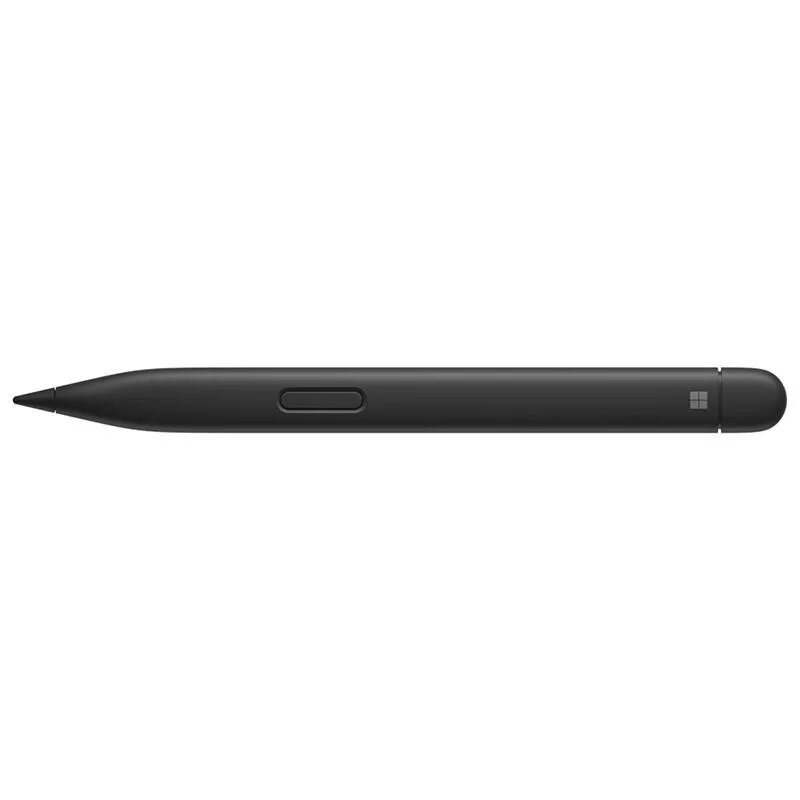
Stylus Microsoft Surface Slim Pen 2 — Microsoft, model 8WV-00015, compatible with Surface devices, rechargeable, Bluetooth
The Microsoft Surface Slim Pen 2 (model 8WV-00015) is a rechargeable stylus designed for compatible Surface devices, offering precise pen input and seamless Bluetooth connectivity. Whether you need to write, sketch, or navigate on your screen, this stylus delivers an experience similar to pen on paper, featuring exceptional accuracy and a sleek, storable design. It enhances your daily productivity and creative workflows by providing smooth on-screen control and responsive handwriting capabilities.
This stylus features an advanced design that replicates the natural sensation of writing and drawing on traditional paper, ensuring high precision for detailed sketches and legible notes. Its rechargeable battery supports prolonged usage sessions of up to 15 hours on a single charge, minimizing interruptions during important tasks. The integrated Bluetooth connectivity ensures reliable pairing and responsiveness with supported Microsoft Surface hardware. Additionally, its lightweight construction and slim profile make it comfortable to hold for extended periods and easy to store or transport.
This stylus is not designed for use with non-Surface devices or operating systems that lack support for Microsoft pen protocols. Users who require a traditional cylindrical pen shape or prefer replaceable alkaline batteries rather than a rechargeable internal power source may find this model less fitting for their preferences.
To begin using the stylus, ensure your compatible Surface device has Bluetooth enabled and pair the pen according to your system settings. Charge the device using a compatible Surface charging accessory or keyboard when the battery level is low. Hold the pen naturally in your hand and use the tip directly on the screen for writing, drawing, or selecting items. Utilize the integrated buttons as configured in your device settings to access shortcuts and streamline your workflow.
Usage recommendations: Store the stylus securely in a compatible keyboard or charging case when not in use to protect the tip and maintain battery readiness. Avoid exposing the device to excessive moisture or extreme temperatures to ensure long-term durability.
{{highlightedFeature.featureTitle}}:
{{getProductFeatureValueById(product, highlightedFeature.featureId)}}
{{ productComparisonGenerationError }}