Save time and money with our discounts!
In cart {{totalProductsCount}} item(s)
Your cart is empty
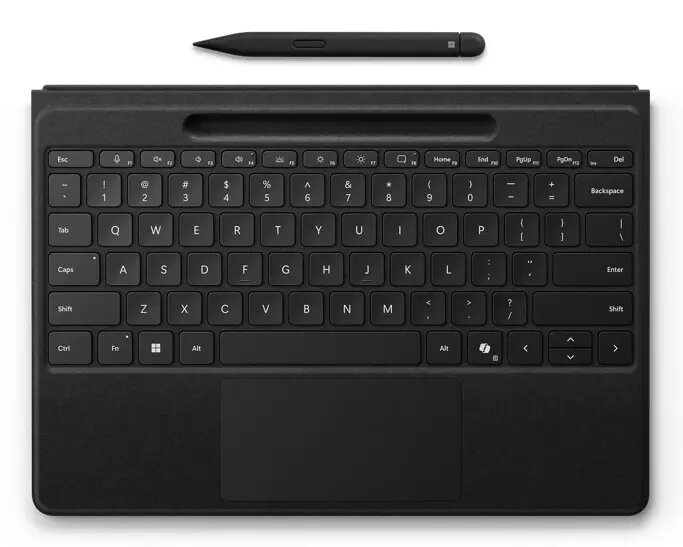
Microsoft Surface Pro Flex w/Slim Pen QWERTZ Swiss Bluetooth Black
The Microsoft Surface Pro Flex with Slim Pen is a detachable keyboard designed for Surface Pro devices (compatible with Surface Pro 11th Edition, 10 for Business, 9, and 8). It offers seamless switching between attached and detached use, an integrated storage tray for the Slim Pen, and a larger precision touchpad to improve comfort and control. The keyboard connects via Bluetooth and includes a built-in rechargeable battery for up to 41 hours of continuous typing when used detached. The cover is available in Black with an Alcantara® finish and supports easy docking to create a laptop-like setup or a monitor-based ergonomic workspace.
Surface Pro Flex provides flexible use modes — attach for laptop-style typing or detach for a lighter, lap-friendly setup. The keyboard features a Slim Pen storage and charging tray so the pen is always ready, a 14.3% larger customizable haptic touchpad with adjustable pressure sensitivity, and quiet low-profile keys for reduced typing noise. Battery life for detached use extends up to 41 hours, and Bluetooth connectivity supports wireless use up to 10 m. The keyboard is designed with accessibility in mind and works with the Surface Adaptive Kit to adapt controls for different needs.
Attach the keyboard to your Surface Pro to use it in a laptop-like configuration or detach it for lap or handheld use. Pair once via Bluetooth for wireless operation up to 10 m; the keyboard should pair automatically when first used. Store the Slim Pen in the dedicated tray to keep it charged and ready. When the built-in battery runs low, attach the keyboard to the device to recharge. Use the haptic touchpad and adjustable pressure settings to fine-tune pointer response for your workflow.
For best results, keep the Slim Pen in the keyboard tray when not in use to maintain charge. Use the Surface Adaptive Kit for custom accessibility adjustments, and dock your Surface Pro to an external monitor for an ergonomic workstation when extensive typing is required.
{{highlightedFeature.featureTitle}}:
{{getProductFeatureValueById(product, highlightedFeature.featureId)}}