JBL speakers and headphones for pure and deep sound!
In cart {{totalProductsCount}} item(s)
Your cart is empty
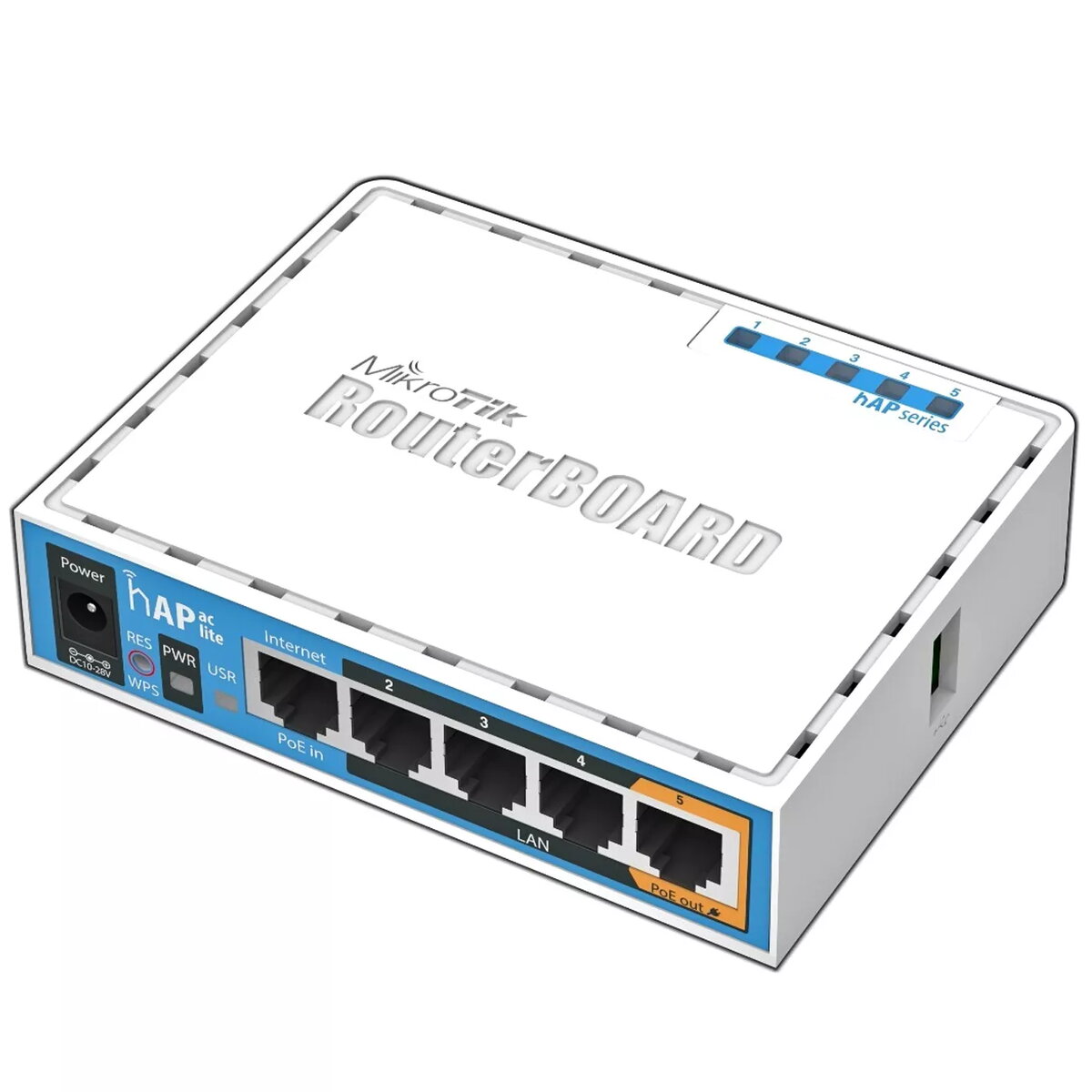
Router MikroTik HAP ac lite 733 Mbit/s Power over Ethernet White
The MikroTik hAP ac lite is a compact dual-band router that provides simultaneous Wi‑Fi coverage on 2.4 GHz and 5 GHz bands with a combined maximum wireless throughput of up to 733 Mbit/s. Designed for small offices, home networks and light commercial deployments, the device integrates a 650 MHz CPU, 64 MB RAM, five 10/100 Mbps Ethernet LAN ports and supports Power over Ethernet (PoE) output on port 5. A USB port enables connection of a 3G/4G modem, and the unit ships with a RouterOS L4 license for routing, firewall and basic management features. The white housing and unobtrusive form factor allow installation on a desk or shelf.
The router delivers simultaneous dual‑band wireless to reduce congestion on crowded 2.4 GHz networks while providing higher‑speed connectivity on the 5 GHz band. Built‑in PoE output on the fifth Ethernet port allows the device to power compatible peripherals or access points, simplifying cabling. The inclusion of a USB port for cellular modems provides an alternative WAN option, and the RouterOS L4 firmware offers essential routing, NAT and firewall functionality. Low maximum power consumption of 8 W minimizes operating costs.
Place the router in a central location to maximize wireless coverage. Connect your internet source to the WAN port or use a USB 3G/4G modem as an alternative uplink. Attach local devices to the Ethernet LAN ports; port 5 can provide PoE to compatible devices. Access RouterOS through the web interface or Winbox to configure SSIDs, security settings, DHCP, NAT and firewall rules. Ensure the device receives appropriate power either from a compatible PoE injector or adapter according to the installation requirements.
For best wireless performance, assign different SSIDs or channels for 2.4 GHz and 5 GHz bands and position the router away from large metal objects and other sources of interference. Use the 5 GHz band for latency‑sensitive applications and the 2.4 GHz band for longer range. Keep RouterOS firmware up to date and secure the administrative interface with strong passwords.
{{highlightedFeature.featureTitle}}:
{{getProductFeatureValueById(product, highlightedFeature.featureId)}}
{{ productComparisonGenerationError }}