{{ totalProductsCount }}

In cart {{totalProductsCount}} item(s)

Total:
{{sum | formatAmount}}

Your cart is empty

header-product Moxa TCF-142-M-SC Serial Converter and Repeater for RS-232, RS-422, and RS-485 with SC Multi-Mode Fiber Interface and 850 nm Wavelength

Moxa TCF-142-M-SC Serial Converter and Repeater for RS-232, RS-422, and RS-485 with SC Multi-Mode Fiber Interface and 850 nm Wavelength

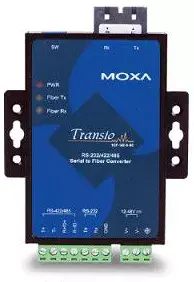
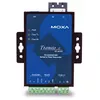
Moxa TCF-142-M-SC Serial Fiber Converter Photo 1
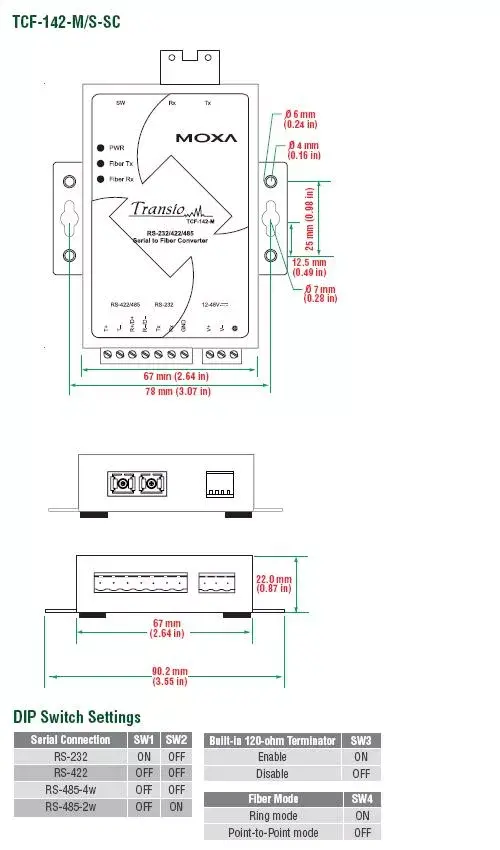
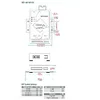
Moxa TCF-142-M-SC Serial Fiber Converter Photo 2
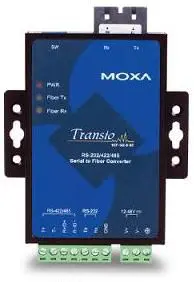
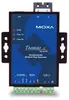
Moxa TCF-142-M-SC Serial Fiber Converter Photo 3
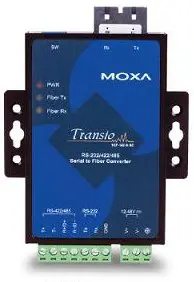
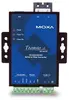
Moxa TCF-142-M-SC Serial Fiber Converter Photo 4
Moxa TCF-142-M-SC Serial Fiber Converter Photo 1
Moxa TCF-142-M-SC Serial Fiber Converter Photo 2
Moxa TCF-142-M-SC Serial Fiber Converter Photo 3
Moxa TCF-142-M-SC Serial Fiber Converter Photo 4
Out of stock.
View similar!

Short description

The Moxa TCF-142-M-SC is a reliable serial converter, repeater, and isolator designed to extend RS-232, RS-422, and RS-485 communication distances using a multi-mode fiber optic cable with an SC connector. Operating at an 850 nm wavelength, it ensures secure industrial data transmission with galvanic isolation and flexible power input ranging from 12 to 48 V. Ideal for factory automation, substation control, and harsh industrial networking environments requiring robust signal conversion.
Warranty: 2 Years
SKU: 494459
Manufacturer: MOXA
delivery
Information regarding the items availability for purchase will be posted on this site
price
Item cost information will be published on this site
Together cheaper
{{product.price | formatAmount}}
{{product.title}}
{{productBundle.reference.specialPrice | formatAmount}}
{{productBundle.title}}
{{productBundlePreviousPrice | formatAmount}}
{{productBundleSpecialPrice | formatAmount}}

You saving {{productBundleYouSave | formatAmount}}

Product information

Description

The Moxa TCF-142-M-SC is a versatile serial converter and repeater engineered to extend the communication distance of RS-232, RS-422, and RS-485 serial interfaces using multi-mode fiber optic cabling. Utilizing an SC connector and an 850 nm wavelength, this device securely bridges traditional serial equipment with optical networks, ensuring reliable data transmission over distances up to 5 km. It features built-in galvanic isolation and protection against electrical interference and chemical corrosion, making it a dependable solution for demanding industrial environments.

Advantages

This industrial media converter provides robust immunity against electrical interference and chemical corrosion, safeguarding sensitive serial equipment in harsh operational settings. It features automatic baudrate detection to seamlessly process data signals without manual intervention or data loss when device speeds change. The integrated Automatic Data Direction Control technology efficiently manages RS-485 data flow at the hardware level without relying on external handshaking signals. Furthermore, the unit supports both point-to-point connections and fiber ring topologies, allowing flexible network design across extended facilities.

Suitable for

  • Extending RS-232, RS-422, or RS-485 serial communication distances up to 5 km using multi-mode fiber
  • Connecting industrial serial devices into a redundant fiber ring network topology
  • Factory automation and industrial control systems requiring galvanic isolation
  • Electrical substation automation and harsh environment networking

When it may not be suitable

This device is not compatible with single-mode fiber cables due to its specific multi-mode optical interface design. It also cannot simultaneously convert both RS-232 and RS-422/485 signals at the same time, as only one interface type can be actively configured for conversion.

Key specifications

  • Supported serial interfaces: RS-232, RS-422, RS-485
  • Fiber optic interface: Multi-mode with SC connector
  • Optical wavelength: 850 nm
  • Transmission distance: Up to 5 km on multi-mode fiber
  • Baudrate support: 50 bps to 921.6 Kbps
  • Power input range: 12 to 48 VDC
  • Topologies supported: Point-to-point and fiber ring

How to use

Mount the device securely in the intended industrial enclosure or panel. Connect your serial communication lines to the appropriate terminal blocks for RS-232, RS-422, or RS-485, ensuring that only one interface standard is utilized for conversion at a time. Attach the multi-mode fiber optic cable to the SC ports, matching the transmitter and receiver connections correctly for point-to-point links or ring configurations. Configure the operational modes using the physical DIP switches on the unit, apply the required 12 to 48 VDC power input, and the converter will automatically detect the serial baudrate and begin transmitting data.

What to consider before purchase

  • Verify that your existing cabling infrastructure uses multi-mode fiber with SC connectors
  • Confirm that your transmission distance requirements do not exceed the 5 km multi-mode limit
  • Check that your system requires conversion for either RS-232 or RS-422/485, but not a simultaneous combination of both
  • Ensure the available power supply meets the 12 to 48 VDC input requirements

Usage recommendations

For optimal network reliability in industrial environments, ensure proper grounding and cable routing to minimize physical stress on the fiber optic and serial connections. When setting up a fiber ring topology, carefully follow the alternating transmitter and receiver connection guidelines between neighboring units and configure the DIP switches to ring mode before powering on the system.

Specifications

Wavelength: The distance over which a wave repeats itself. The wavelength determines the characteristics of the wave e.g. red light has a different wavelength to blue light.
850 nm
Fiber optic connector: This terminates the end of an optical fiber, and enables quicker connection and disconnection than splicing. The connectors mechanically couple and align the cores of fibers so light can pass. Better connectors lose very little light due to reflection or misalignment of the fibers. In all there have been about 100 types of optic fiber connectors produced.
SC
All features
Host interface: Interface that enables a host controller to communicate with a driver.
RS-232/422/485
Power consumption:
140 mA
Over current protection:
Yes
Output interface: The ports (sockets) where the device is connected via connectors and cables to external devices.
Fiber (SC)
RS-232 signals:
GND, Rx, Tx
Surge protection voltage:
2 kV
Electrostatic Discharge (ESD) protection:
15 kV
Baud rate:
921.6 Kbit/s
Transmission distance (multi-mode):
5 km
RS-422 signals:
TxD-, TxD+, SGND, RxD-, RxD+
RS-485 signals:
TxD-, TxD+, SGND, RxD-, RxD+, Data-, Data+
RX sensitivity:
-20 dB
TX output:
-5 dB

Other features

Dimensions (WxDxH): Dimensions of the product (Width x Depth x Height).
67 x 100 x 22

Certificates

Certification:
EN, FCC
Safety: List of regulatory safety standards for all countries in which this product has been certified.
UL/CUL, TUV

Operational conditions

Operating relative humidity (H-H):
5 - 95
Storage temperature (T-T): The minimum and maximum temperatures at which the product can be safely stored.
-40 - 85
Operating temperature (T-T): The minimum and maximum temperatures at which the product can be safely operated.
0 - 60

Power

Input voltage: The voltage (V) which is required to power the product.
12 - 48

Ports & interfaces

Fiber optic connector: This terminates the end of an optical fiber, and enables quicker connection and disconnection than splicing. The connectors mechanically couple and align the cores of fibers so light can pass. Better connectors lose very little light due to reflection or misalignment of the fibers. In all there have been about 100 types of optic fiber connectors produced.
SC

Features

LED indicators:
Y

Performance

Wavelength: The distance over which a wave repeats itself. The wavelength determines the characteristics of the wave e.g. red light has a different wavelength to blue light.
850 nm

Description

Machine translation.

Similar products

{{product.title}}
Show details Hide details

{{highlightedFeature.featureTitle}}:

{{getProductFeatureValueById(product, highlightedFeature.featureId)}}

{{product.price | formatAmount}}
Might be useful
{{product.manufacturerName}}
{{product.categoryName}}
{{product.title}}
{{product.specialPrice}}
{{product.price}}

Customer reviews

Customer questions

FAQ

What payment options are available?

AiO.lv offers several payment methods: Bank transfer. All transactions are 100% secure and encrypted.

Can this product be purchased for a company (with VAT)?

Yes. AiO.lv works with legal entities in Latvia and across Europe. The product price already includes VAT. For certain product categories, as well as for companies from other EU countries with a valid VAT number, a 0% VAT rate may apply. We issue the invoice immediately after the order is placed, support electronic BIS invoices, and automatically generate all necessary accounting documents. You can complete the purchase for a company online — simply select the company profile and choose bank transfer as the payment method during checkout.

What is the warranty period?

All MOXA products come with an official 2 Years warranty. It covers all manufacturing defects and malfunctions that may occur during use. The warranty is valid at all authorized MOXA service centers and through AiO.lv

Can the product be returned after purchase?

Yes, you can return the product within 14 days of purchase if you bought it as a consumer (not a legal entity). Returns are possible without giving any reason — the main condition is that the product retains its original appearance and full set of accessories. We will make the process as simple and convenient as possible: just contact our customer support team, and we will help you arrange the return.

Where should I contact for warranty service?

For warranty-related questions you can contact the AiO.lv (SIA VSPRO) customer support team. We will assist with consultation, warranty claim processing, and coordination with certified service centers.

How can I tell if this product suits my needs?

When making a choice, we recommend paying attention to the key features: wavelength, fiber optic connector, compatibility with your devices or usage conditions, material quality, functionality, and warranty terms. These characteristics will help you determine how well the model meets your needs.

Where can I download the instructions for Moxa TCF-142-M-SC Serial Fiber Converter?

You can download the instructions in PDF format from the “Instructions” section on the product description page. The file contains complete information about installation, setup, and usage.

warranty
14-Day Return Policy We are confident in our quality, but if the purchase doesn’t fit — you have 14 days to return the product with peace of mind.
shipping
Fast Delivery Get your orders as quickly as possible — right to your door, parcel lockers, or pickup points across Latvia and the EU.
payment
Secure Payment Pay the way you prefer: cash, VISA, MasterCard, Apple Pay, Google Pay, bank transfer, or 0% installment plan.
warranty
Quality Since 2008 AiO.lv has been on the market for over 18 years and has earned trust — with more than 6000 genuine positive reviews on Google.