Powerful EcoFlow stations for energy anywhere!
In cart {{totalProductsCount}} item(s)
Your cart is empty
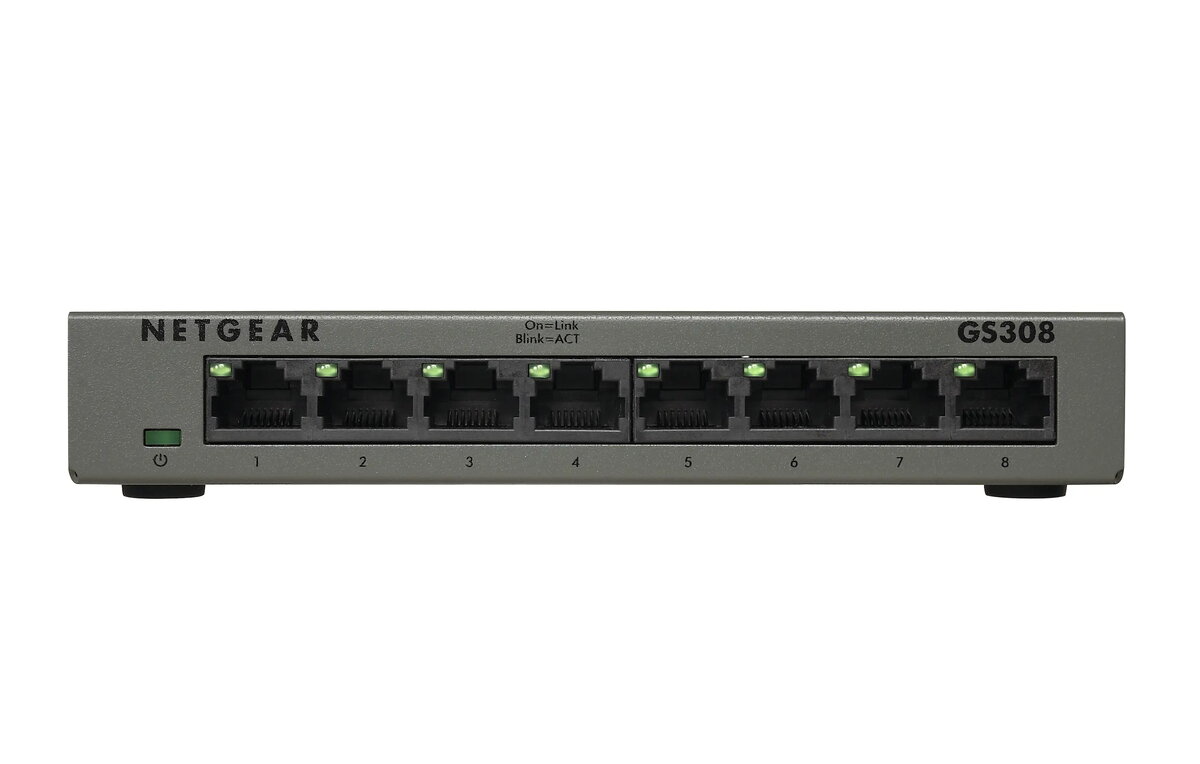
Netgear GS308 8-Port Gigabit Ethernet Unmanaged Switch
The Netgear GS308 8-Port Gigabit Ethernet Unmanaged Switch is a reliable networking solution designed to provide high-speed wired connectivity for home and small office environments. This compact device allows you to expand your network capacity by connecting multiple devices, such as computers, printers, and gaming consoles, with ease. Featuring a durable metal enclosure and a fanless design, it ensures silent operation while maintaining consistent performance for your daily data transfer needs.
This switch offers a plug-and-play experience, meaning no complex configuration or software installation is required to get your network up and running. Its non-blocking switching architecture ensures that data is transmitted at wire speed, preventing bottlenecks during heavy network traffic. The inclusion of energy-efficient technology helps reduce power consumption, making it an environmentally friendly choice. Furthermore, the auto-negotiation and auto-MDI/MDIX features simplify the setup process by automatically detecting the correct connection speed and cable type, ensuring compatibility with a wide range of devices.
This device may not be suitable for large-scale enterprise networks that require advanced management features like VLAN tagging, SNMP monitoring, or complex traffic prioritization. Additionally, if your network infrastructure demands speeds higher than 1 Gigabit per second, you would need to look for specialized multi-gigabit or 10G hardware.
To use the Netgear GS308, simply connect the provided power adapter to the switch and plug it into a wall outlet. Connect your router to one of the ports using an Ethernet cable to provide internet access to the switch. Then, connect your other devices to the remaining ports using standard Ethernet cables. The switch will automatically detect the connected devices and establish a connection without any further input required.
Usage recommendations: For optimal performance, use high-quality Cat5e or Cat6 Ethernet cables to ensure stable data transmission. Keep the device in a well-ventilated area to maintain its longevity, even though it features a fanless design.
{{highlightedFeature.featureTitle}}:
{{getProductFeatureValueById(product, highlightedFeature.featureId)}}
{{ productComparisonGenerationError }}