
Leave your address - as soon as the price of the product goes down, you'll know about it right away
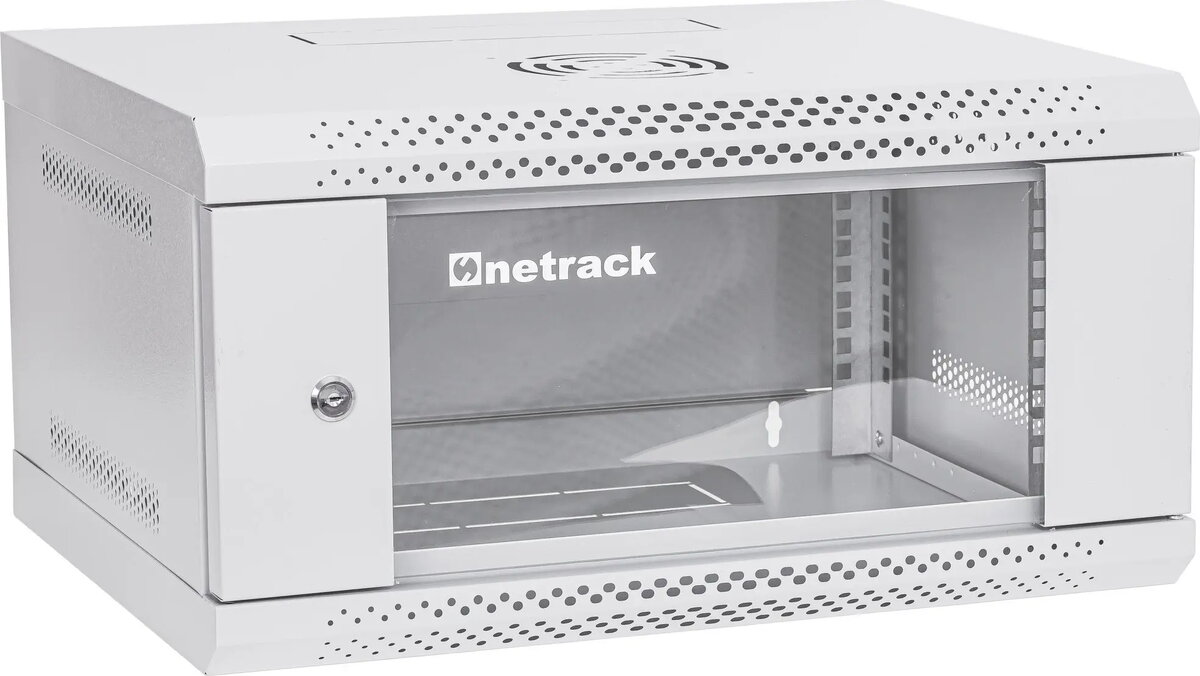
NetRack ECO-Line 19-inch Wall-Mount Server Cabinet 4U 400mm Grey
In cart {{totalProductsCount}} item(s)
Your cart is empty
NetRack ECO-Line 19-inch Wall-Mount Server Cabinet 4U 400mm Grey
Leave your address - as soon as the price of the product goes down, you'll know about it right away
NetRack ECO-Line 19-inch Wall-Mount Server Cabinet 4U 400mm Grey
The NetRack ECO-Line 19-inch wall-mount server cabinet is a professional-grade 4U enclosure engineered for the secure storage and organization of network hardware. Featuring a depth of 400mm, this compact unit is specifically designed to house essential IT components such as switches, routers, and patch panels in environments where space is at a premium. Its robust steel construction and neutral grey finish provide a reliable and aesthetically unobtrusive solution for maintaining an organized network infrastructure.
This server cabinet offers significant benefits for small-scale network deployments by maximizing vertical space utilization. The 19-inch standard mounting rails ensure broad compatibility with a wide range of networking equipment. The sturdy steel frame provides excellent protection against accidental damage, while the wall-mount design keeps sensitive hardware elevated and away from floor-level hazards. Its compact footprint makes it an ideal choice for installations in tight corridors, small server rooms, or home office setups where floor space is limited.
This cabinet is not intended for high-density server environments or large-scale enterprise hardware that requires significant depth or advanced cooling systems. It is also not suitable for outdoor use or environments with high humidity and dust levels, as it lacks specialized environmental sealing.
To install the cabinet, securely mount the back panel to a wall surface capable of supporting the weight of the enclosure and the installed equipment. Once the frame is fixed, install your networking devices onto the 19-inch rails using appropriate rack-mount screws. Ensure that all cables are routed neatly through the designated openings to maintain airflow and prevent cable strain. Regularly check that all mounting hardware remains tight and that the equipment is properly ventilated.
For optimal performance, ensure that the cabinet is installed in a well-ventilated area to prevent heat buildup. Avoid overloading the cabinet beyond its weight capacity and always use proper cable management accessories to keep the interior organized and accessible.
{{highlightedFeature.featureTitle}}:
{{getProductFeatureValueById(product, highlightedFeature.featureId)}}