

Leave your address - as soon as the price of the product goes down, you'll know about it right away
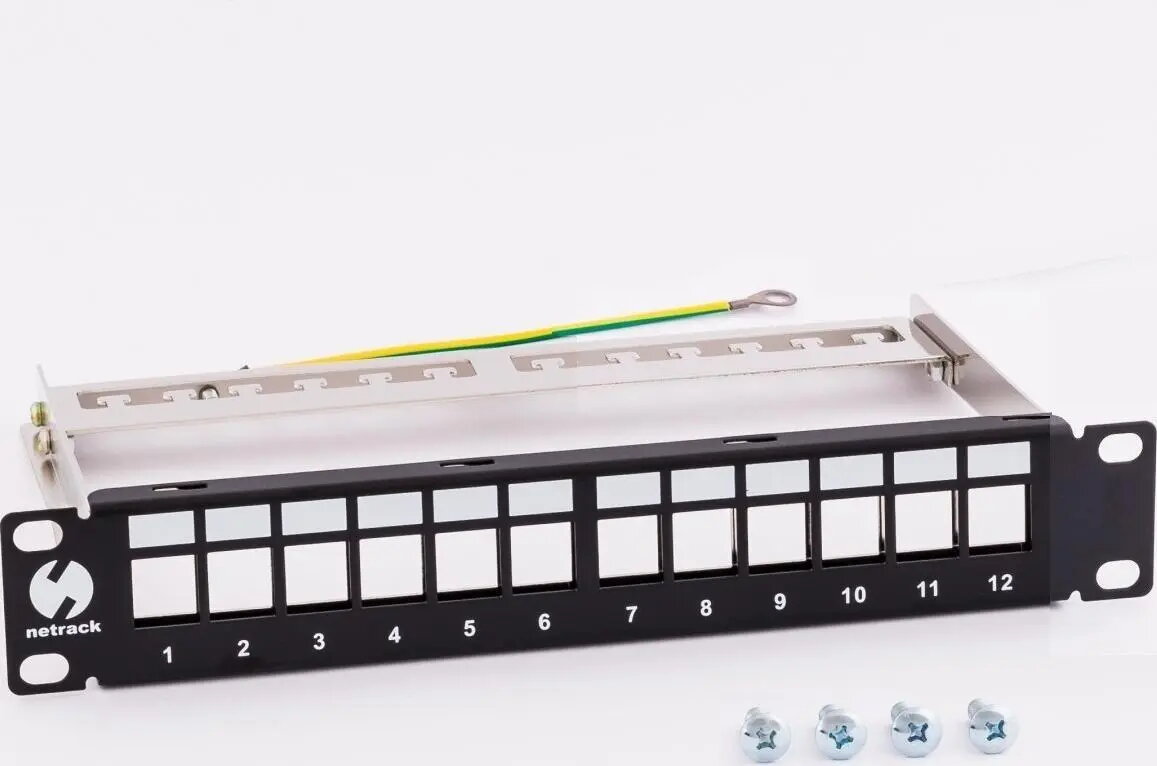
Patch panel 10" NETRACK 12x keystone FTP slots (model 104-23)
In cart {{totalProductsCount}} item(s)
Your cart is empty
Patch panel 10" NETRACK 12x keystone FTP slots (model 104-23)
Leave your address - as soon as the price of the product goes down, you'll know about it right away
Patch panel 10" NETRACK 12x keystone FTP slots (model 104-23)
NETRACK 10" patch panel model 104-23 provides 12 keystone FTP slots for modular network connectors. Designed for rack-mounted cabling in server rooms, telecom closets and network cabinets, this compact 10-inch panel supports installation of shielded keystone jacks to organize and terminate copper Ethernet cabling. The panel's shallow depth and standardized mounting points make it suitable for small racks and distribution panels where space is limited while maintaining a consistent layout for patching and cable management.
The NETRACK 10" 12-slot patch panel allows flexible configuration by accepting keystone FTP (shielded) modules, enabling straightforward upgrades or changes to port types. Its compact 10-inch form factor saves rack space and simplifies deployment in confined network cabinets. The panel provides a neat front-access termination area for keystone jacks and a stable metal frame for secure mounting. Using shielded keystone modules preserves cable shielding continuity when properly installed, helping to reduce electromagnetic interference in installations that require FTP cabling.
Install the NETRACK 10" patch panel into a compatible 10-inch rack or distribution panel using the provided mounting points. Insert FTP keystone jacks into the front slots until they click securely into place, then terminate the copper Ethernet cables to the rear of each keystone according to the jack manufacturer's wiring scheme. Ensure shielded jacks and cable shields are properly connected to maintain continuity of the FTP grounding. After termination, label each port as required and route patch cables to switches or active equipment using appropriate cable management to avoid undue strain on the keystone modules.
Use shielded keystone jacks matched to the category rating of your cabling and ensure proper grounding of the FTP shields. Keep cable bend radii within manufacturer limits and use horizontal organizers or cable ties to maintain tidy patching. For high-density installations, plan port labeling and spare capacity to simplify future changes.
{{highlightedFeature.featureTitle}}:
{{getProductFeatureValueById(product, highlightedFeature.featureId)}}