Dreame vacuums for fast and efficient cleaning!
In cart {{totalProductsCount}} item(s)
Your cart is empty
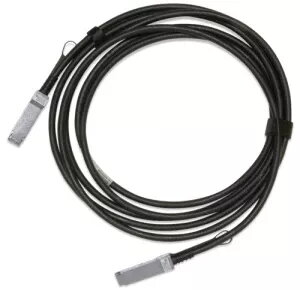
InfiniBand/fibre optic cable NVIDIA MCP1650-H01AE30 QSFP56 to QSFP56 1.5 m male/male
NVIDIA MCP1650-H01AE30 is a 1.5 m InfiniBand/fibre optic cable with QSFP56 connectors on both ends (male/male). It is built to provide a direct QSFP56-to-QSFP56 link for high-speed data interconnects in servers, switches and high-performance computing (HPC) environments. The cable supports low-latency, high-bandwidth connections and a compact form factor that simplifies cabling in dense rack deployments.
The cable offers native QSFP56 compatibility for 200Gb/s-class links using optical transmission, enabling stable throughput and minimal signal degradation over short to medium rack-to-rack distances. Its 1.5 m length balances reach and cable management, reducing the need for patch panels or additional adapters. The male-to-male QSFP56 terminations allow direct insertion into compatible ports, ensuring straightforward installation and reliable mechanical fit. The construction emphasizes signal integrity, thermal stability, and consistent optical performance suitable for enterprise networking and HPC clusters.
Install the cable by aligning each QSFP56 male connector with the corresponding QSFP56 port on your equipment and insert until the connector latches engage. Verify link status in device management interfaces to confirm the optical link is active. For best results, route the cable to avoid sharp bends and secure it to prevent strain on the connectors. Use compatible transceiver optics and verify that the connected devices support QSFP56 optical links and the intended protocol (InfiniBand or Ethernet).
Handle the fibre cable by the connector bodies and avoid touching exposed optical interfaces. Maintain a minimum bend radius specified by hardware vendors, keep the cable clear of heat sources, and inspect connectors for contamination before insertion. For reliable network performance, ensure firmware and driver compatibility on connected devices and perform link tests after installation.
{{highlightedFeature.featureTitle}}:
{{getProductFeatureValueById(product, highlightedFeature.featureId)}}
{{ productComparisonGenerationError }}