Filters you can trust. Pure water every day.
In cart {{totalProductsCount}} item(s)
Your cart is empty
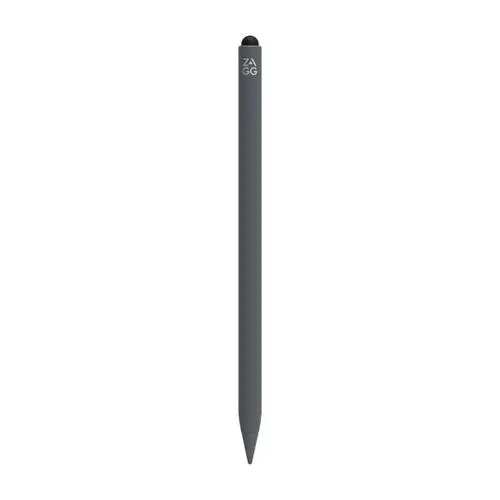
Stylus Zagg Pro Stylus2 for Apple iPad — Gray, rechargeable battery
The Zagg Pro Stylus2 is a precision-engineered tool designed specifically for Apple iPad users who require a seamless digital writing and drawing experience. This rechargeable stylus offers a natural, pen-like feel, allowing for fluid navigation, detailed sketching, and efficient note-taking. With its sleek gray finish, it integrates perfectly with the aesthetic of modern tablets while providing a reliable interface that keeps your screen free from fingerprints and smudges.
The Zagg Pro Stylus2 stands out due to its pressure-sensitive tip, which enables users to vary line thickness and shading with ease, making it an excellent choice for digital artists and illustrators. The integrated rechargeable battery ensures long-lasting performance, eliminating the need for constant battery replacements. Its ergonomic design provides comfort during extended use, while the palm-rejection technology allows you to rest your hand naturally on the screen without interfering with your input. The stylus attaches magnetically to compatible iPads, ensuring it is always within reach when inspiration strikes.
This stylus is specifically optimized for Apple iPad models and may not be compatible with other tablet brands or operating systems. Users who require a stylus with programmable physical shortcut buttons may find this model too simplistic for their specific workflow needs.
To begin using the Zagg Pro Stylus2, ensure the device is fully charged using the provided charging solution. Once powered on, the stylus will automatically pair with your compatible iPad, allowing for immediate use across your favorite applications. Simply touch the tip to the screen to begin writing, drawing, or navigating. When not in use, you can magnetically attach the stylus to the side of your iPad for convenient storage and to ensure it remains charged.
To maintain optimal performance, keep the stylus tip clean and free of debris. If you notice a decrease in responsiveness, check the battery level and ensure the screen surface is clean. Store the stylus in a secure location when not in use to prevent damage to the precision tip.
{{highlightedFeature.featureTitle}}:
{{getProductFeatureValueById(product, highlightedFeature.featureId)}}
{{ productComparisonGenerationError }}