
Powerful EcoFlow stations for energy anywhere!
In cart {{totalProductsCount}} item(s)
Your cart is empty
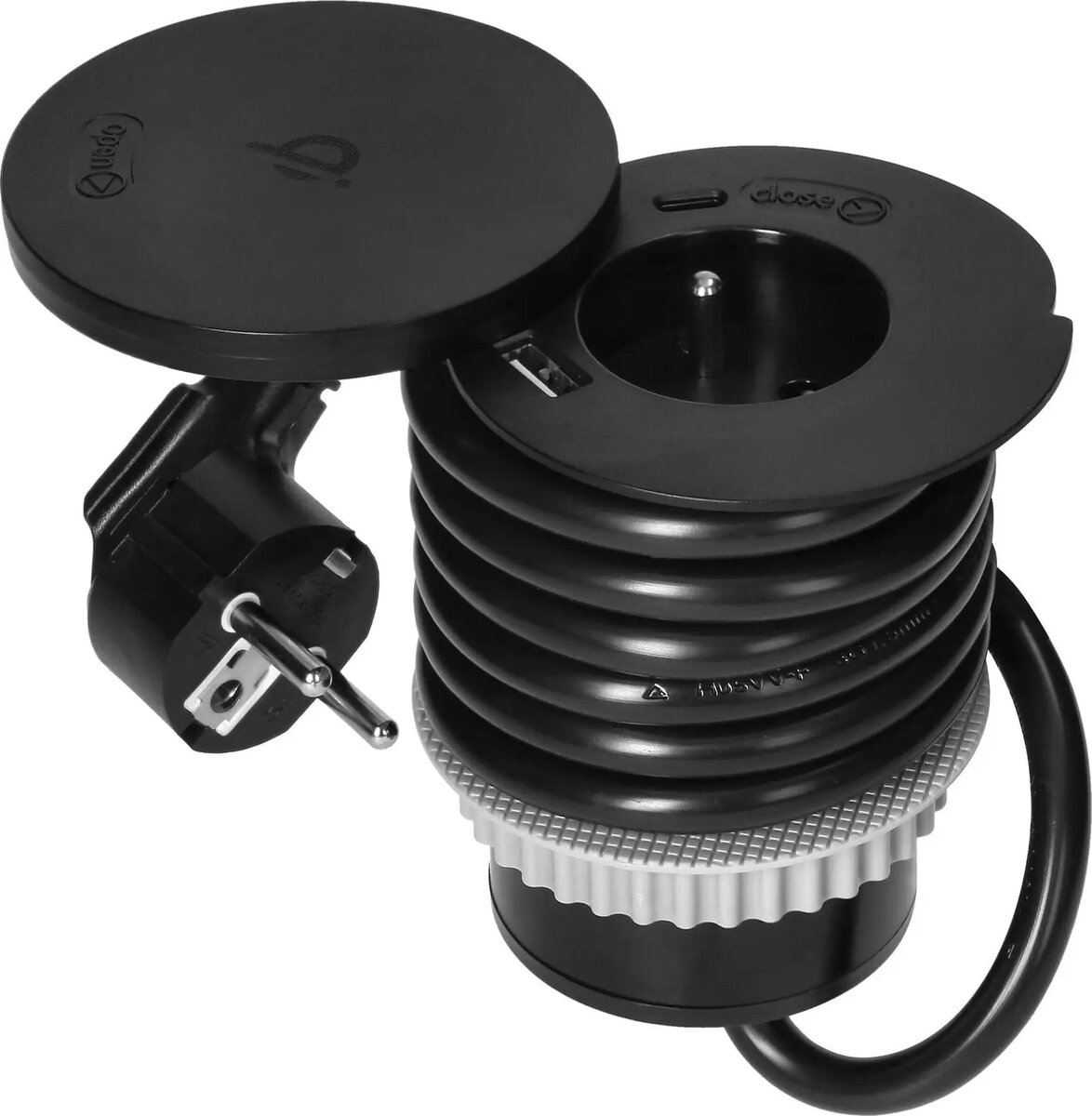
Furniture power outlet ORNO OR-GM-9028 with 6 cm diameter, rotatable cover, Qi wireless charger (max 10W) and 2x USB (A & C, 2.4A), 1.5 m cable, 1x2P+...
ORNO OR-GM-9028 is a furniture-mounted power outlet module with a 6 cm diameter and a rotatable cover designed for flush installation in desks, cabinets and other work surfaces. The unit integrates a Qi wireless charger (version 1.2.4, max 10W), two USB outputs (one Type-A and one Type-C, each up to 2.4A combined), and a 1.5 m mains cable terminated with a 1x2P+Z connector. The compact round form and rotating lid keep cables and connectors concealed when not in use while providing multiple charging options in a single module.
The ORNO OR-GM-9028 combines wireless charging and wired USB outputs in one furniture-mounted module, reducing desktop clutter and centralising power access. Its 6 cm diameter and rotatable cover allow discreet, flush installation into a variety of furniture panels. Built-in Qi wireless charging (max 10W) supports compatible phones and accessories without a cable, while the Type-A and Type-C USB ports provide direct wired charging for devices that require a cable. The included 1.5 m power lead with 1x2P+Z plug simplifies connection to mains power.
Cut a 6 cm diameter hole in the furniture panel according to the installation instructions and insert the OR-GM-9028 module until the rotating cover sits flush with the surface. Connect the 1.5 m mains cable to a compatible mains socket using the 1x2P+Z connector. Place a Qi-compatible device on the centre of the wireless charging area to begin wireless charging (up to 10W) and connect devices that require wired charging to the Type-A or Type-C USB ports. Rotate the cover to close the module when not in use to protect ports and maintain a tidy surface.
Ensure the furniture material and panel thickness are suitable for a 6 cm flush installation and follow local electrical safety regulations. For optimal wireless charging, remove metal or thick cases from the device and position the device centrally on the charging pad. Avoid exposing the module to liquids and do not exceed the specified current ratings for connected devices.
{{highlightedFeature.featureTitle}}:
{{getProductFeatureValueById(product, highlightedFeature.featureId)}}
{{ productComparisonGenerationError }}