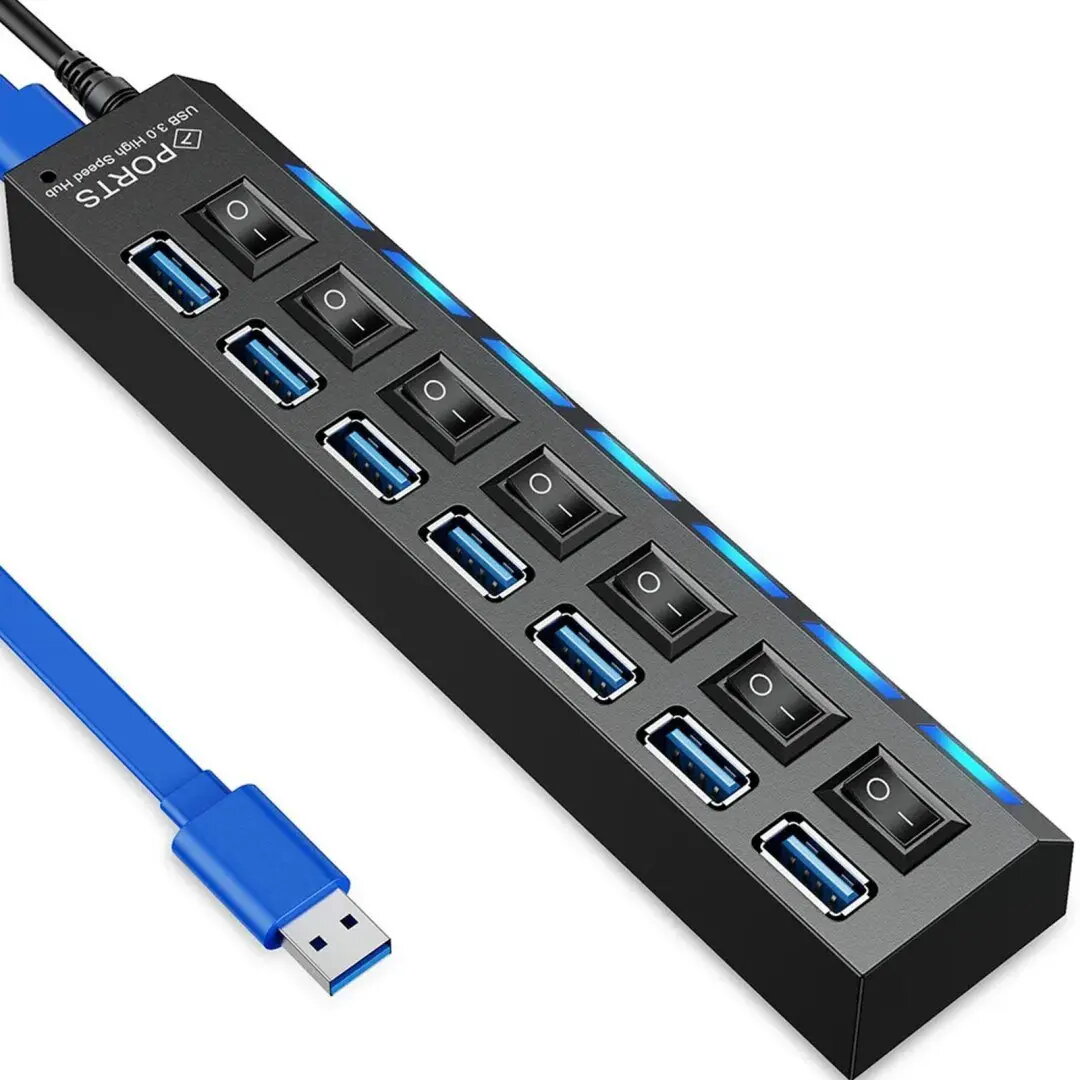
The Retoo USB-A 3.0 Hub is a versatile connectivity solution designed to expand the capabilities of your computer or laptop. Featuring seven high-speed USB 3.0 ports, this device allows you to connect multiple peripherals simultaneously, such as external hard drives, flash drives, mice, and keyboards. Each port is equipped with an individual power switch and an integrated LED backlight, providing clear visual feedback on the connection status of each device while allowing you to manage power consumption effectively.
Advantages
This hub offers significant flexibility for users who require multiple connections without the need to constantly plug and unplug devices. The individual switches help preserve the lifespan of your peripherals by allowing you to disconnect them without removing the cable. The high-speed data transfer capabilities ensure that your workflow remains efficient, while the compact design helps maintain an organized and clutter-free workspace. The LED indicators provide an intuitive way to monitor active ports at a glance, making it an essential tool for both home and professional office environments.
Suitable for
- Connecting multiple peripherals like mice, keyboards, and printers.
- Managing data transfer from several flash drives or external storage devices.
- Users who need to toggle power to specific devices without disconnecting cables.
- Expanding connectivity on laptops with limited USB ports.
This hub may not be suitable for high-power devices that require a dedicated wall charger, such as tablets or smartphones that demand rapid charging, as the power output is distributed across the ports. It is also not intended for use with devices requiring specialized drivers or high-bandwidth video output.
Key specifications
- Interface: USB 3.0
- Number of ports: 7
- Individual power switches for each port
- LED status indicators
- Plug and play functionality
How to use
To use the Retoo USB-A 3.0 Hub, simply plug the main cable into an available USB-A port on your computer. The device is designed for plug-and-play operation, meaning it should be automatically recognized by most modern operating systems without the need for additional driver installations. Once connected, you can plug your peripherals into any of the seven ports. Use the individual buttons located next to each port to turn the power on or off for that specific device as needed.
What to consider before purchase
- Ensure your computer has an available USB-A port.
- Check if your devices require more power than a standard USB hub can provide.
- Consider the cable length to ensure it reaches your workspace comfortably.
Usage recommendations
For optimal performance, connect the hub directly to a primary USB port on your computer rather than through another hub. If you are using multiple high-power peripherals simultaneously, ensure that the total power draw does not exceed the capacity of your computer's USB port.